Removal and replacement procedures 30
5.
Remove the access panel (on page 23).
6. Remove the front bezel (on page 24).
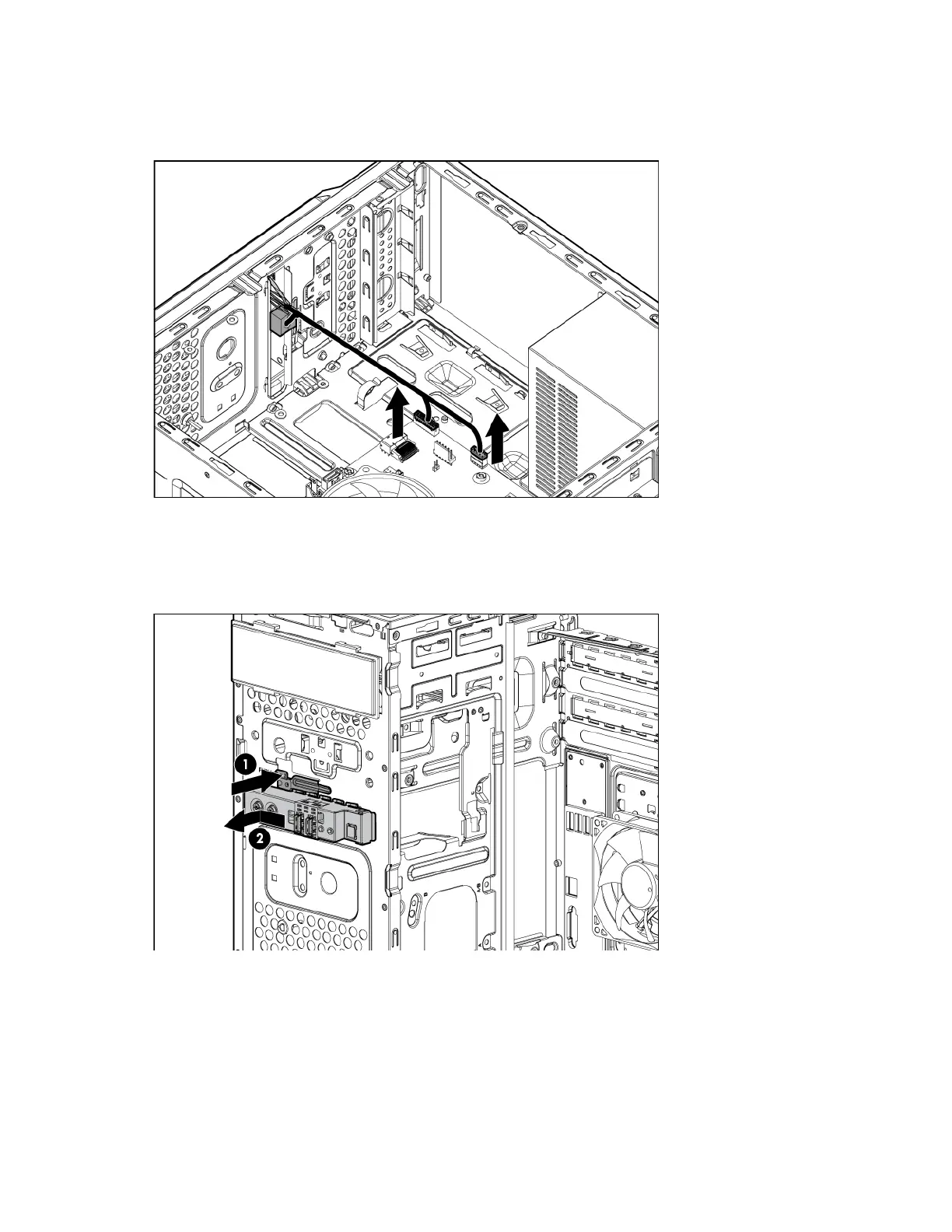
7. Disconnect the front I/O cable connectors from the system board.
8. Remove the front I/O module:
a. Push the latch above the front I/O module.
b. Slide the assembly to the left and remove the entire assembly out of the front I/O module chassis
opening.
To replace the component, reverse the removal procedure.
Ambient temperature sensor cable
To remove the component:
1. Press the Power On/Standby button.


 To Next Page
 Loading...