Removal and replacement procedures 39
2.
Disconnect the power cord from the power source.
3. Disconnect the power cord from the server.
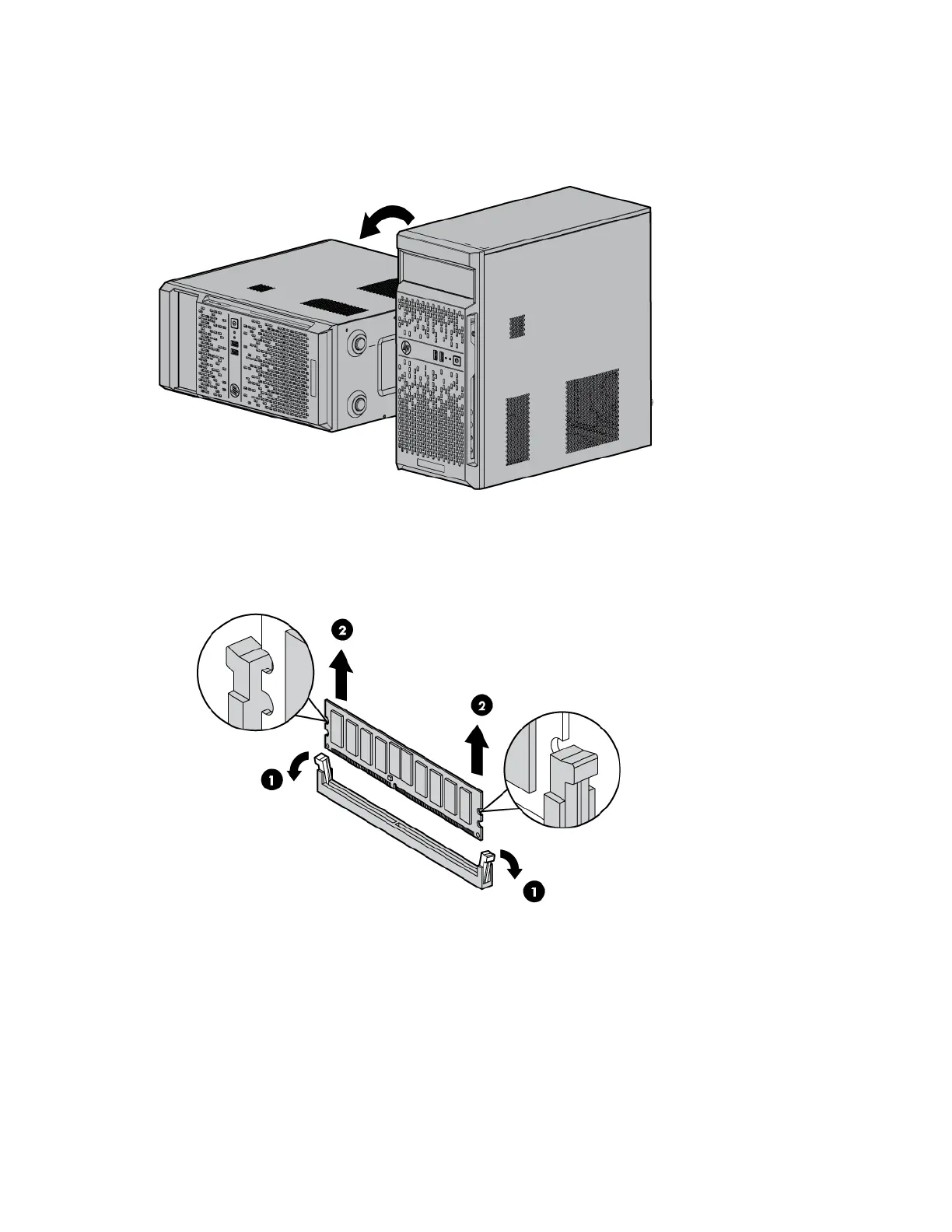
4. Place the server on its side.
5. Remove the access panel (on page 23).
6. Open the DIMM slot latches.
7. Remove the DIMM.
To replace the component, reverse the removal procedure.
Heatsink
To remove the component:
1. Press the Power On/Standby button.


 To Next Page
 Loading...