Removal and replacement procedures 37
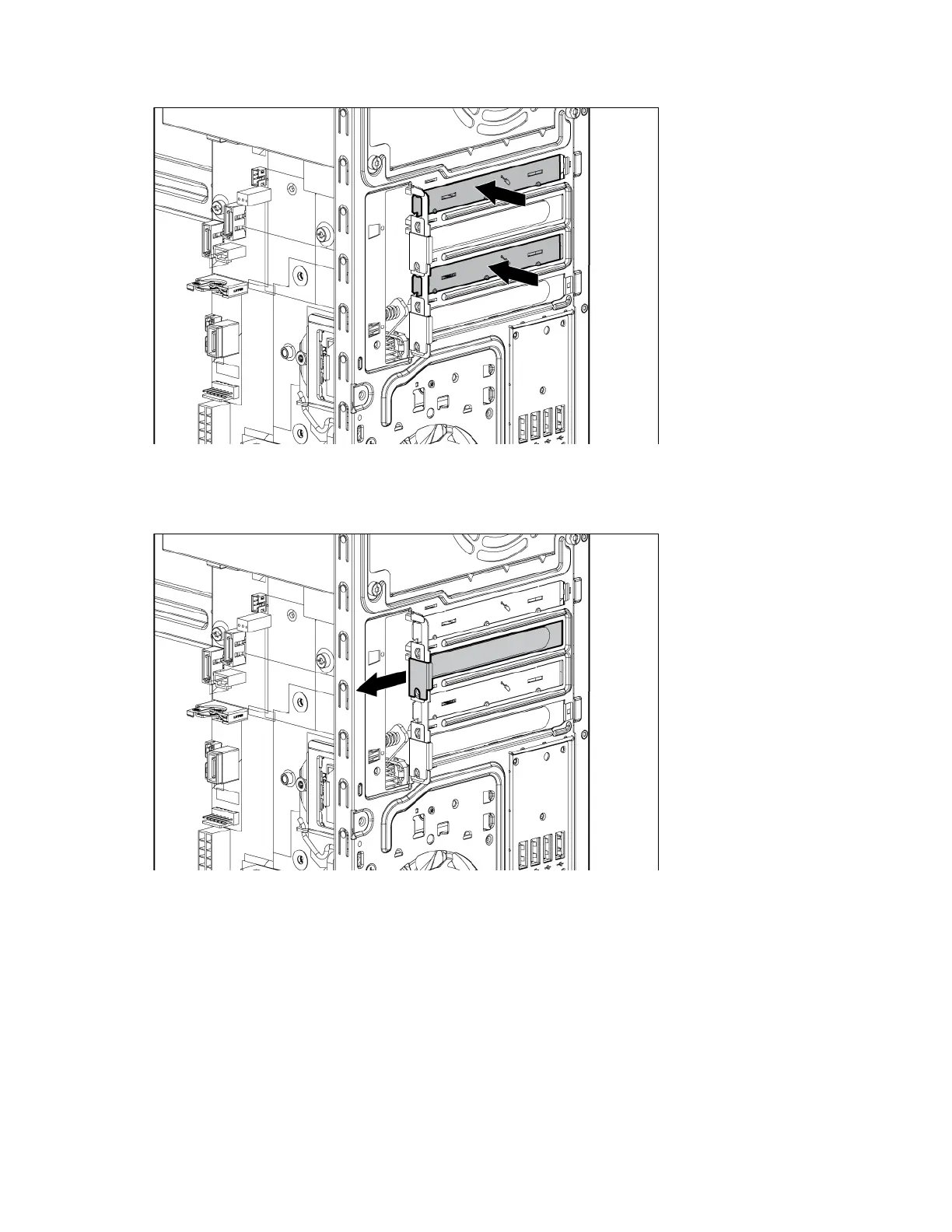
The removal of these slot covers is permanent, and they cannot be replaced.
b. If removing expansion slot cover from PCIe slots 2 or 4, pull up the slot cover and remove it from the
chassis.
To replace the component, reverse the removal procedure.
Expansion board
To remove the component:
1. Press the Power On/Standby button.
The server powers down and enters standby mode. The system power LED changes from green to
amber. Power is still applied to the server.
2. Disconnect the power cord from the power source.
3. Disconnect the power cord from the server.


 To Next Page
 Loading...