Removal and replacement procedures 36
2.
Disconnect the power cord from the power source.
3. Disconnect the power cord from the server.
4. Place the server on its side.
5. Remove the access panel (on page 23).
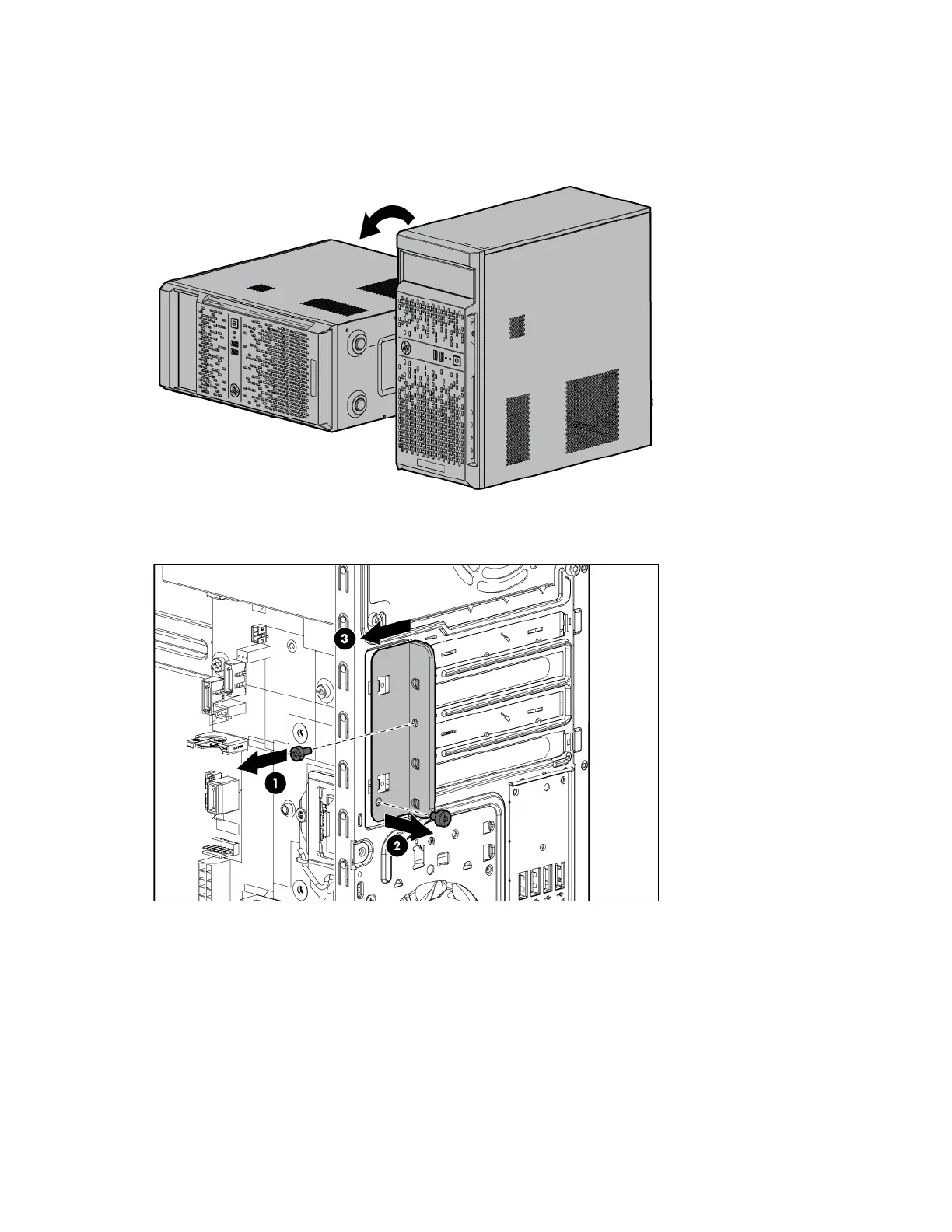
6. Remove the expansion slot cover retainer.
7. Remove the expansion slot cover:
a. If removing expansion slot cover from PCIe slots 1 or 3, push and remove the slot cover attached to
the chassis.


 To Next Page
 Loading...