Removal and replacement procedures 34
4.
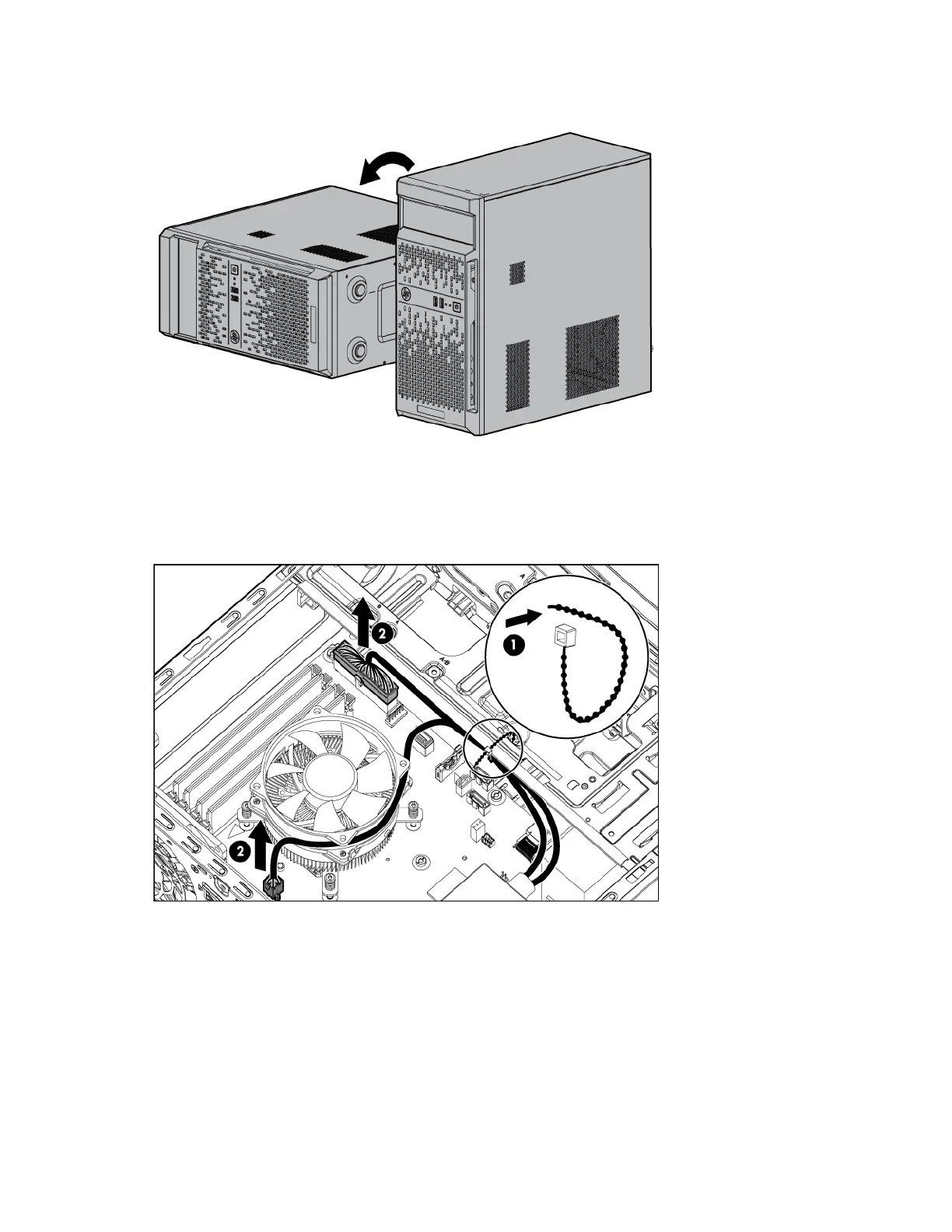
Place the server on its side.
5. Remove the access panel (on page 23).
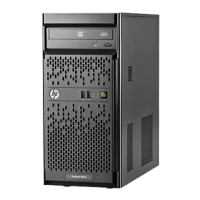
6. Disconnect all power supply cables:
a. Release the cable tie securing the power supply cables.
b. Disconnect the cables from the system board connectors.













 To Next Page