Hardware options installation 35
c.
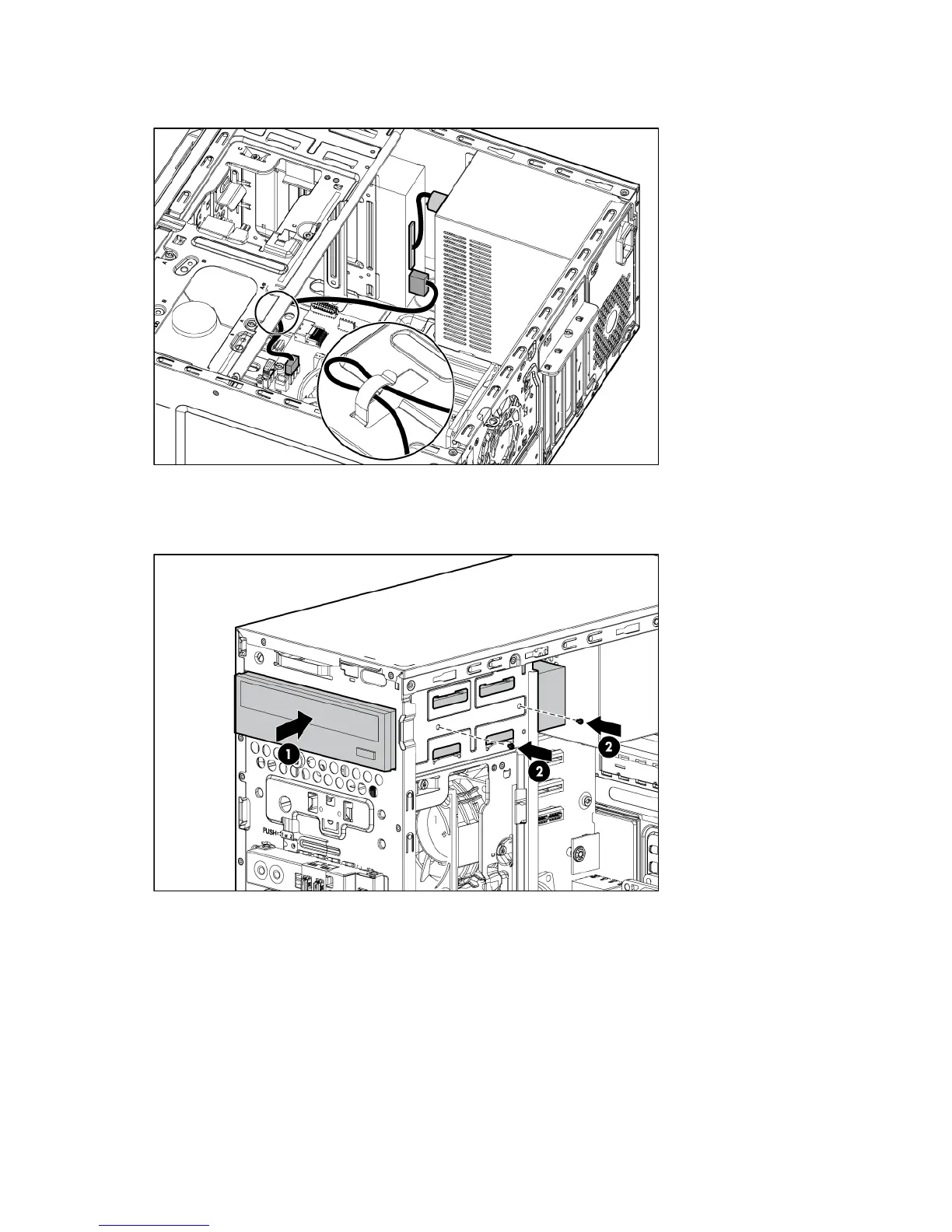
Pass the SATA cable through a cable clip at the bottom of the server, and then connect the other end
of the cable to the system board.
d. Fully insert the optical drive into the media bay until the screw holes line up with the holes in the
chassis, and then secure the drive cage using the two T-15 screws.
Use the T-15 screws available on the front I/O module for securing the optical drive.
10. Install the front bezel (on page 14).
11. Install the access panel (on page 14).
12. Return the server to an upright position.
13. Connect the power cord to the server.
14. Connect the power cord to the power source.
15. Press the Power On/Standby button.
The server exits standby mode and applies full power to the system. The system power LED changes
from amber to green.













 To Next Page