Hardware options installation 39
4.
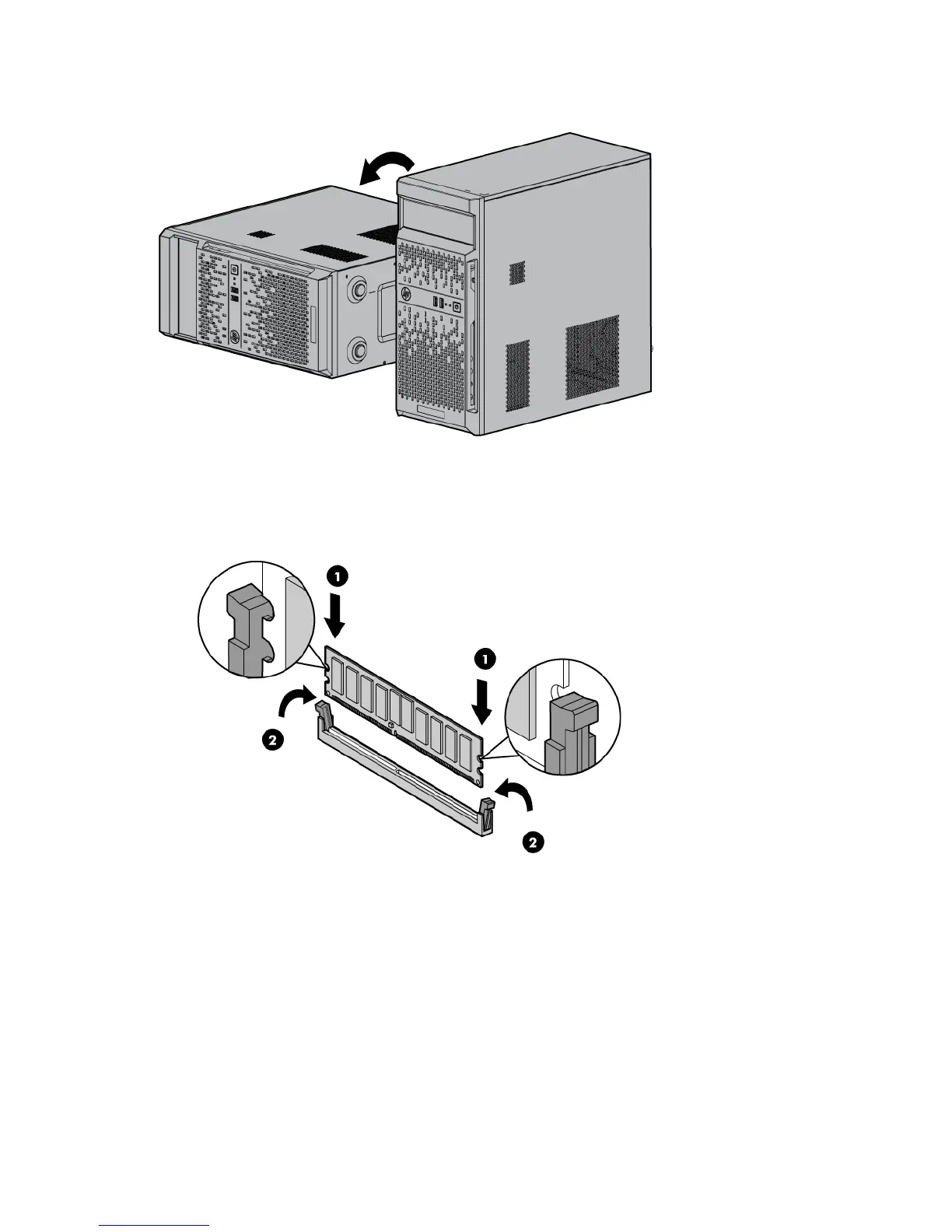
Place the server on the side.
5. Remove the access panel (on page 12).
6. Open the DIMM slot latches.
7. Install the DIMM.
8. Install the access panel (on page 14).
9. Return the server to an upright position.
10. Connect the power cord to the server.
11. Connect the power cord to the power source.
12. Press the Power On/Standby button.
The server exits standby mode and applies full power to the system. The system power LED changes
from amber to green.













 To Next Page