Chapter 3 Installation Guidelines
12
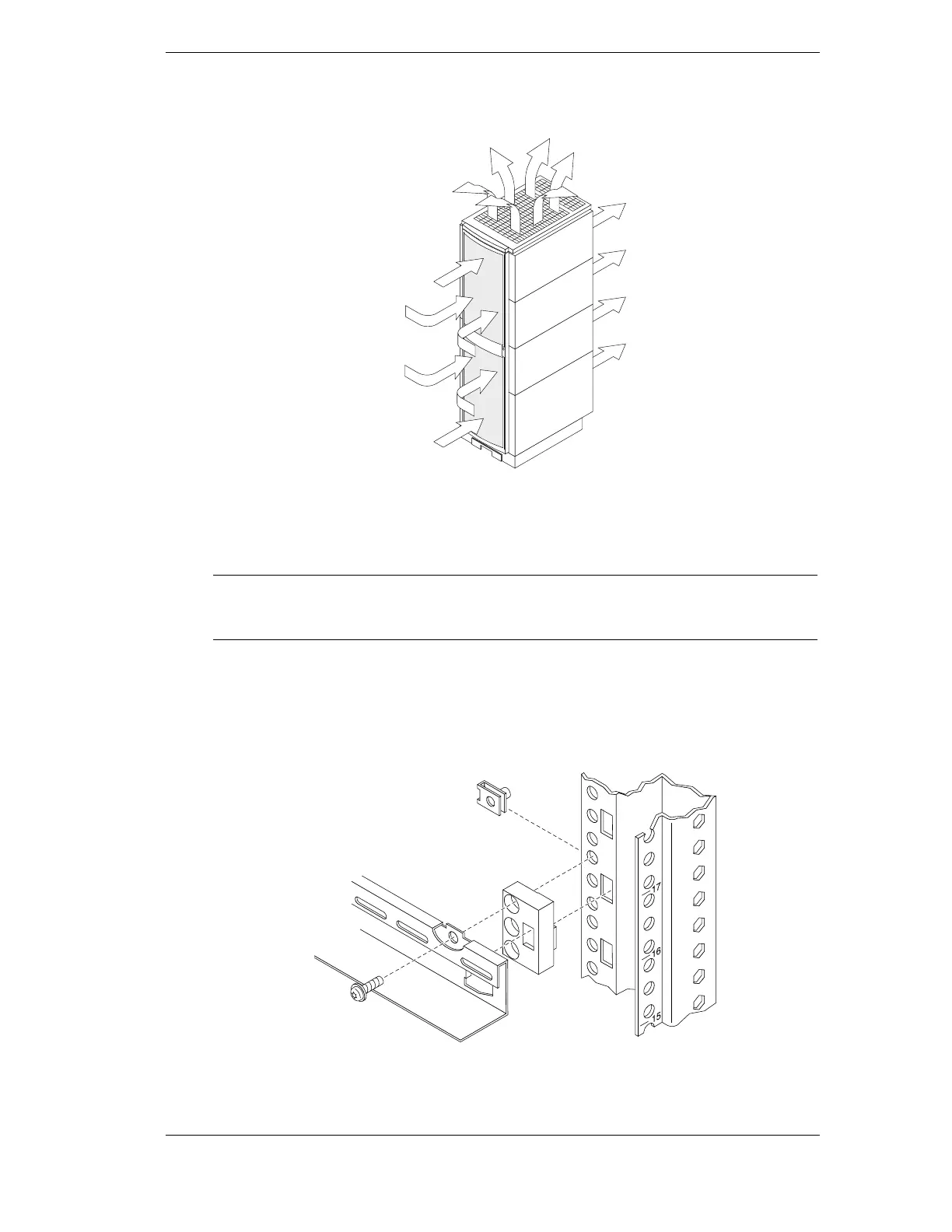
top perforations. In special cases such as back to back product mounting, the aid of an extractor
fan may be necessary, as illustrated in Figure 3-1.
Figure 3-1. Air Flow through the HP Rack System/E
When the proper system is installed, internal temperature rise is typically less than 15C (27F)
over ambient temperature.
NOTE Hewlett-Packard recommends that the customer monitor the internal
temperature of the rack. The internal temperature should not exceed the heat
rating of any installed instruments.
Installing Rail Mounted Equipment into the Rack
Equipment is installed by first attaching equipment rails between both front and rear columns, as
shown in Figure 3-2. A clip nut goes behind the rail and a spacer block at the top hole the EIA
unit. This is the same hole the screw lines up with.
Figure 3-2. Attaching Rail to Column
Equipment is placed on the rails, and secured with rear tie-downs, as shown below in Figure 3-3.



 To Next Page