19
4 Procedures
This chapter describes unpacking and repackaging your HP rack for shipment, and common
procedures such as positioning racks, installing accessories, and reversing the rear door.
Receiving
This section contains information pertaining to unpacking, inspection, and reshipment.
If the rack package is damaged upon receipt, request that the carrier’s agent be present when the
protective covering is removed. Inspect the rack for damage (scratches, dents, bent pieces, etc.).
If the rack is damaged notify the carrier and the nearest Hewlett-Packard Sales and Service
office immediately.
CAUTION Do not lift an unpackaged rack with a fork lift
Unpacking, Handling and Moving
After unloading the rack at the shipping dock, check the order documents to the packing or
shipping list to see all parts arrived in good condition. Most likely you will move it on its pallet
to its uncrating point.
Ensure clear passage from the receiving site to the uncrating site. The shipping dimensions and
weights are given below. Casters come attached, so the rack can be rolled when uncrated, to its
next destination.
When you are ready to uncrate and roll your rack, and anytime in the future when moving your
rack, please observe these safety precautions:
Observe floor loading requirements (especially raised floors) and ensure adequate space before
moving your HP rack, and all safety items while moving. At maximum gross weight the floor
must be able to support 677-kg/ sq cm (2000 lb./sq in).
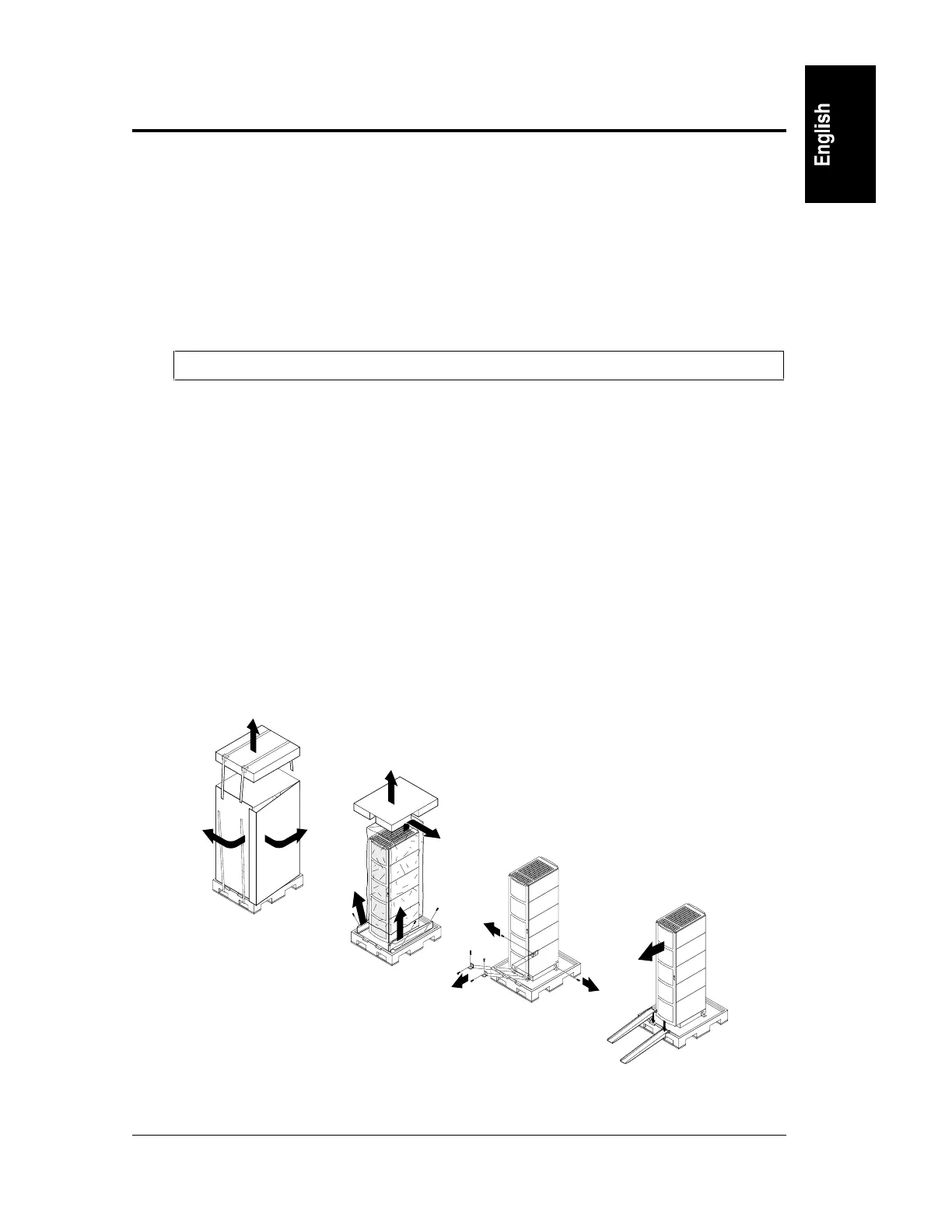
Use the following procedure to remove the rack from the shipping base. One person can perform
this procedure. The sequence of steps is shown below in Figure 4-1.
Figure 4-1. Unpacking Steps



 To Next Page