Chapter 4 Procedures
27
67(3
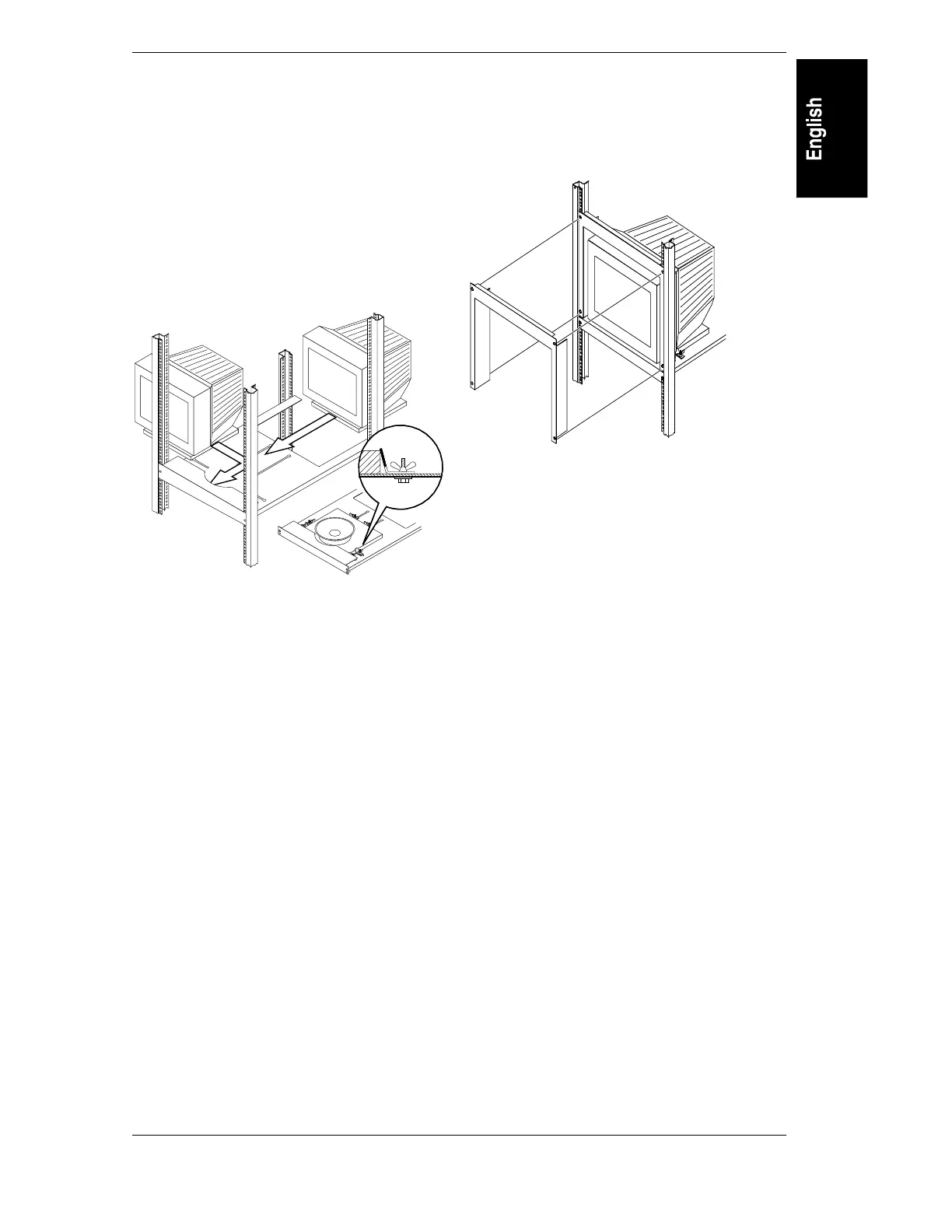
Install Decorative Gray Screws in front
column.
Align the tray as shown. Install decorative screws
in front into Clip Nuts installed in Step 3.
67(3
Install Monitor.
After reading this instruction, remove this
instruction label. Install the monitor from the side
or rear of the rack. Position Clamp Assemblies to
secure monitor, and tighten.
67(3
Install Front Bezel.
Snap the Front Bezel into place as shown.
Connect monitor cabling. Reinstall the side panels
if applicable. Installation complete.
2
9
2
8
2
7
2
6
2
5
3
3
1
3
2
2
3
3



 To Next Page