Chapter 4 Procedures
32
67(3
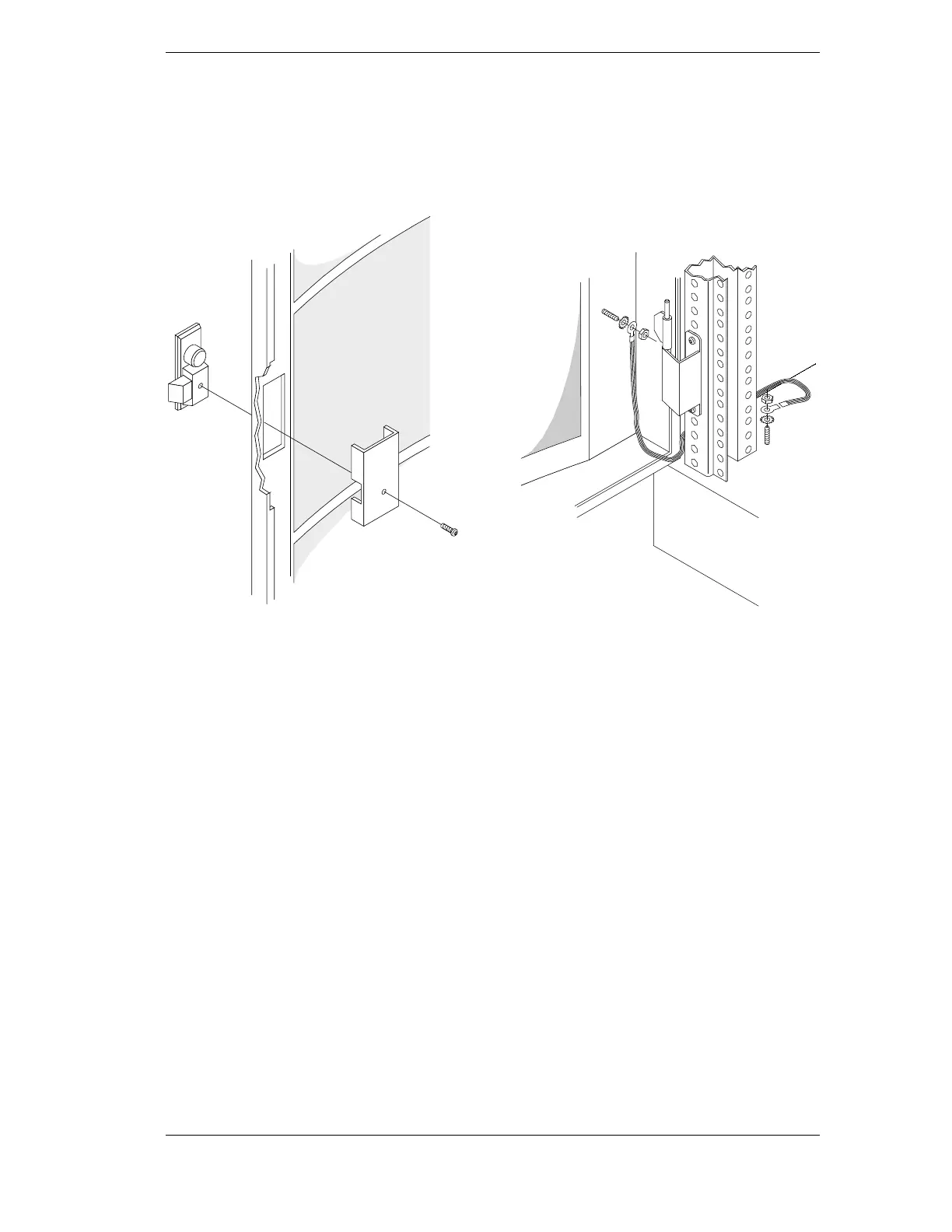
Install the latch assembly.
The door has openings for the latch catch.
Remove any installed cover plate, insert the
latch catch, position the backing plate and
secure with screws.
67(3
Install ground cable.
A threaded stud is positioned near the Front
Door hinge pin. Attach the ground cable to the
stud with a nut and star washer to the door. A
threaded stud is positioned near the base of
each column. Attach the male connector with a
nut and star washer. Connect the ground cable
to the male connector.
67(3
Re-energize.
Re-energize the equipment, if necessary.
Installation complete.



 To Next Page