13
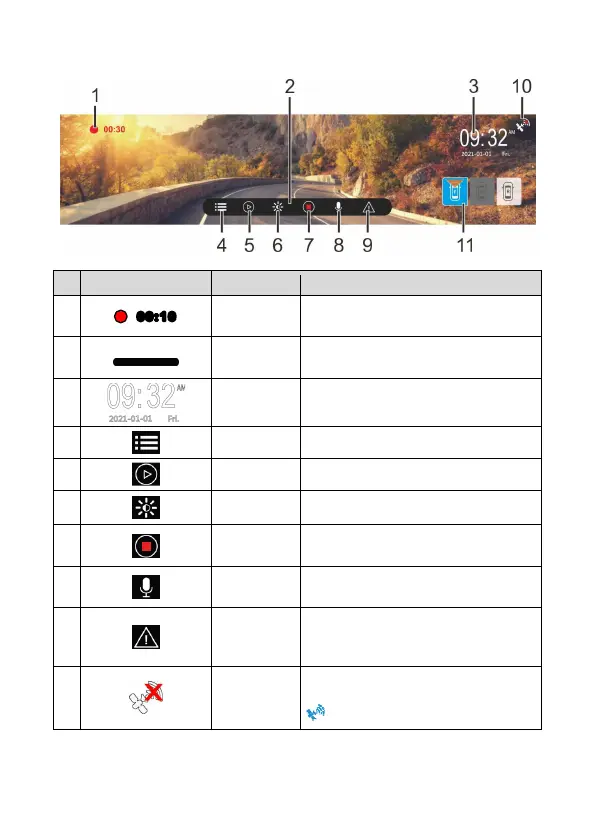
3.1.2 Recording Screen
No
icon Item Description
1
Recording
Duration
Indicates the video current duration.
2
Function
bar
Menu set up and hot key.
3
Date /
Time
Indicates the current recording date
and time.
4
Menu Menu set up.
5
Playback File playback.
6
Brightness LCD brightness set up.
7
Start/Stop
Record
Start/stop video recording.
8
Voice
Record
Turn on/off voice recording.
9
Emergency
Recording
During video recording, touch this icon
to start emergency recording and lock
the file.
10
GPS status
If install optional GPS, when GPS is
positioned, the icon will turn to blue
.


 To Next Page