6
No. Item
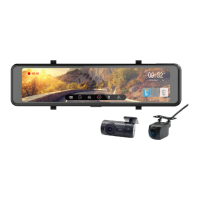
1 Rearview mirror clip
2 LCD Screen
3 CH2 port for interior camera (option)
4 GPS port for external GPS (option)
5 MicroSD memory card slot
6 USB port for car power adapter
7 CH1 port for rear camera (option)
8 Speaker
9 Lens
10
Short press: LCD on/off
Press and hold 3 seconds: manually power on/off
Press and hold 8 seconds: reset
11 Microphone


 To Next Page