EasyManua.ls Logo

HPE OfficeConnect 1420 Series - User Manual

HPE OfficeConnect 1420 Series
26 pages
Print Icon
To Next Page IconTo Next Page
Loading...
i
Contents
Preparing for installation ····································································1
Safety recommendations ··············································································································· 1
Examining the installation site········································································································· 2
Temperature/humidity ············································································································ 2
Cleanliness ·························································································································· 2
EMI ···································································································································· 3
Installing the switch ··········································································4
Rack mounting ···························································································································· 4
Horizontal surface mounting ··········································································································· 6
Wall mounting ····························································································································· 6
Under-table mounting ··················································································································· 8
Connecting cables ························································································································ 9
Connecting network cable ······································································································· 9
Installing the SFP/SFP+ transceiver module and optical fibers ····················································· 10
Connecting the AC power cord ······························································································ 10
Connecting the power adapter ······························································································· 11
Verifying the installation ·············································································································· 11
Support and other resources····························································· 13
Contacting HPE ························································································································· 13
Subscription service ············································································································· 13
Related information ···················································································································· 13
Documents························································································································· 13
Websites ··························································································································· 13
Conventions ······························································································································ 14
Appendix A Chassis views and technical specifications ·························· 16
Chassis views ··························································································································· 16
1420-5G ···························································································································· 16
1420-5G-PoE+ (32W) ·········································································································· 16
1420-8G ···························································································································· 17
1420-8G-PoE+ (64W) ·········································································································· 17
1420-16G ·························································································································· 18
1420-24G ·························································································································· 18
1420-24G-2SFP ·················································································································· 19
1420-24G-2SFP+ 10G Uplink ································································································ 19
1420-24G-PoE+ (124W) ······································································································· 20
Technical specifications ·············································································································· 20
Chassis dimensions and weights ···························································································· 20
Ports and interface card slots ································································································ 21
Environmental specifications ········································································································ 21
Power specifications ··················································································································· 21
AC input voltage specifications ······························································································ 21
DC input voltage specifications ······························································································ 22
Power consumption specifications for non-PoE switches ···························································· 22
Power consumption specifications for PoE switches··································································· 22
Appendix B LEDs ··········································································· 23
Power LED························································································································· 23
Copper port LEDs················································································································ 23
Fiber port LEDs ··················································································································· 24
Appendix C Troubleshooting ····························································· 25

Questions and Answers

Summary

Preparing for Installation

Safety Recommendations

Essential safety precautions to prevent harm and equipment damage during setup.

Installation Site Requirements

Guidelines for selecting and preparing the installation site, including environmental and clearance needs.

Switch Installation Procedures

Rack Mounting

Steps for securely mounting the switch in a 19-inch rack using appropriate brackets.

Alternative Mounting Methods

Instructions for horizontal surface, wall, and under-table mounting of the switch.

Cable and Module Connections

Network and SFP;SFP+ Connections

Connecting network cables and installing SFP/SFP+ transceiver modules and optical fibers.

Power and Installation Verification

Connecting power cords/adapters and verifying the overall installation.

Support and Documentation Resources

HPE Support and Product Information

Contacting HPE, subscription service, related documents, and websites for product support.

Documentation Conventions

Explanation of conventions used in the documentation, such as command syntax and GUI elements.

Appendix A: Hardware Specifications

Chassis Views and Model Identification

Visual guides to the front and rear panels of different HPE 1420 switch models.

Technical Specifications Summary

Key specifications including dimensions, weight, ports, environmental limits, and power requirements.

Appendix B: LED Indicators

Power, Copper, and PoE LED Descriptions

Descriptions of Power, Link/ACT, and PoE status LEDs for various switch models.

Fiber Port LED Indicators

Explanations for SFP and SFP+ port LED indicators and their operational meanings.

Appendix C: Troubleshooting Guide

Common Troubleshooting Scenarios

Guidance on resolving common issues like power failures or inactive network ports.

Overview

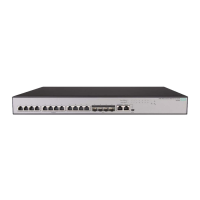
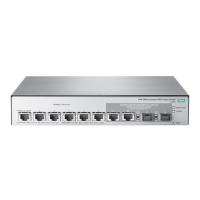
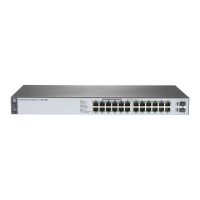
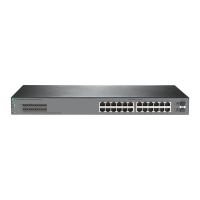
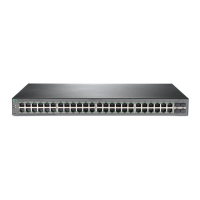
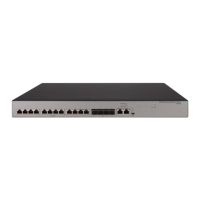
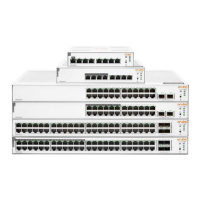
The HPE OfficeConnect 1420 Switch Series is a collection of network switches designed for indoor use, offering various models to suit different networking needs. These devices are primarily used to connect multiple network devices, such as PCs, servers, and other switches, within a local area network (LAN), facilitating data communication. The series includes both non-PoE (Power over Ethernet) and PoE+ models, providing flexibility for environments where power delivery over Ethernet cables is required for devices like IP phones or wireless access points.

Function Description

At its core, the HPE OfficeConnect 1420 Switch Series functions as a network hub, enabling data packets to be forwarded between connected devices. The switches support 10/100/1000BASE-T copper ports, allowing for Gigabit Ethernet speeds, which are essential for high-bandwidth applications and efficient data transfer. Some models also feature SFP (Small Form-Factor Pluggable) and SFP+ ports, providing options for fiber optic connections. These fiber ports are crucial for extending network reach over longer distances or for connecting to backbone network devices where electromagnetic interference is a concern. The SFP+ ports on certain models support 10 Gigabit Ethernet, offering even higher speeds for uplink connections or demanding network segments.

The PoE+ models in the series are designed to supply power to compatible devices over the Ethernet cable, eliminating the need for separate power outlets for these devices. This feature simplifies installation and reduces cable clutter, particularly in deployments of IP cameras, VoIP phones, and wireless access points. The PoE+ capability adheres to industry standards, ensuring compatibility with a wide range of powered devices (PDs). The switches manage power allocation, with some models featuring a PoE-MAX LED to indicate when the power budget is nearing its limit, allowing administrators to monitor and manage power consumption effectively.

The switches operate in an autonegotiation mode for their copper ports, automatically detecting the speed and duplex settings of connected devices to establish the optimal link. For fiber ports, particularly on SFP+ models, it is recommended to ensure that both the switch and the peer device operate at the same speed and in full duplex mode for correct link operation.

Usage Features

The HPE OfficeConnect 1420 Switch Series offers multiple installation options to accommodate various deployment scenarios. Users can mount the switches in a standard 19-inch rack, on a horizontal surface, on a wall, or even under a table. Each mounting method is detailed with specific instructions and considerations to ensure secure and stable installation. For rack mounting, different bracket types (Type-A and Type-B) are provided depending on the switch model, and it's important to note that these brackets primarily secure the switch to the rack, while a rack shelf is used to bear the switch's weight.

Horizontal surface mounting involves attaching rubber feet to the chassis bottom to prevent slipping and provide stability. Wall mounting is supported for specific compact models (5G, 5G-PoE+, 8G, 8G-PoE+, and 16G) and requires drilling holes and using wall anchors and screws. The hole spacing varies by switch model, and specific screw dimensions are recommended to ensure a secure fit. Under-table mounting, also supported by the more compact models, utilizes wall mounting screws to secure the switch beneath a surface, offering a discreet installation option.

Connecting cables is straightforward. Standard crossover or straight-through Ethernet cables are used for network connections to copper ports. For SFP/SFP+ ports, transceiver modules are installed first, followed by the connection of optical fibers. Users are advised to handle transceiver modules by their sides to avoid touching the golden plating and to remove any optical fibers before installation or removal of the module. Protective sleeves for optical fibers should be retained for future use.

Powering the switches varies by model. Larger models (16G, 24G, 24G-2SFP, 24G-2SFP+ 10G Uplink, and 24G-PoE+ (124W)) connect directly to an AC power source using a power cord and require grounding. Smaller models (5G, 5G-PoE+, 8G, and 8G-PoE+) use an external power adapter, which also requires grounding for the PoE+ models if the connected PD is grounded. The installation process concludes with verifying the power LED status; a steady green light indicates correct power connection and operation.

Maintenance Features

The HPE OfficeConnect 1420 Switch Series is designed for ease of use and minimal maintenance, but certain practices are recommended to ensure long-term reliability and performance. Environmental considerations are paramount. The installation site should maintain specific temperature and humidity levels as outlined in the "Environmental specifications" to prevent issues such as poor insulation, electricity leakage, material degradation, metal corrosion, washer contraction, electrostatic discharge (ESD), and accelerated aging of insulation materials.

Cleanliness is also a critical factor. Dust buildup can lead to electrostatic adsorption, causing poor contact of metal components and communication failures, especially in low humidity environments. Therefore, the equipment room should adhere to specified dust concentration limits. Furthermore, the presence of harmful gases like SO2, H2S, and NH3 should be minimized to prevent corrosion and premature aging of components.

Electromagnetic Interference (EMI) prevention is addressed through several recommendations. These include using single-phase three-wire power receptacles with protection earth (PE) for AC power to filter interference, keeping the switch away from radio transmitting stations and high-frequency devices, and using electromagnetic shielding with shielded interface cables when necessary.

Regular inspection of the installation is advised, particularly for under-table mounted switches, to ensure they remain securely anchored and unobstructed. For PoE models, monitoring the PoE-MAX LED helps in managing power consumption and preventing power-related issues. If the PoE power reaches a guard band, the switch prioritizes power delivery based on port IDs, which can impact new or existing powered devices.

Troubleshooting common issues is simplified with LED indicators. The Power LED, Copper port LEDs (Link/ACT), Fiber port LEDs (SFP/SFP+), and PoE status LEDs provide visual cues about the switch's operational status. For instance, a steady green Power LED indicates normal operation, while flashing green suggests a self-test or a fault. Link/ACT LEDs show link presence and data activity, with different colors indicating speed. PoE status LEDs indicate whether power is being supplied correctly or if there's an issue. In cases where the Power LED is off, users are guided to verify power source, connections, and power supply. If a LAN interface LED is off, checking the network cable connection and trying a different cable are recommended steps. If problems persist after basic troubleshooting, users are advised to contact HP Support.

Overall, the HPE OfficeConnect 1420 Switch Series provides a robust and flexible networking solution with clear guidelines for installation, usage, and basic maintenance, aiming for reliable performance in various small to medium-sized network environments.

HPE OfficeConnect 1420 Series Specifications

General IconGeneral
ModelHPE OfficeConnect 1420 Series
LayerLayer 2
Operating Temperature0°C to 40°C (32°F to 104°F)
Input Voltage100-240 VAC
ManagementUnmanaged
Power over EthernetNo
DimensionsVaries by model
WeightVaries by model
TypeSwitch
Ports8, 16, 24
Port TypeGigabit Ethernet
Form FactorDesktop or Rackmount
Power SupplyExternal power adapter
ThroughputUp to 35.7 Mpps
Operating Relative Humidity15% to 90% non-condensing
Power ConsumptionVaries by model
Jumbo Frames9216 bytes
MAC Address Table Size8K entries

Related product manuals