4. On the webpage, you can:
§ Tap a link to open it, or press and hold a link to see more options.
§ Tap an email address to send a message to the email address, save it to
Contacts, and more.
§ Press and hold an image to save, copy, or set it as your wallpaper.
5. To return to the previous webpage you've viewed, tap , and then tap or .
Maximizing your browsing space
§ To hide the status bar when browsing, tap > Settings > General, and then
select Fullscreen.
§ While browsing a webpage, tap > Desktop View to display the full desktop
version of the webpage.
Using browser tabs
Open multiple browser tabs and quickly switch from one webpage to another.
Open the Internet app.
§ To add a browser tab, tap > . Repeat the same to open new browser tabs.
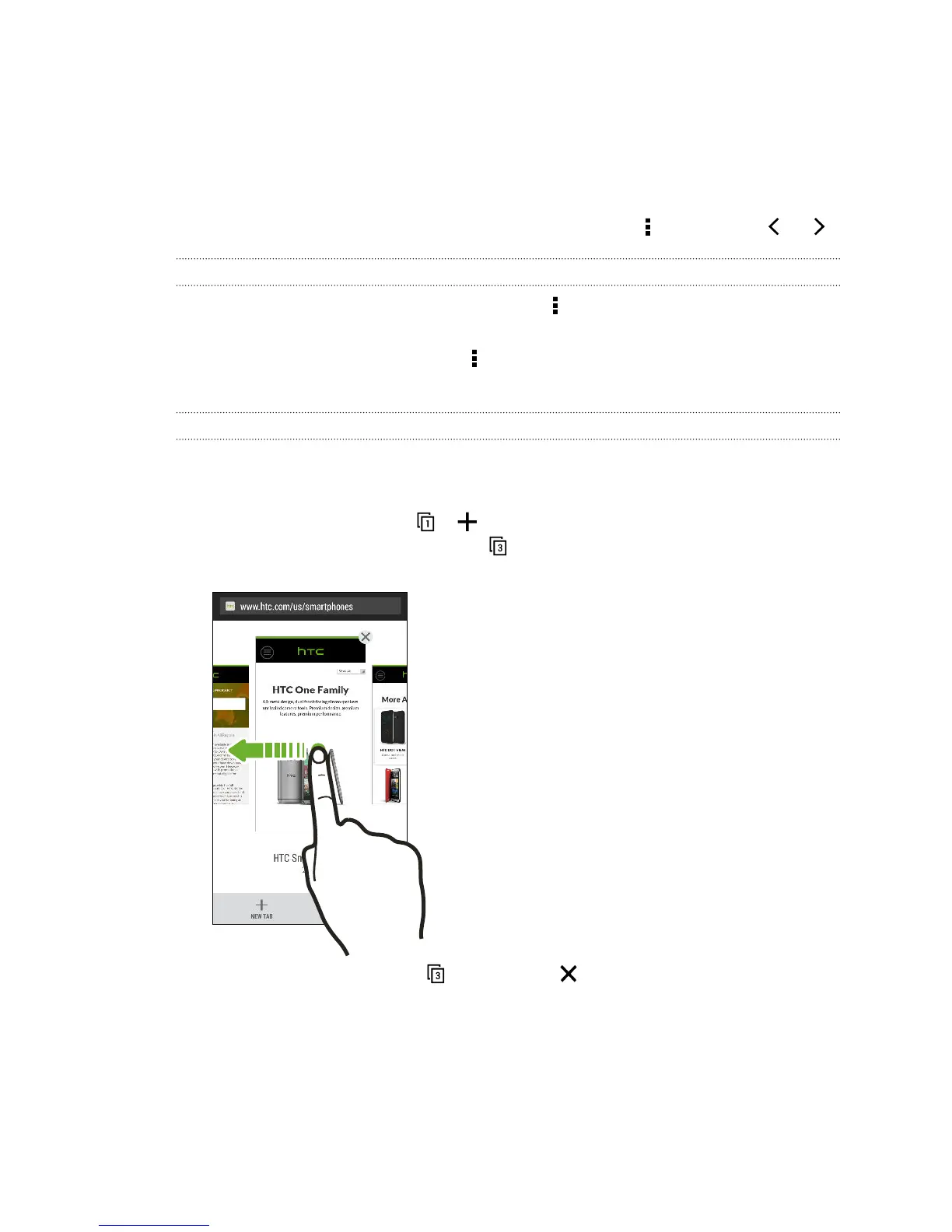
§ To switch among browser tabs, tap and swipe to the webpage you want to
view. Tap the browser tab to display the webpage in full screen.
§ To close a browser tab, tap , and then tap .
109 Search and web browser



 To Next Page