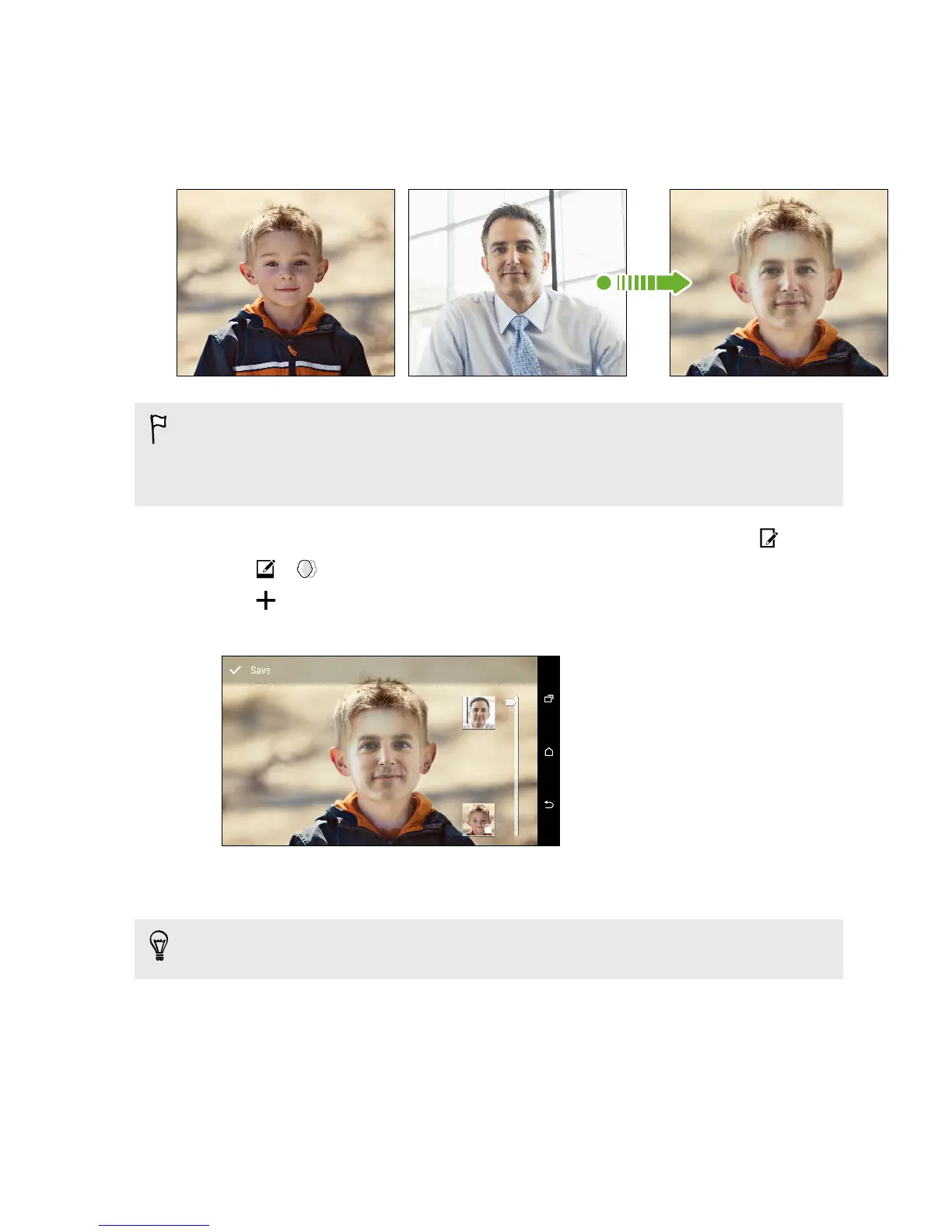
Using Face Fusion
Wonder what you would like if you shared the same features as another person? Face
Fusion uses a person’s photo and a target face to merge the two photos into one.
To use Face Fusion, the faces in each photo have to be 100 x 100 pixels or larger in
size. For best results, use facial shots that are without glasses and are not covered
by hair, a hat, or any other item. Also, photos of subjects looking towards the
camera give the best results.
1. In Gallery, open the photo you want in full screen, tap it, and then tap .
2. Tap > .
3. Tap and then browse to the photo that you want to merge with.
4. Drag the slider to apply Face Fusion to the image.
5. When you are satisfied with the result, tap Save and choose to save as a photo
or video.
To choose another target face, just tap the thumbnail of the target person and
browse to a new photo.
Viewing Pan 360 photos
1. On the Gallery app’s main screen, swipe to the Timeline, Albums, or Locations
tab.
2. Tap a tile to open the thumbnail view.
87 Gallery



 To Next Page