Motion Launch
Waking up the phone with Motion Launch
When the screen is off and HTC Desire EYE is in sleep mode, use Motion Launch to
wake up and unlock your phone directly to an app or screen. Motion Launch is a
combination of a motion gesture, which is to lift the phone, followed by a finger
gesture.
If you've set up a screen lock with credentials, you'll be asked to provide your
credentials first before HTC Desire EYE unlocks to the relevant app or screen.
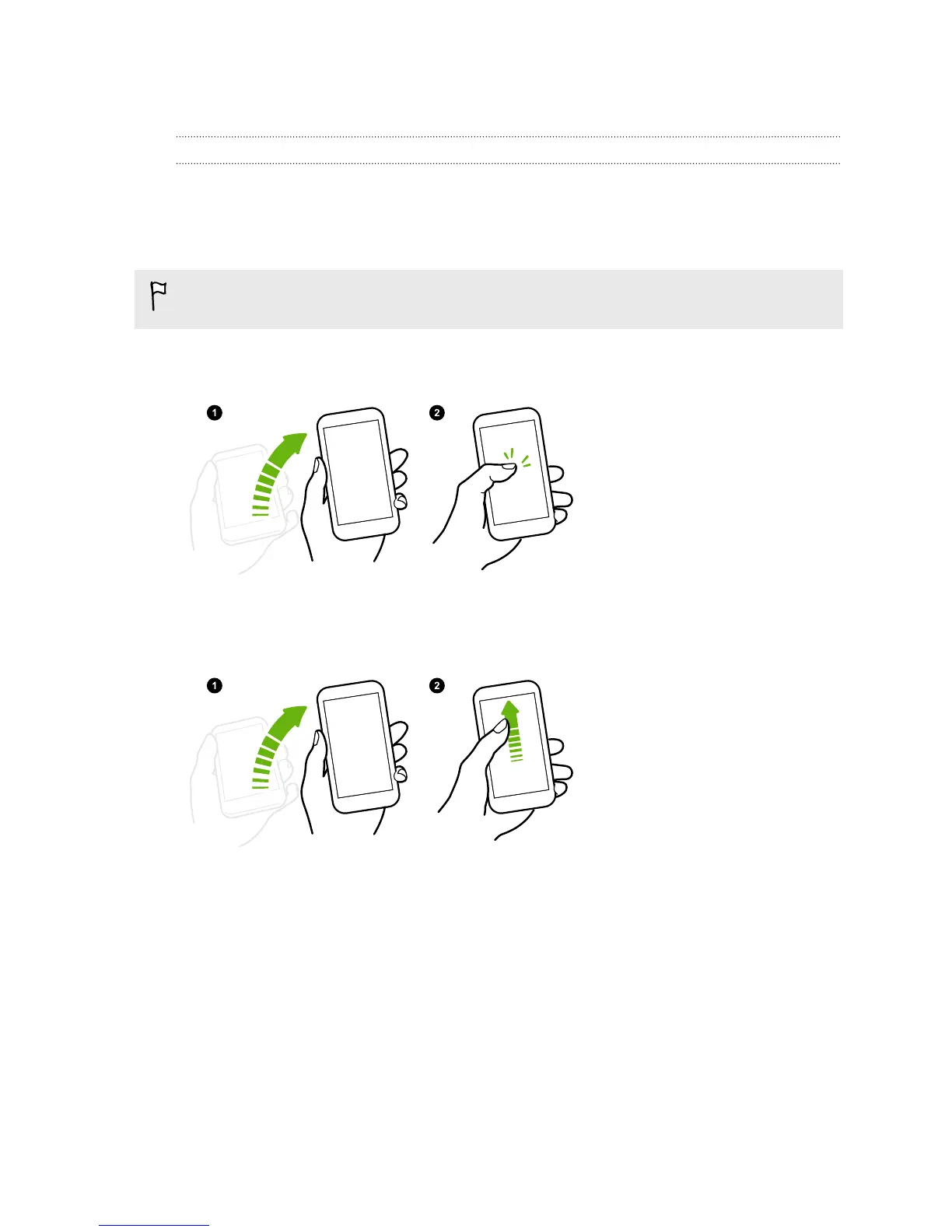
Wake up the phone
1. Lift the phone in
portrait orientation.
2. Immediately double-
tap the screen.
Make sure you're not
touching the screen when
the phone vibrates.
Wake up and unlock the screen
1. Lift the phone in
portrait orientation.
2. Swipe up the screen
right away. You need
to start swiping from
the bottom half of
the screen.
Make sure you're not
touching the screen when
the phone vibrates.
41 Your first week with your new phone



 To Next Page