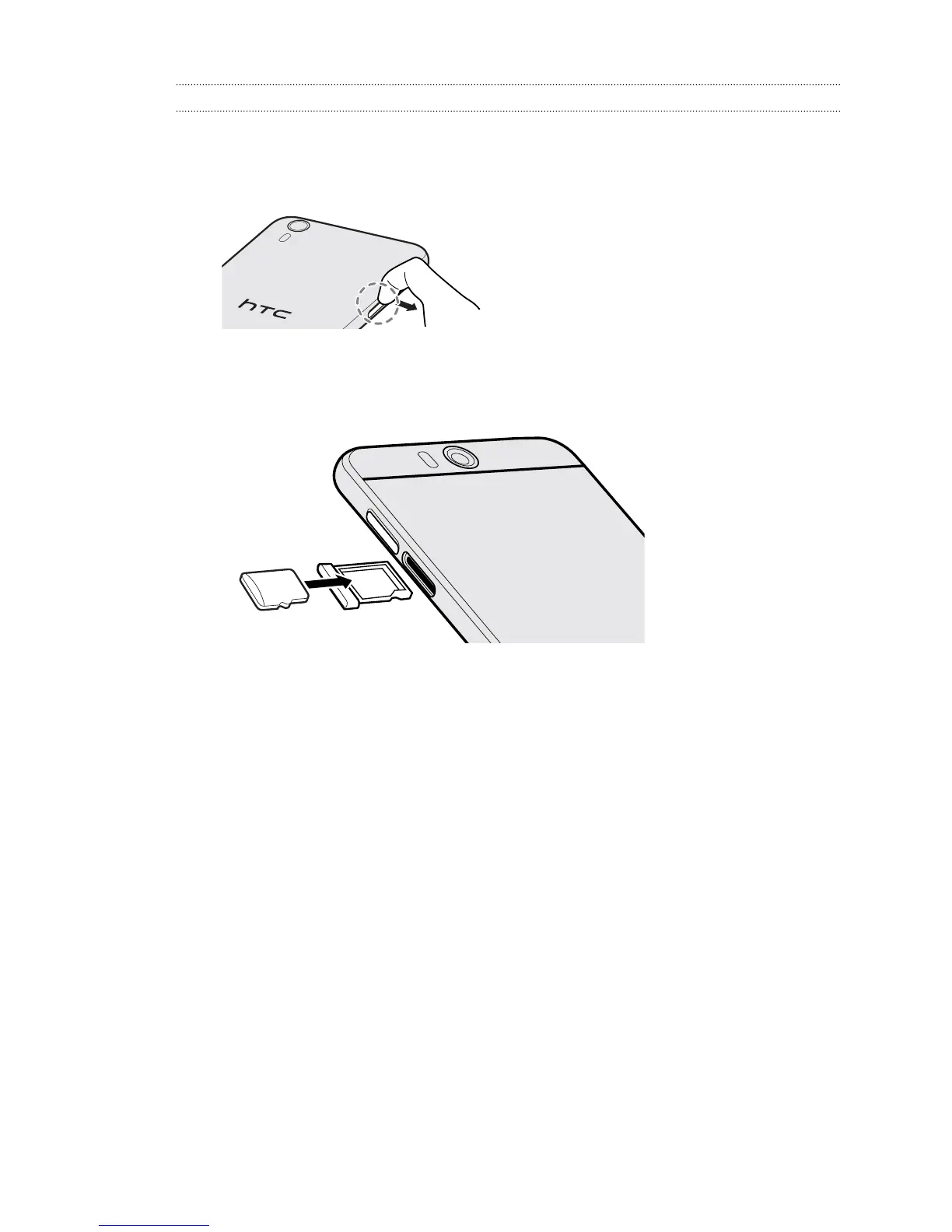
Inserting the microSD card
With HTC Desire EYE facing up, the microSD slot is on the left side.
1. With the HTC Desire EYE facing down, insert your fingertip in the small microSD
tray slot opening, and then pull the microSD tray out.
2. Flip HTC Desire EYE over.
3. With both HTC Desire EYE and the microSD tray facing up, place the microSD
card into the tray, with the card’s gold contacts facing down.
17 Unboxing



 To Next Page