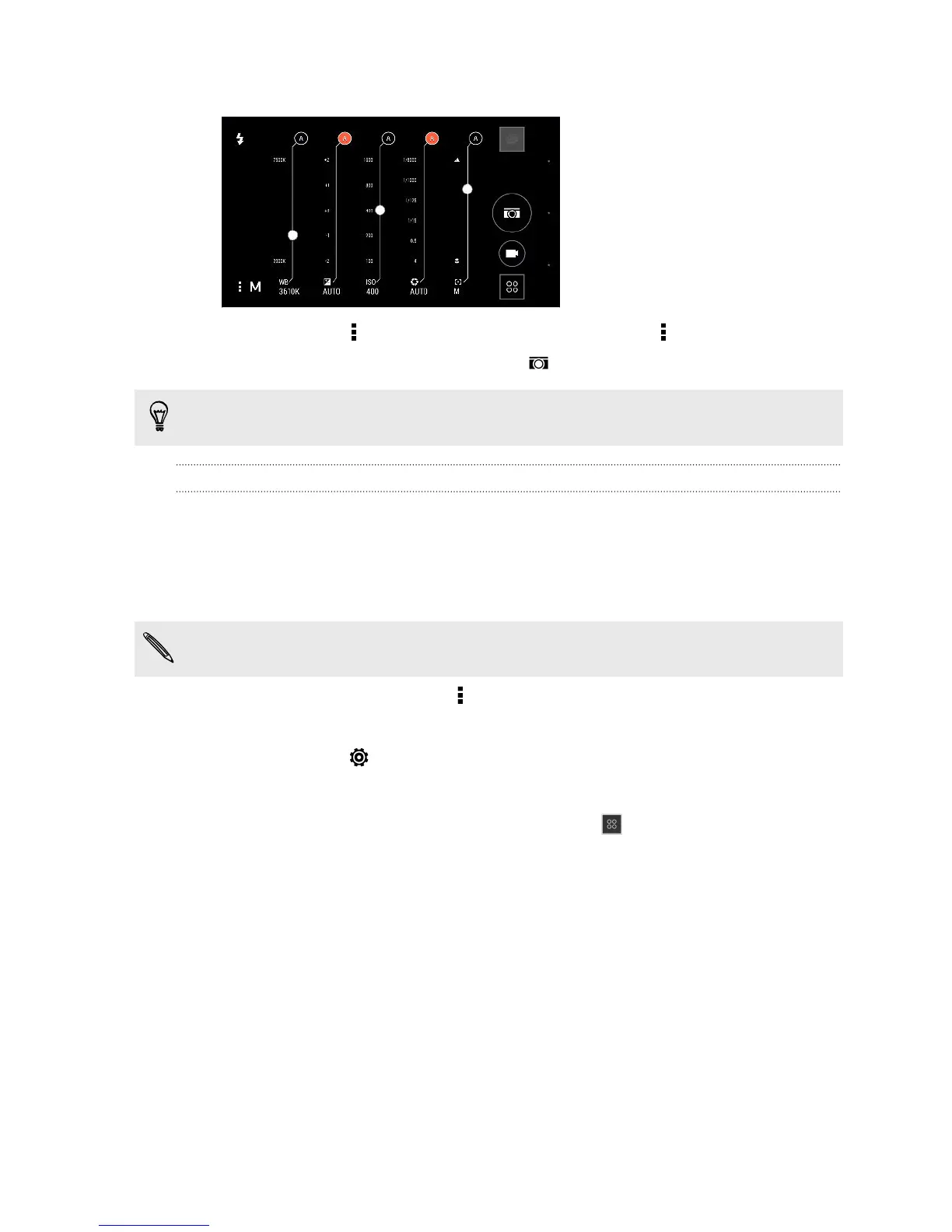
5. Tap a setting, and then drag across its slider to make adjustments.
6. When done, tap . To display the settings again, just tap .
7. When you're ready to take a photo, tap .
You can save your customized settings as a new camera mode.
Saving your settings as a camera mode
Save a scene or custom settings as a new camera mode so you can conveniently use
it anytime you need it.
1. Open the Camera app.
2. Switch to the camera mode you want to use.
Some camera modes may not support modifying the camera settings.
3. On the Viewfinder screen, tap to show the camera options.
4. Modify the settings as desired.
5. When done, tap > Save custom camera.
6. Enter a name, and then tap Save.
To select and use the newly created camera mode, tap on the Viewfinder screen.
81 Camera



 To Next Page