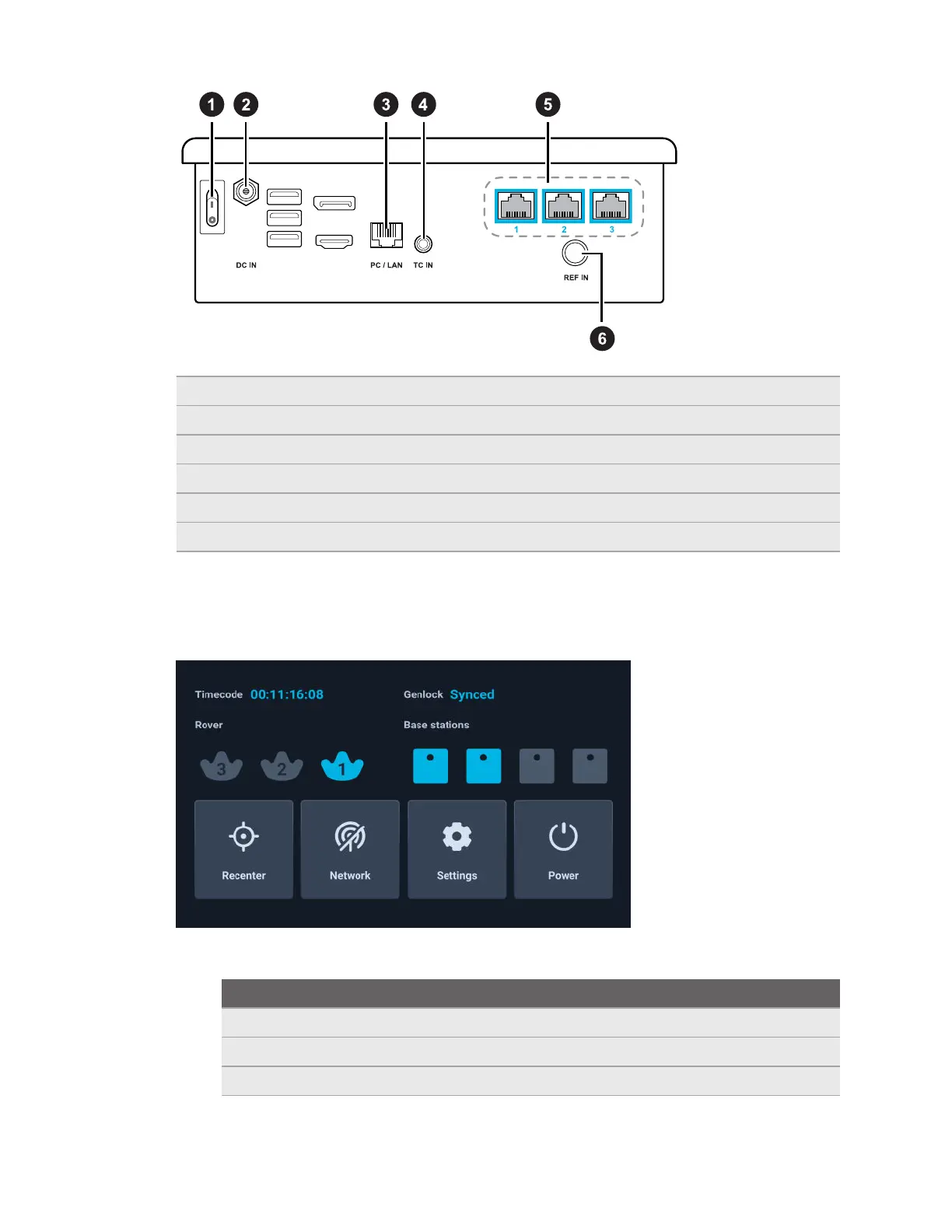
1 Power switch For powering Mars on and off
2 DC power input For connecting Mars to power
3 PC/LAN port For connecting to IP router
4 TC input For connecting timecode generator
5 Ethernet ports For connecting Rover units
6 REF input For connecting genlock generator
Mars dashboard
The Mars dashboard displays the connection status of each connected hardware device and
other system-related information. You can also access several system configuration options.
§ Rover: The status of each Rover module is represented by a VIVE Tracker (3.0) icon.
Icon
Device status
Solid gray No Rover module is detected.
Flashing gray The Rover module is booting up.
Flashing blue VIVE Tracker (3.0) is detected but not tracking yet.
10 Hardware



 To Next Page