§ Restart Mars.
Why can't I see the incoming video feed in the Camera
Calibration Tool?
Depending on how your video capture device is configured, the Camera Calibration Tool might
not display the incoming video feed.
If the Camera Calibration Tool doesn't display the incoming video feed after you select a video
source, try reconfiguring your video capture device. For example, if you're using a Blackmagic
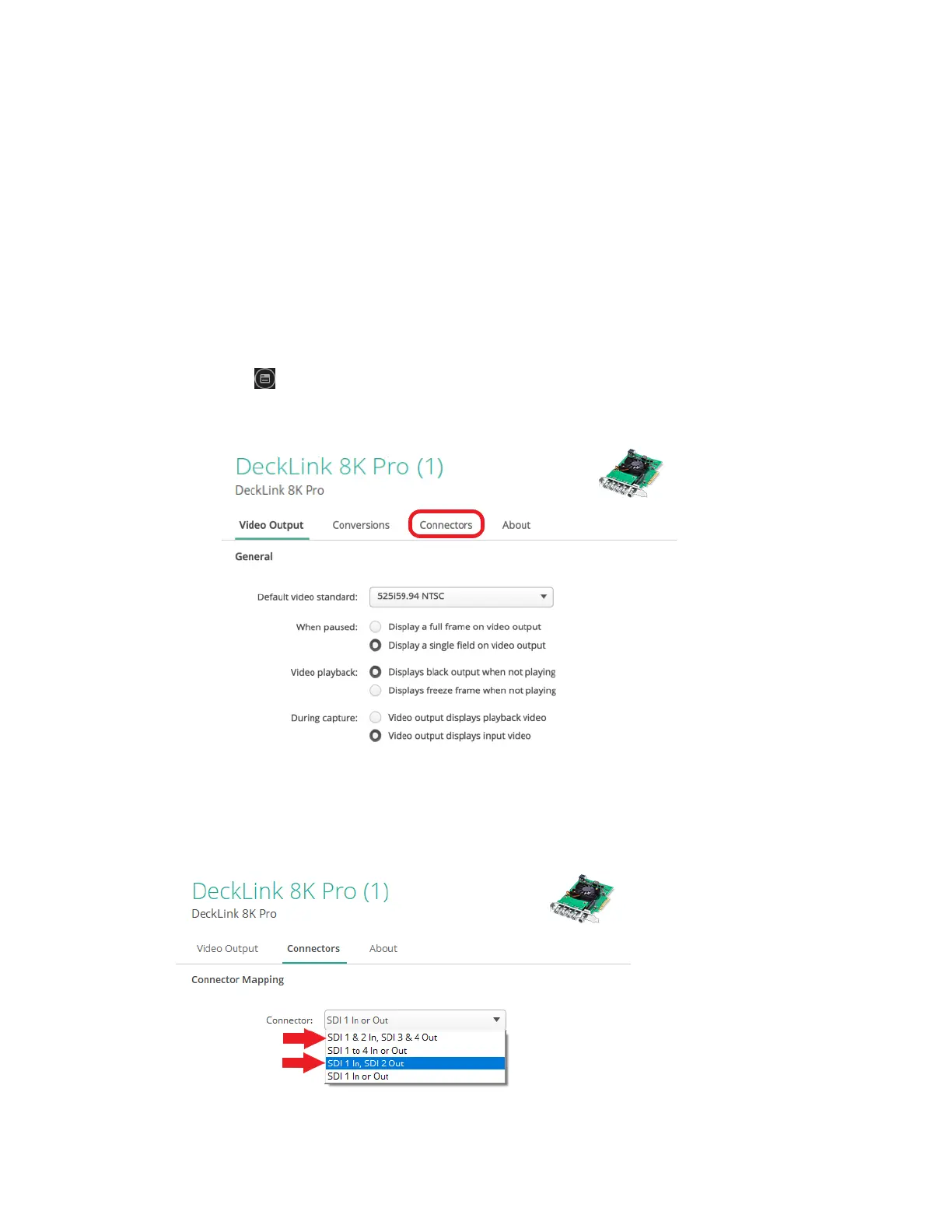
DeckLink 8K Pro, you can resolve this issue by configuring the connector mapping as follows:
1. In the Blackmagic Desktop Video Utility, select your device, and then click the settings
icon .
2. Click the Connectors tab.
3. Under Connector Mapping, select one of the following for Connector:
§ SDI 1 & 2 In, SDI 3 & 4 Out
§ SDI 1 In, SDI 2 Out
27 FAQs



 To Next Page