Camera calibration
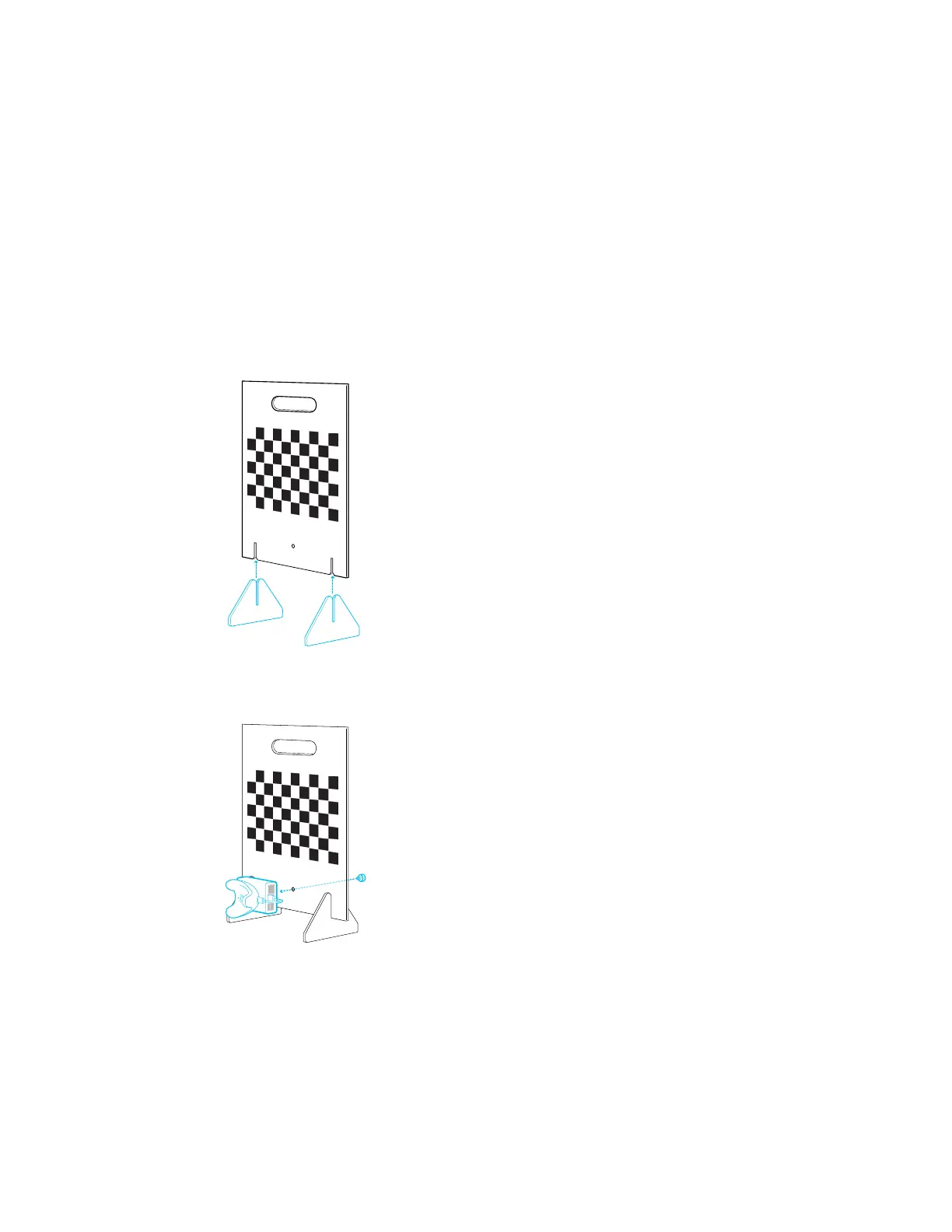
Assembling the calibration board
Assemble the calibration board and place it inside the tracking area on your set before starting
the camera calibration process.
1. Attach the base supports to the calibration board.
2. Attach a Rover and VIVE Tracker (3.0) to the calibration board under the chessboard
pattern using the screw included in the box.
3. Place the calibration board inside the tracking area on your virtual production set with the
chessboard pattern facing your camera. See Example virtual production studio setup on
page 14.
21 Camera calibration



 To Next Page