Icon Device status
Solid blue VIVE Tracker (3.0) is detected and tracking.
§ Timecode: Displays the timecode from a connected camera or sync generator.
§ Genlock: The status Synced will be displayed when an external sync generator is
connected.
An external sync generator is required to use this feature.
§ Base stations: Displays the connection status of each base station.
§ Recenter: Reset the coordinates of a tracker to a positional origin (neutral coordinates).
§ Network: Displays the IP address when the network status is active. Tap to configure
network settings.
§ Power: Tap to restart or power off Mars.
§ Settings: Configure additional settings and check for system updates. You can also
export system logs for system diagnostics and analysis.
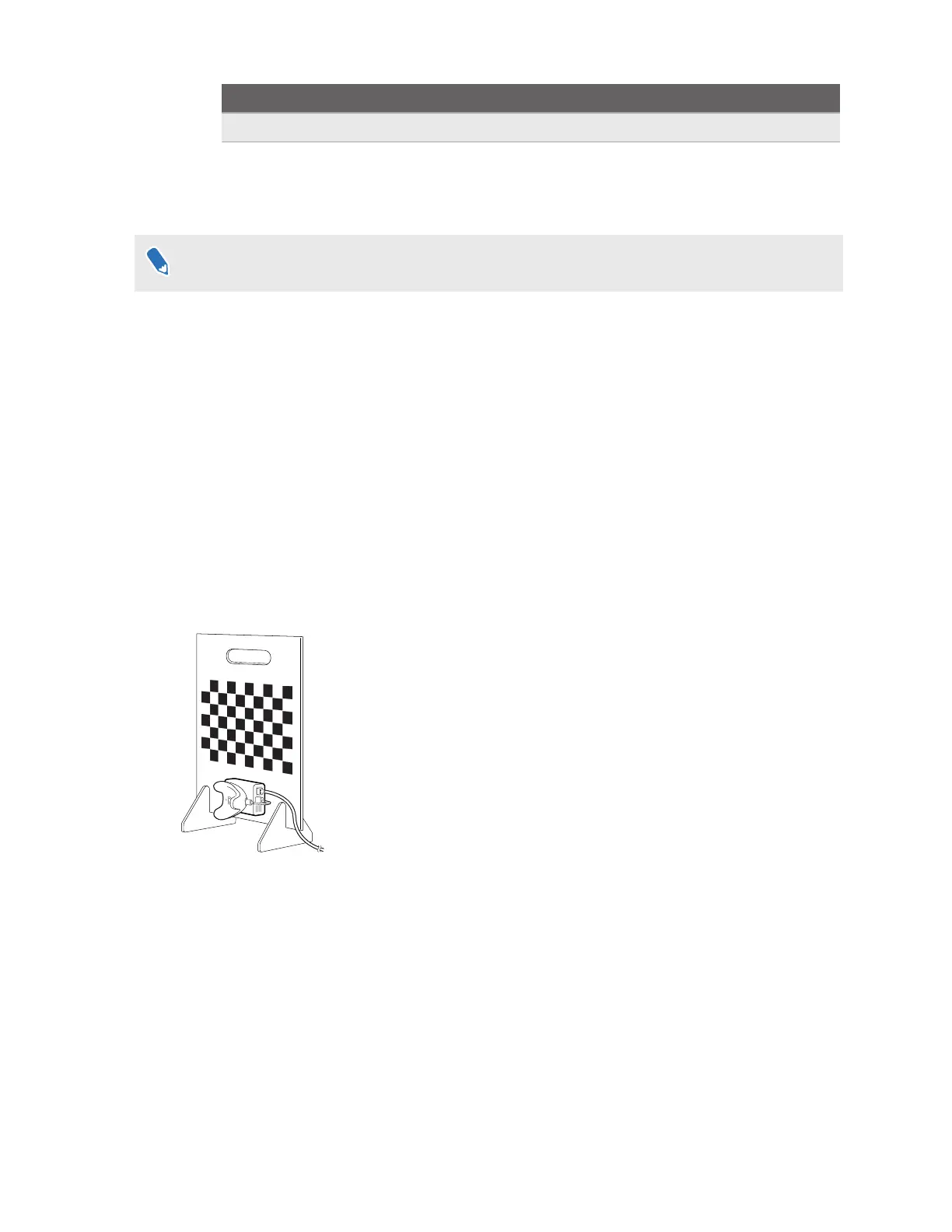
Calibration kit
The calibration kit includes items for assembling the calibration board, which is placed inside the
tracking area during the camera calibration process.
The calibration kit includes an acrylic calibration board with a chessboard pattern, which is used
as the calibration target during camera calibration. The kit also includes base supports for the
board and a screw for attaching a Rover module and VIVE Tracker (3.0), which is used to
determine the location of the calibration target.
After setting up VIVE Mars CamTrack, you'll need to assemble the calibration board and attach a
Rover module and VIVE Tracker (3.0) to it. You can then place the board inside the tracking area
and start the calibration process. For details, see Assembling the calibration board on page 21
and Calibrating your camera on page 22.
11 Hardware



 To Next Page