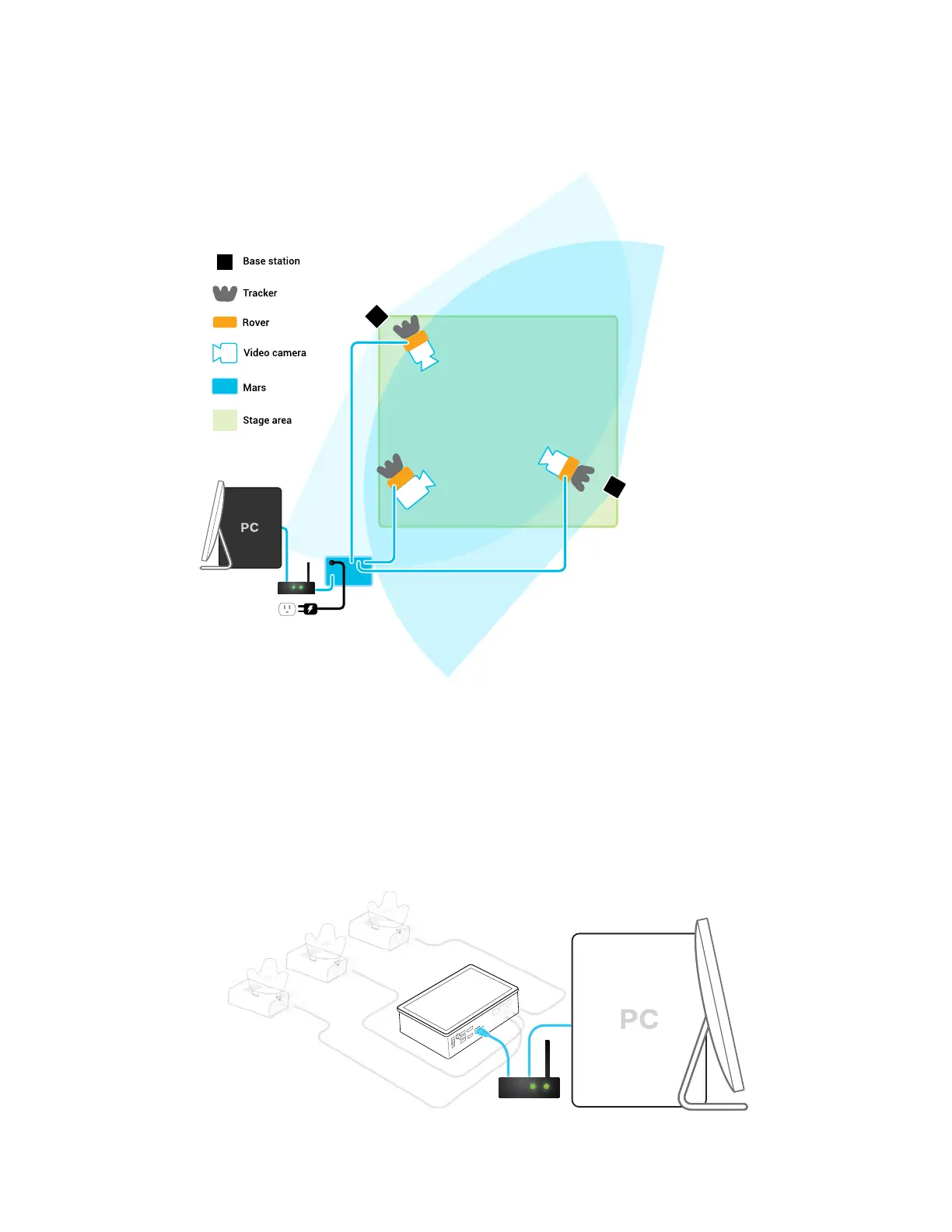
Example virtual production studio setup
You can mount Rover to any type of camera mounting accessory that uses a 1/4-inch screw.
Connecting Mars to your PC
Mars processes positioning data and sends it to your PC through an IP router.
1. Connect one end of the 5-m LAN cable to the Ethernet port (labeled PC/LAN) on Mars.
2. Connect the other end of the 5-m LAN cable to an Ethernet port on your router.
14 System setup



 To Next Page