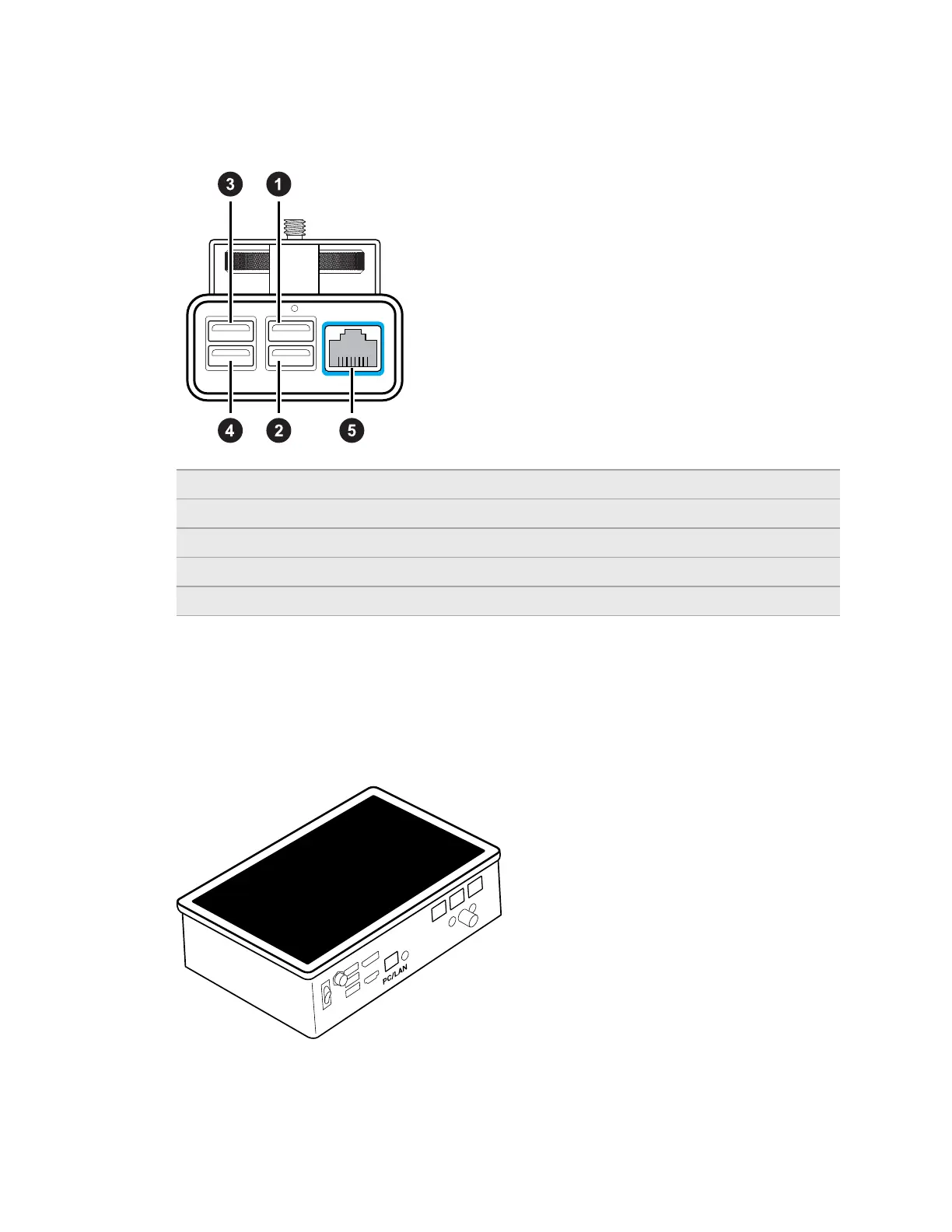
Rover is also responsible for transmitting FIZ (focus, iris, zoom) data that the lens encoder can
convert into data that can be used by virtual production engines. VIVE Mars CamTrack supports
the LOLED Indiemark lens encoder.
1 USB Type-A port 1 Primary connection port for VIVE Tracker (3.0)
2 USB Type-A port 2 Zoom data can be transmitted through this port
3 USB Type-A port 3 Focus data can be transmitted through this port
4 USB Type-A port 4 Iris data can be transmitted through this port
5 Ethernet port For connecting Rover to Mars to transmit tracking data
Mars
Mars collects tracking data from each Rover and sends it to your PC through an IP router.
Mars allows you to manage each connected device and check relevant information through the
Mars dashboard, which is located directly on the top side of Mars.
9 Hardware



 To Next Page