Adding Mars as an endpoint in Unreal Engine
Here's how to add Mars as an endpoint in Unreal
™
Engine.
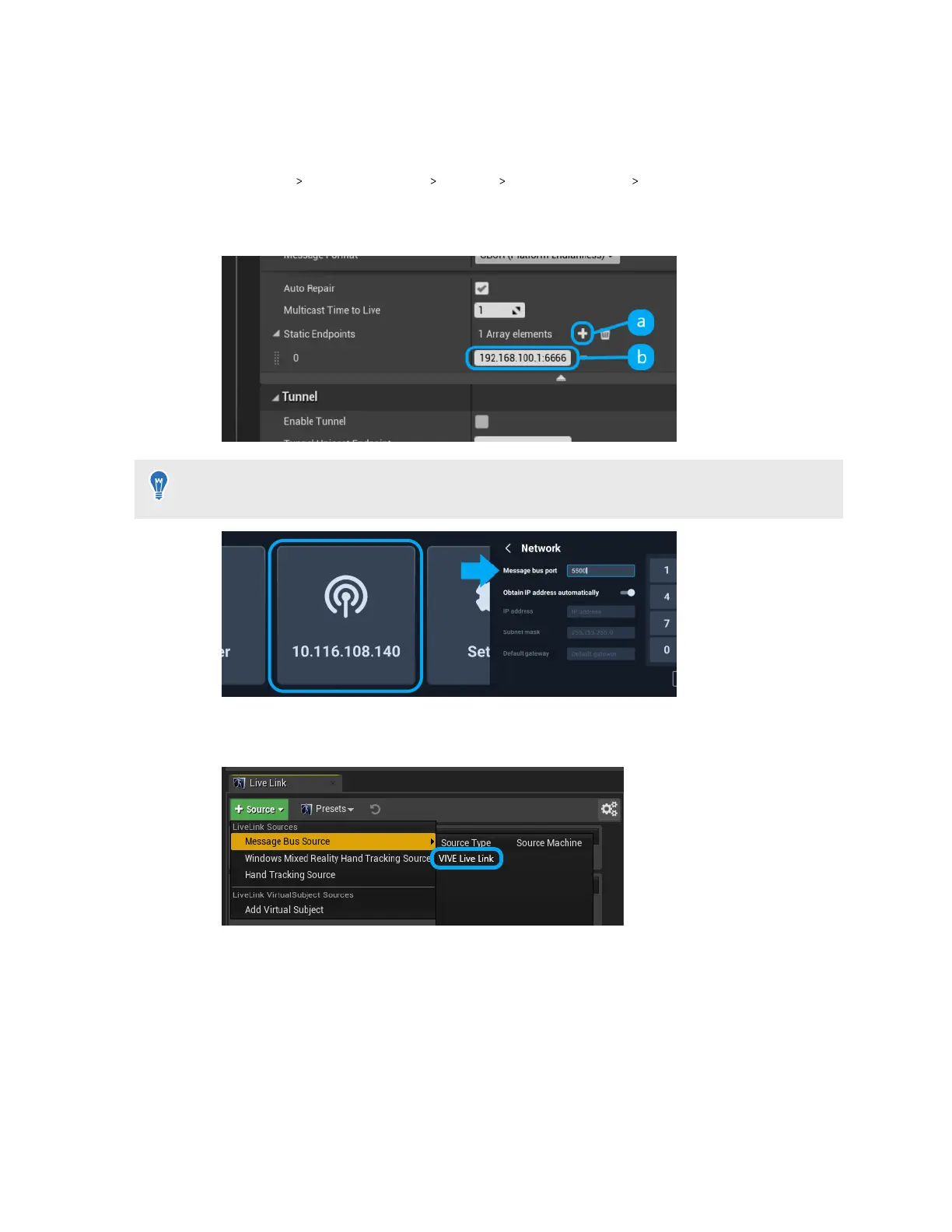
1. Go to Edit Project Settings Plugins UDP Messaging Static Endpoints, and then
click +.
2. Enter the Mars IP address and port number (in this example, "6666").
You can find the Mars IP on the Mars dashboard and the port number in the network settings.
Just tap the network button to open the network settings.
3. Click + Source, go to Message Bus Source under Live Link Sources, and then click
VIVE Live Link to open the Live Link plugin.
20 System setup



 To Next Page