11
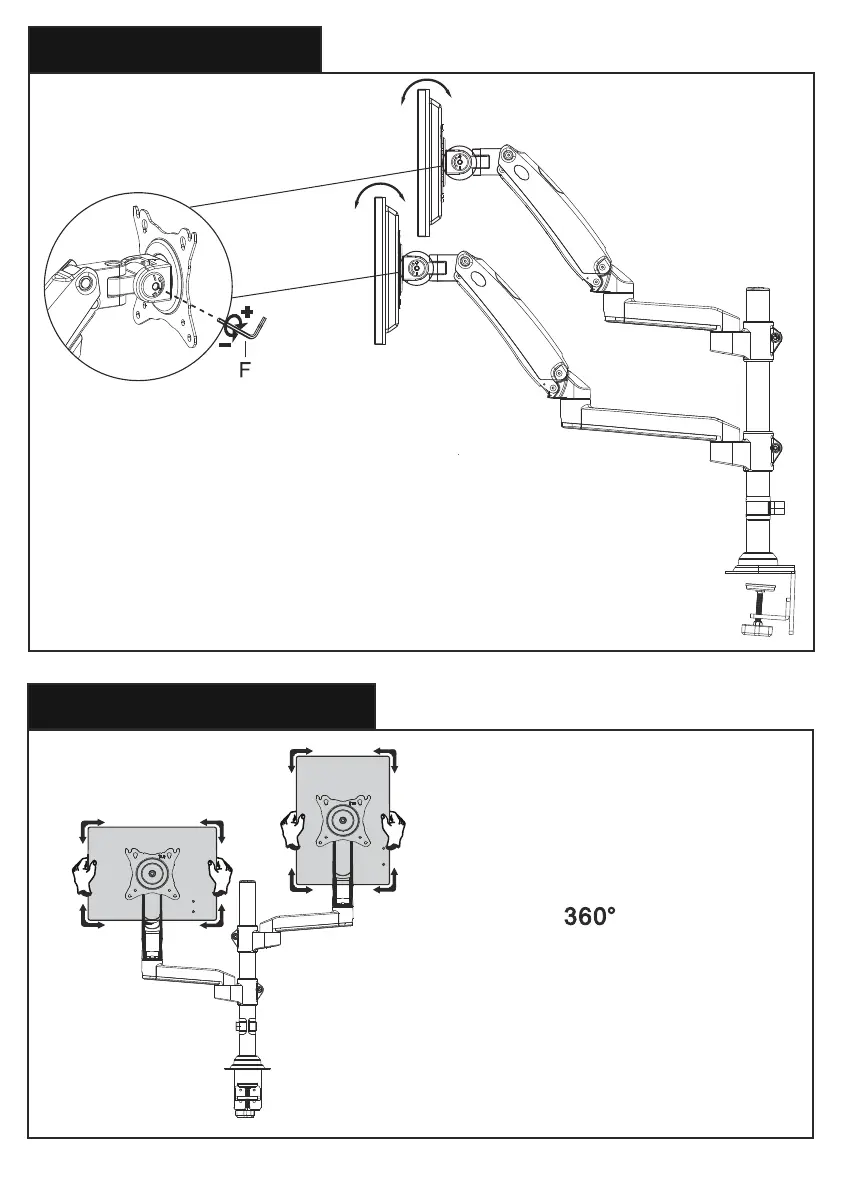
Step 6 Tilt Adjustment
Step 7 Rotation Adjustment
“+” Clockwise: Tighten
“-” Counter-clockwise: Loosen
Situation 1: If the monitor can stay at the desired tilt angle by itself,
no adjustment needed.
Situation 2: If the monitor can not stay at the desired tilt angle by
itself, turn the bolts clockwise or counter-clockwise as shown until
the monitor can stay at the desired tilt angle by itself.
Rotation
Only suitable for the monitors
with the center of gravity in
the center position
13/64 in.
(5mm)


 To Next Page