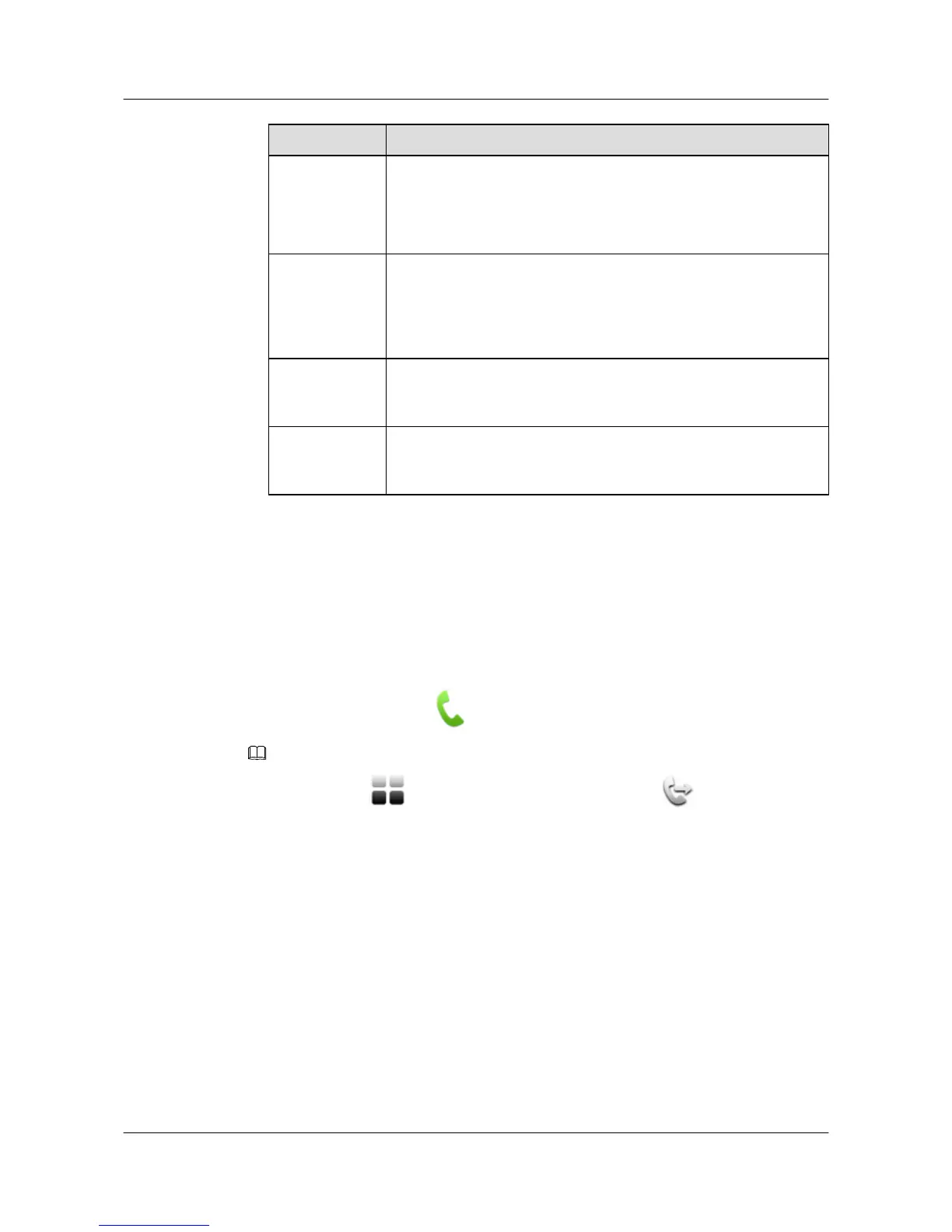
Parameter Description
Answer mode Specifies how the terminal answers incoming calls.
l Manual: The touch panel prompts you to answer the calls
manually.
l Auto: The terminal answers incoming calls automatically.
Voice
activation
sensitivity
Specifies the sensitivity of voice activation in multipoint conferences.
l High: Voice activation volume threshold is low.
l Medium: Voice activation volume threshold is moderate.
l Low: Voice activation volume threshold is high.
Interval for
viewing sites in
turn
Specifies the interval for switching between sites when the function to
view sites in turn is enabled. The value ranges from 5s to 3600s.
Default
conference
volume
Specifies the volume level to which the local speaker defaults when
the local site joins or exits conferences. Value range: 015.
Step 3 Tap Save to save the settings.
----End
3.3 Initiating a Conference
You can initiate conferences from the Call screen on the touch panel.
To access the Call screen, tap
in the task bar.
NOTE
Alternatively, tap in the task bar to display the main menu and tap to access the Call screen.
3.3.1 Initiating a Conference from the Contacts Screen
The contacts list stores information about sites and groups. It saves the time required for entering
site information when initiating conferences and prevents entry of incorrect IP addresses. Using
the contacts list, you can initiate conferences quickly.
Prerequisites
The touch panel is connected to the terminal.
The sites or groups to join the conference have been saved to the contacts list.
Procedure
Step 1 From the Call screen, tap the Contacts tab.
HUAWEI 9000 HD Video Terminal Touch Panel
User Guide 3 Experiencing a Conference
Issue 01 (2012-04-30) Huawei Proprietary and Confidential
Copyright © Huawei Technologies Co., Ltd.
11


 To Next Page