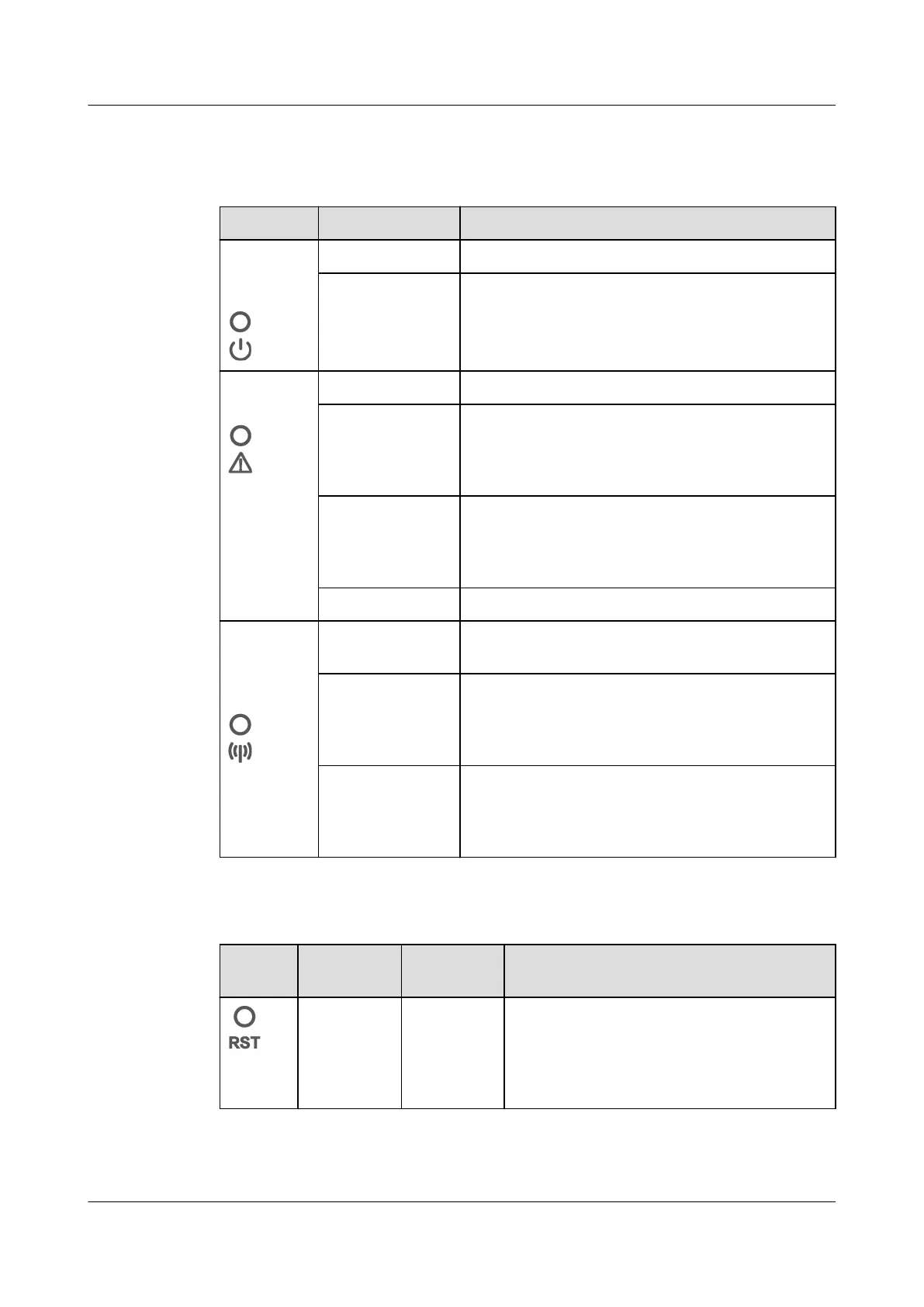
Indicator Description
Table 2-3 LED indicator description
Indicator Status Description
Running
status
indicator
O The EMMA is not powered on.
Steady green The EMMA is powered on and running.
Alarm
indicator
O No alarm is raised.
Blinking red
slowly (on for 1s
and then o for
4s)
A warning or minor alarm is generated.
Blinking red fast
(on for 0.5s and
then o for
0.5s)
A major alarm is generated.
Steady red A critical alarm is generated.
Communic
ation
status
indicator
O The EMMA has no communication with the
management system.
Blinking green
slowly (on for 1s
and then o for
1s)
The communication between the EMMA and
the management system is normal.
Blinking green
fast (on for
0.125s and then
o for 0.125s)
The communication between the EMMA and
the management system is interrupted.
Button Description
Appear
ance
Denition Triggering
Method
Description
WiFi
module
hibernation
and
wakeup
Hold down
the button
for 1s to
3s.
When the WiFi access point (AP) is idle
and disabled, you can hold down the
button for 1s to 3s to wake up the WiFi
AP.
EMMA-(A01, A02)
User Manual 2 Product Description
Issue 05 (2024-01-19) Copyright © Huawei Digital Power Technologies Co., Ltd. 17









 To Next Page