Step 3 Click Uninstall a program.
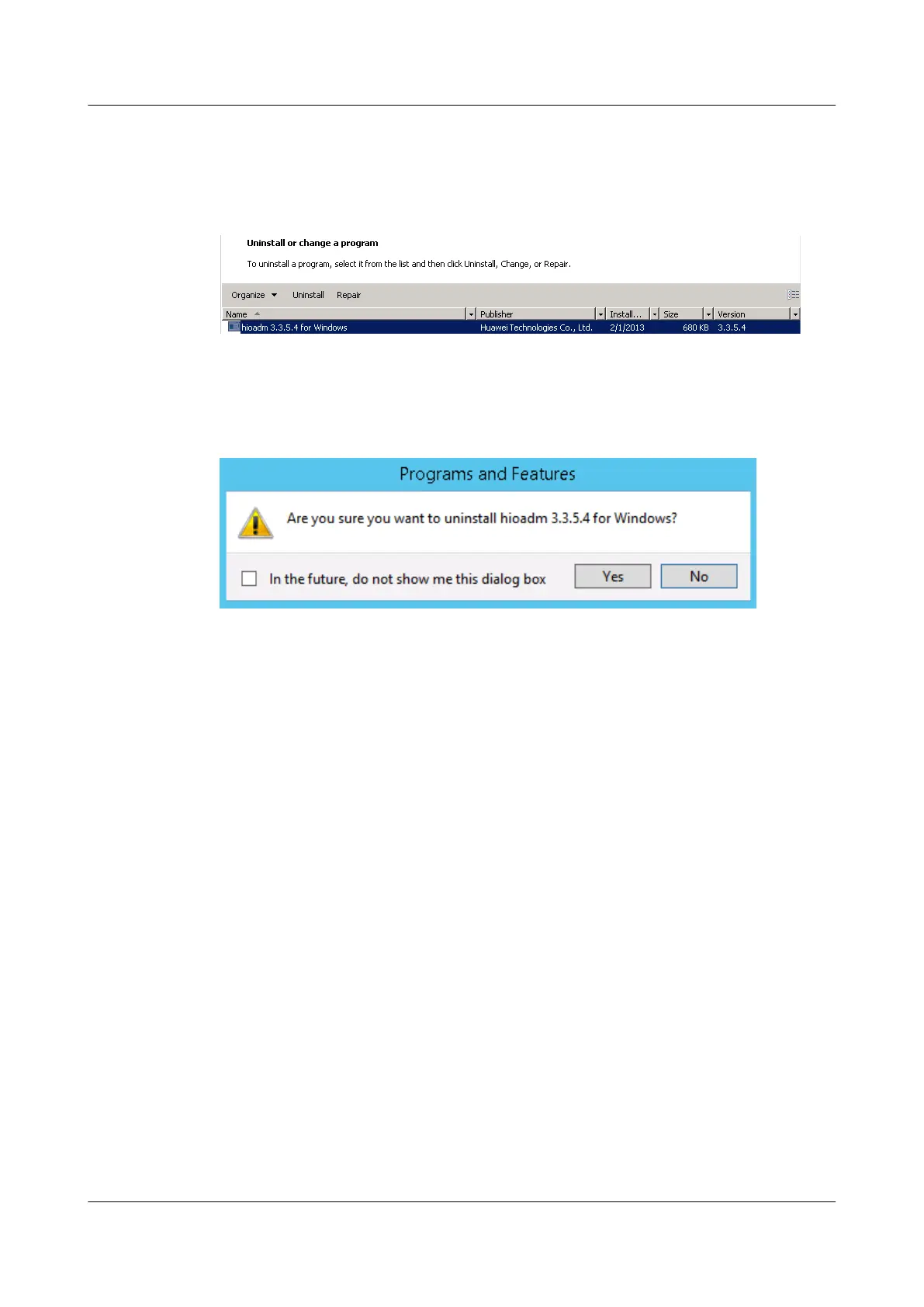
The Uninstall or change a program window is displayed, as shown in Figure 5-3.
Figure 5-3 Uninstall or change a program
Step 4 Find and right-click the tool package, and choose Uninstall.
A confirmation dialog box is displayed, as shown in Figure 5-4.
Figure 5-4 Confirming the uninstallation
Step 5 Click Yes.
----End
5.3.3 Uninstalling the Tool (ESXi)
Procedure
Step 1 The tool is integrated into the driver package. Uninstalling the driver package also uninstalls
the tool. You can uninstall the driver package by referring to 5.1.3 Uninstalling the Driver in
ESXi.
----End
5.3.4 Upgrading the Tool Package (Linux)
Operation Scenario
Upgrade the tool package to better manage the ES3000 V3 when a new version is available.
The tool package naming rules are as follows:
l For RHEL, CentOS, OEL, or SLES, the package name is hioadm-version number-
release number.hardware architecture.rpm, for example, hioadm-3.3.5.2-1.x86_64.rpm.
l For Ubuntu or Debian, the package name is hioadm-version number-release
number.hardware architecture.deb, for example, hioadm-3.3.5.2-1.amd64.deb.
ES3000 V3 NVMe PCIe SSD
User Guide
5 Maintenance and Upgrade
Issue 20 (2019-02-27) Copyright © Huawei Technologies Co., Ltd. 70








 To Next Page