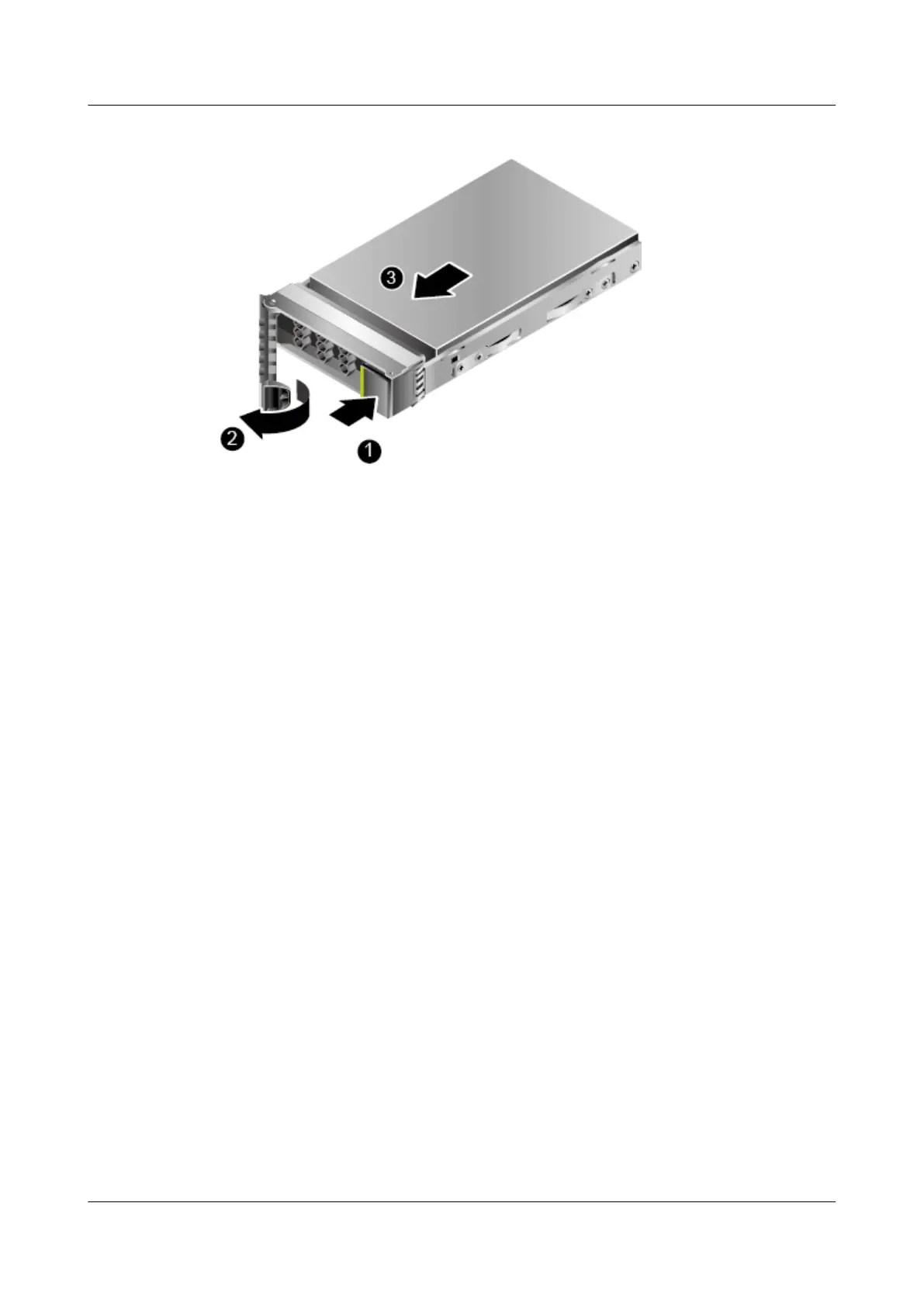
Figure 5-6 Removing a disk
Step 3 Holding onto the disk ejector lever, pull out the disk. See (2) and (3) in Figure 5-6.
Step 4 Place the removed hard disk into an ESD bag.
----End
5.12.2 Removing a Hot Swappable ES3000 V3 NVMe PCIe SSD
Disk
Prerequisites
Check that the current environment supports 4.1 OSs Supporting Hot Plug.
Wear ESD gloves.
Procedure
Step 1 Determine the position of the disk in the server and stop the services on the ES3000 V3
NVMe PCIe SSD disk to be removed.
Step 2 Perform operations described in 4.2 Orderly Hot Plug.
Step 3 Press the ejector release button. See (1) in Figure 5-7.
ES3000 V3 NVMe PCIe SSD
User Guide
5 Maintenance and Upgrade
Issue 20 (2019-02-27) Copyright © Huawei Technologies Co., Ltd. 88








 To Next Page