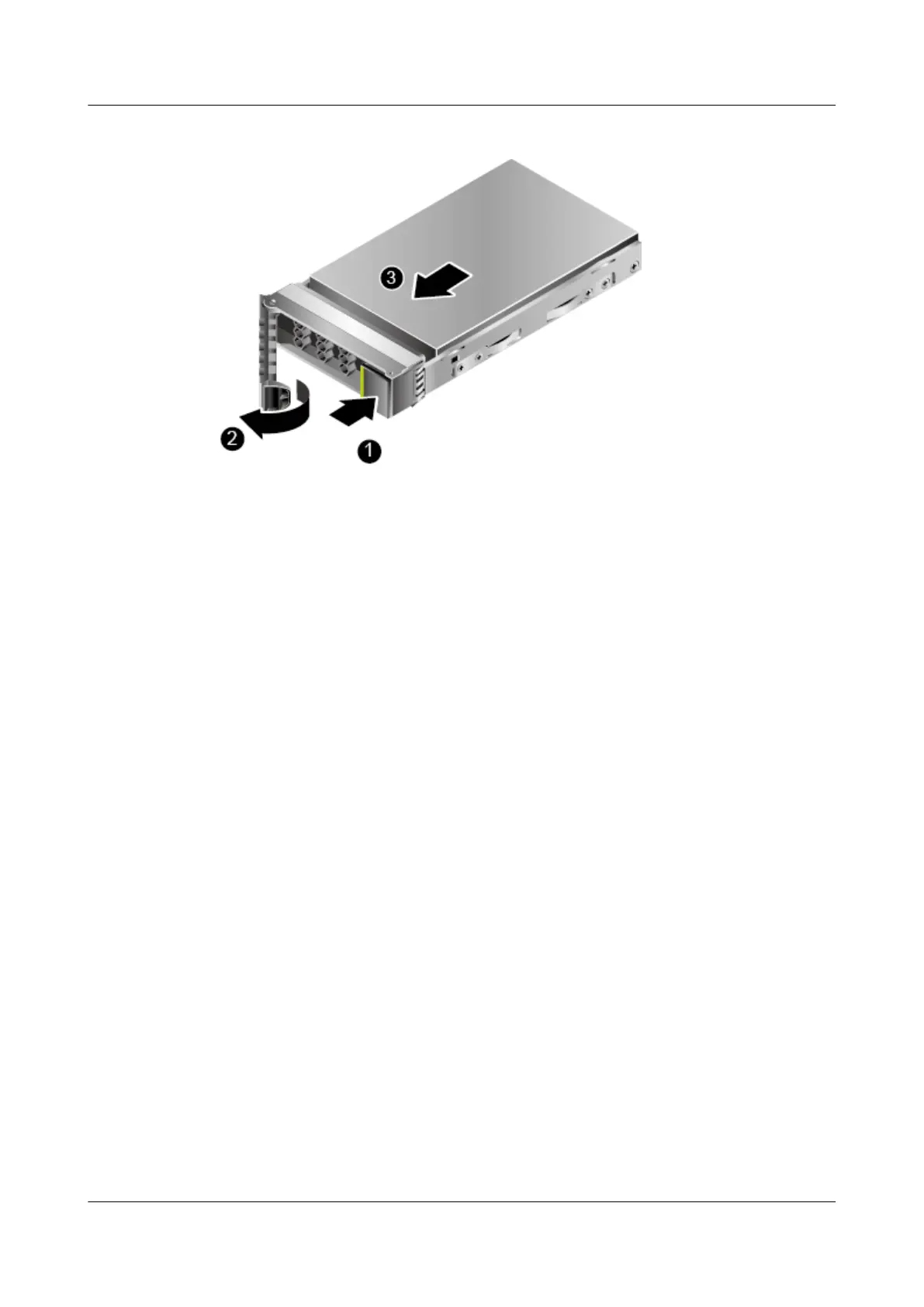
Figure 5-7 Removing a disk
Step 4 Holding onto the disk ejector lever, pull out the disk. See (2) and (3) in Figure 5-7.
Step 5 Place the removed hard disk into an ESD bag.
----End
5.12.3 Removing an ES3000 V3 NVMe PCIe SSD Card on a Riser
Card
Prerequisites
Wear ESD gloves.
Procedure
Step 1 Turn off the power to the server and remove the chassis cover.
Step 2 Remove all the cables from the riser card.
Step 3 Hold the upper part of an ES3000 V3 NVMe PCIe SSD card and remove it slowly. See
Figure 5-8.
ES3000 V3 NVMe PCIe SSD
User Guide
5 Maintenance and Upgrade
Issue 20 (2019-02-27) Copyright © Huawei Technologies Co., Ltd. 89








 To Next Page