23
On Windows 7
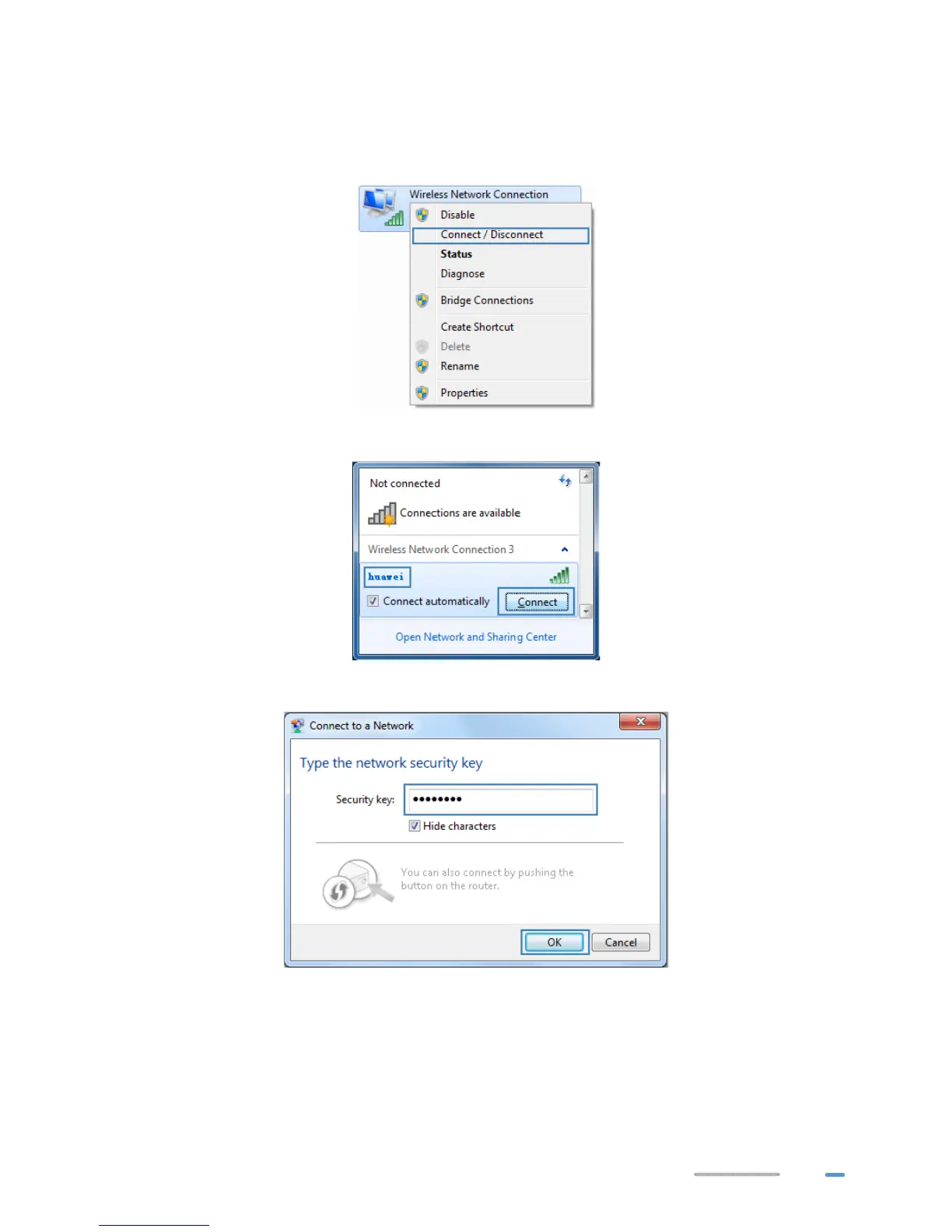
1. Choose Start > Control Panel > Network and Internet > Network and Sharing Center >
Change adapter settings. Right-click Wireless Network Connection, and select
Connect/Disconnect.
2. From the wireless network list, select the WLAN provided by the HG532d. Click Connect.
3. In the displayed dialog box, enter the WLAN password and click OK.



 To Next Page