27
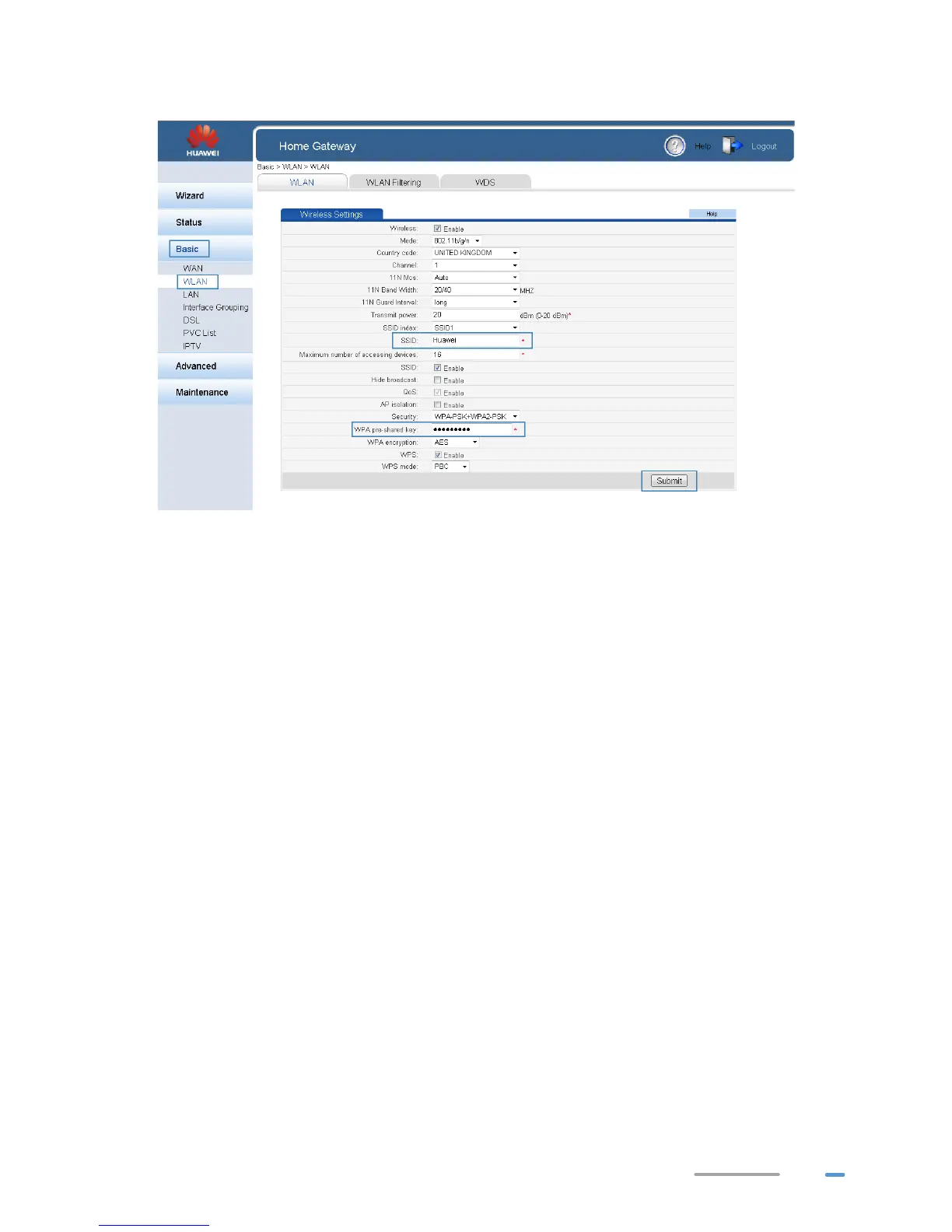
5. Click Submit.
Using High Security Encryption Modes
Adopting high security encryption modes protects against unauthorized access as well as data
interception on networks.
To improve WLAN security without sacrificing working efficiency, use WPA-PSK/WPA2–PSK and
AES. This step also prevents WLAN unavailability caused by network adapters' incompatibility with the
selected security mode.
1. Log in to the web management page.
2. In the navigation tree, choose Basic > WLAN.
3. In Security, choose WPA-PSK+WPA2-PSK.
4. In WPA pre-shared key, enter the WLAN password you specified.
5. In WPA encryption, select AES.



 To Next Page