36
6 WLAN Configuration
Enabling and Disabling the WLAN on the HG532d
The following two methods are available to enable and disable the WLAN on the HG532d.
Using the WLAN Button
Press the WLAN button in the HG532d to enable or disable the WLAN. To ascertain whether the WLAN
is enabled, view the WLAN indicator.
Using the Web Management Page
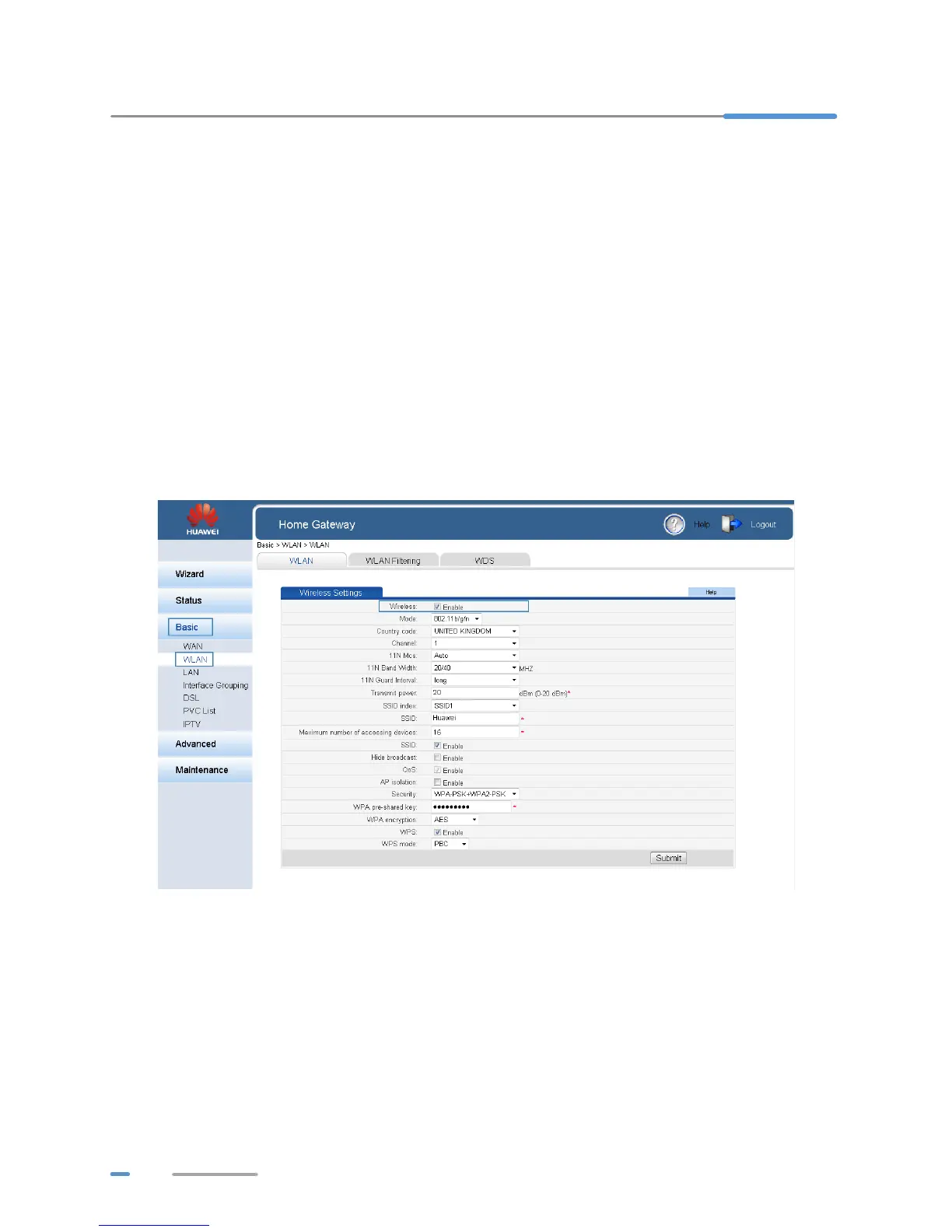
1. Log in to the web management page.
2. In the navigation tree, choose Basic > WLAN.
3. Configure Wireless.
>Select Enable to enable the WLAN.
> Clear Enable to disable the WLAN.
Expanding WLAN Coverage
To expand WLAN coverage, use the wireless distribution system (WDS) to set up a wireless
connection between two HG532d devices.
For example, if your house is too large to be fully covered by the WLAN provided by one HG532d
device, add another HG532d device and set up a wireless connection between these two devices
using the WDS. The WLAN coverage is then expanded.



 To Next Page