49
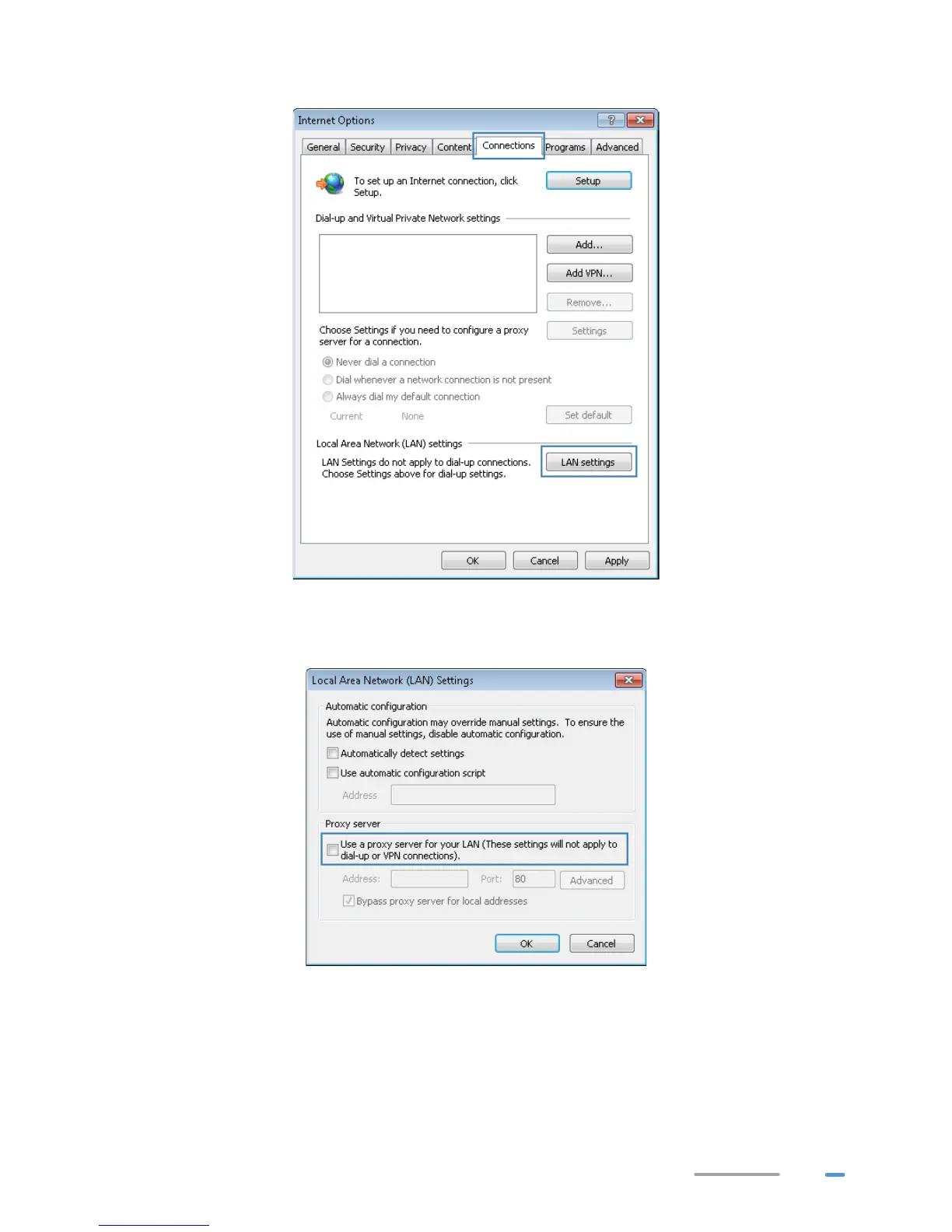
d) In the Local Area Network (LAN) settings area, click LAN Settings.
e) In the Proxy server area of the Local Area Network (LAN) Settings dialog box, check
that the Use a proxy server for your LAN (These settings will not apply to dial-up
or VPN connections). check box is cleared.
9. Try to access more websites to check whether the HG532d can access these websites. If the
problem persists, contact your network service provider.532d



 To Next Page