CAUTION
Install the SFP high-speed cable in the cable clip near the power cable to leave some slack at
the bend.
Step 2 Connect the other end of the SFP high-speed cable to the CPRI0 port on the cabling cavity of
the lower-level RRU.
Step 3 Lay out the cable by referring to 7.1 Cabling Requirements, and then bind the cable using cable
ties.
Step 4 Label the installed cable by referring to Attaching an L-Shaped Label.
----End
7.13 Closing the Cover Plate of an RRU Cabling Cavity
This section describes the procedure for closing the cover plate of an RRU cabling cavity.
Procedure
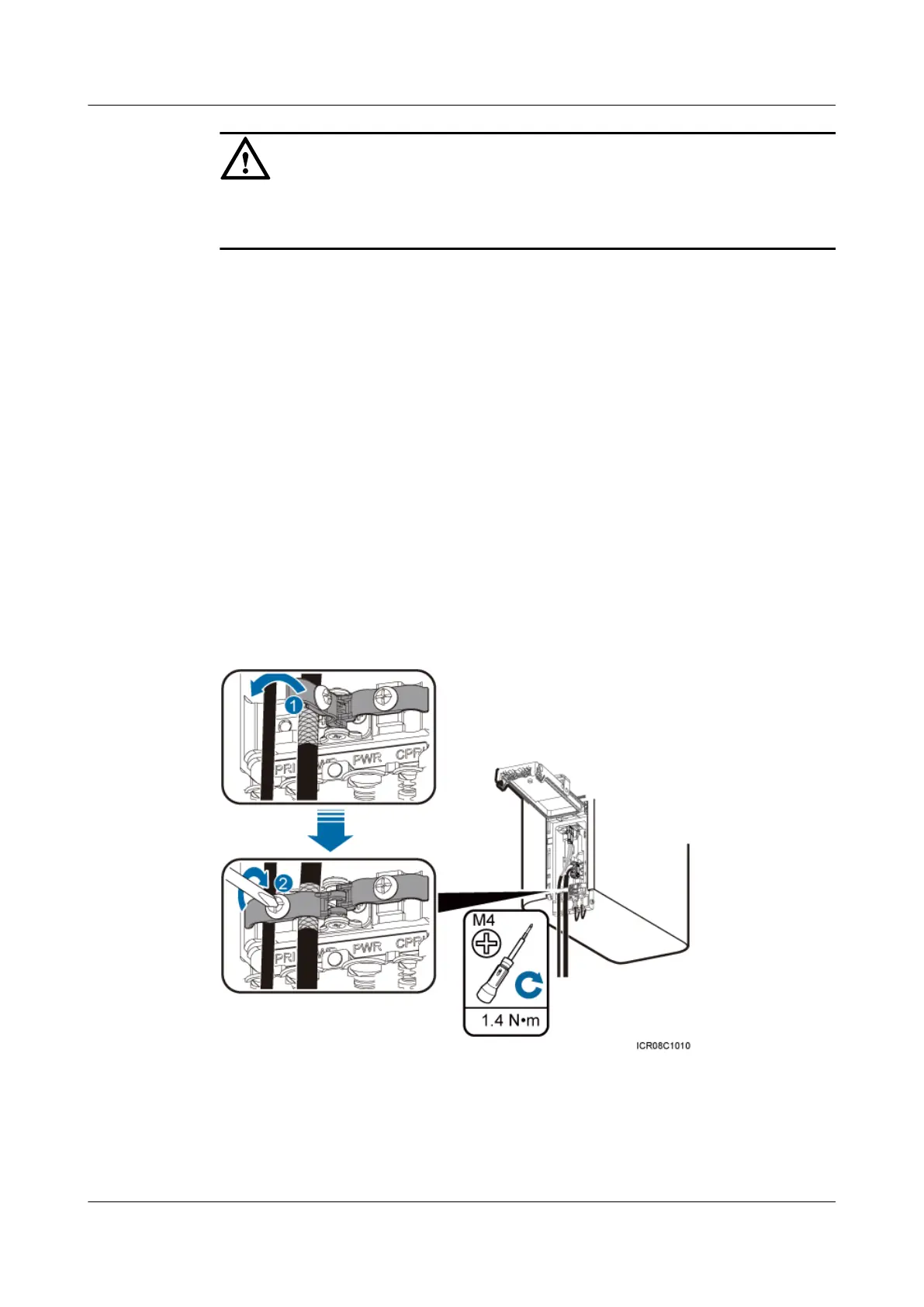
Step 1 Close clips and tighten the screws on each clip to 1.4 N·m (12.39 lbf·in.) using a torque
screwdriver, as shown in Figure 7-22.
Figure 7-22 Closing clips
RRU3232
Installation Guide 7 Installing RRU Cables
Issue 05 (2011-10-20) Huawei Proprietary and Confidential
Copyright © Huawei Technologies Co., Ltd.
79



 To Next Page