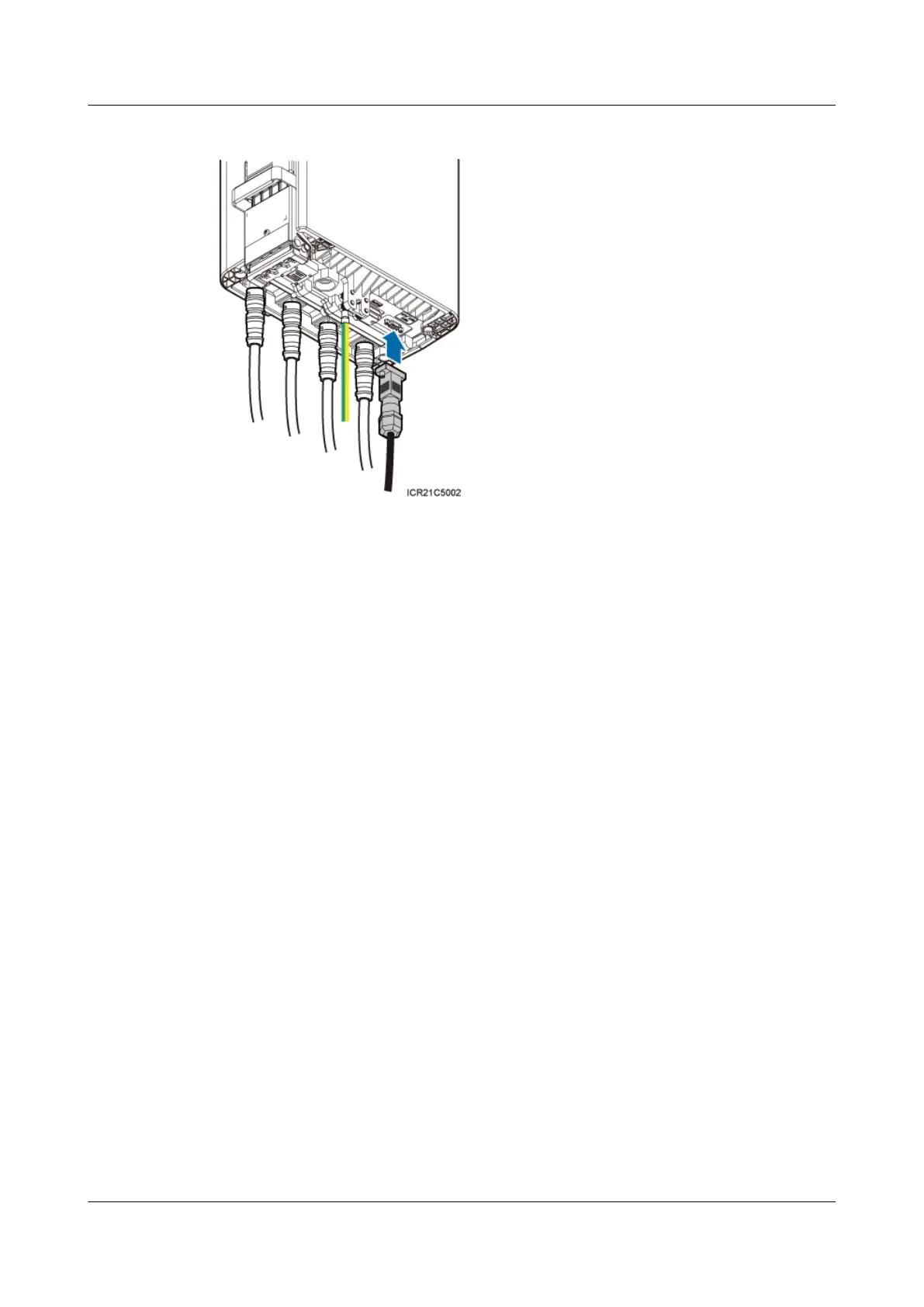
Figure 7-11 Installing an RRU alarm cable
Step 2 Lay out the cable by referring to 7.1 Cabling Requirements, and then bind the cable using cable
ties.
Step 3 Label the installed cable by referring to Attaching an L-Shaped Label.
----End
7.8 Installing an RRU AISG Multi-Wire Cable and AISG
Extension Cable
This section describes the procedures for installing an RRU AISG multi-wire cable and AISG
extension cable.
Context
When the distance between an RRU and a Remote Control Unit (RCU) is longer than 5 m (16.4
ft.), an AISG multi-wire cable is not long enough to connect the RRU and the RCU. In this case,
an AISG extension cable is used to extend the AISG multi-wire cable.
Procedure
l Install an AISG multi-wire cable that is not configured with an AISG extension cable.
1. Link the waterproofed DB9 connector at one end the AISG multi-wire cable to the
RET port on the RRU bottom, as shown in Figure 7-12.
RRU3232
Installation Guide 7 Installing RRU Cables
Issue 05 (2011-10-20) Huawei Proprietary and Confidential
Copyright © Huawei Technologies Co., Ltd.
70



 To Next Page