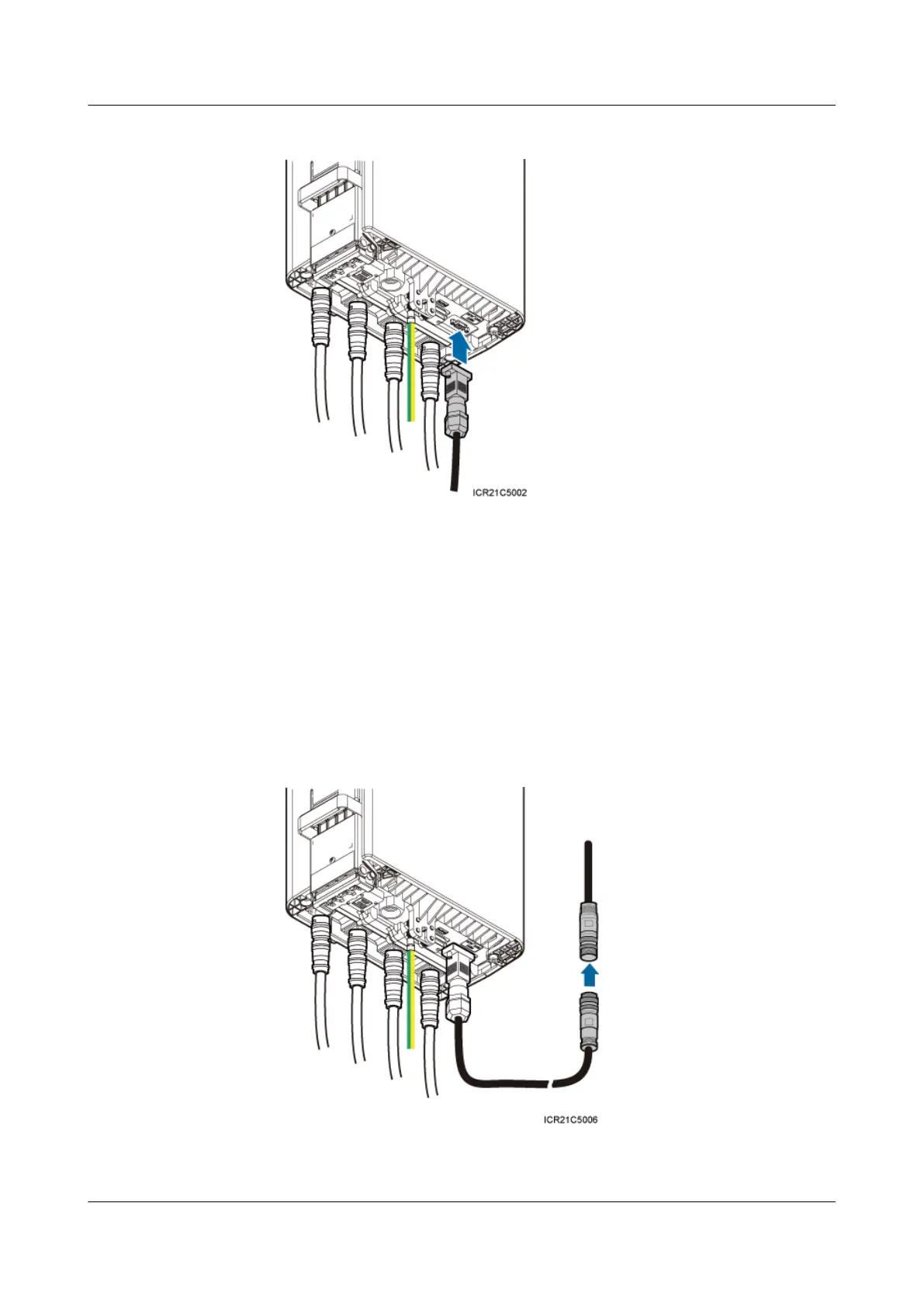
Figure 7-12 Installing an RRU AISG multi-wire cable
2. Connect the other end of the cable to the standard AISG male connector on the RCU.
3. Lay out the cable by referring to 7.1 Cabling Requirements, and then bind the cable
using cable ties.
4. Label the installed cable by referring to Attaching an L-Shaped Label.
l Install an AISG multi-wire cable that is configured with an AISG extension cable.
1. Link the waterproofed DB9 connector at one end of the AISG multi-wire cable to the
RET port on the RRU bottom, and link the other end to the standard AISG male
connector of the AISG extension cable, as shown in Figure 7-13.
Figure 7-13 Installing an RRU AISG multi-wire cable
RRU3232
Installation Guide 7 Installing RRU Cables
Issue 05 (2011-10-20) Huawei Proprietary and Confidential
Copyright © Huawei Technologies Co., Ltd.
71



 To Next Page