TP48200A-DX12A1 Telecom Power
User Manual
Copyright © Huawei Technologies Co., Ltd.
Step 2 Switch off the heater circuit breaker on the AC PDU.
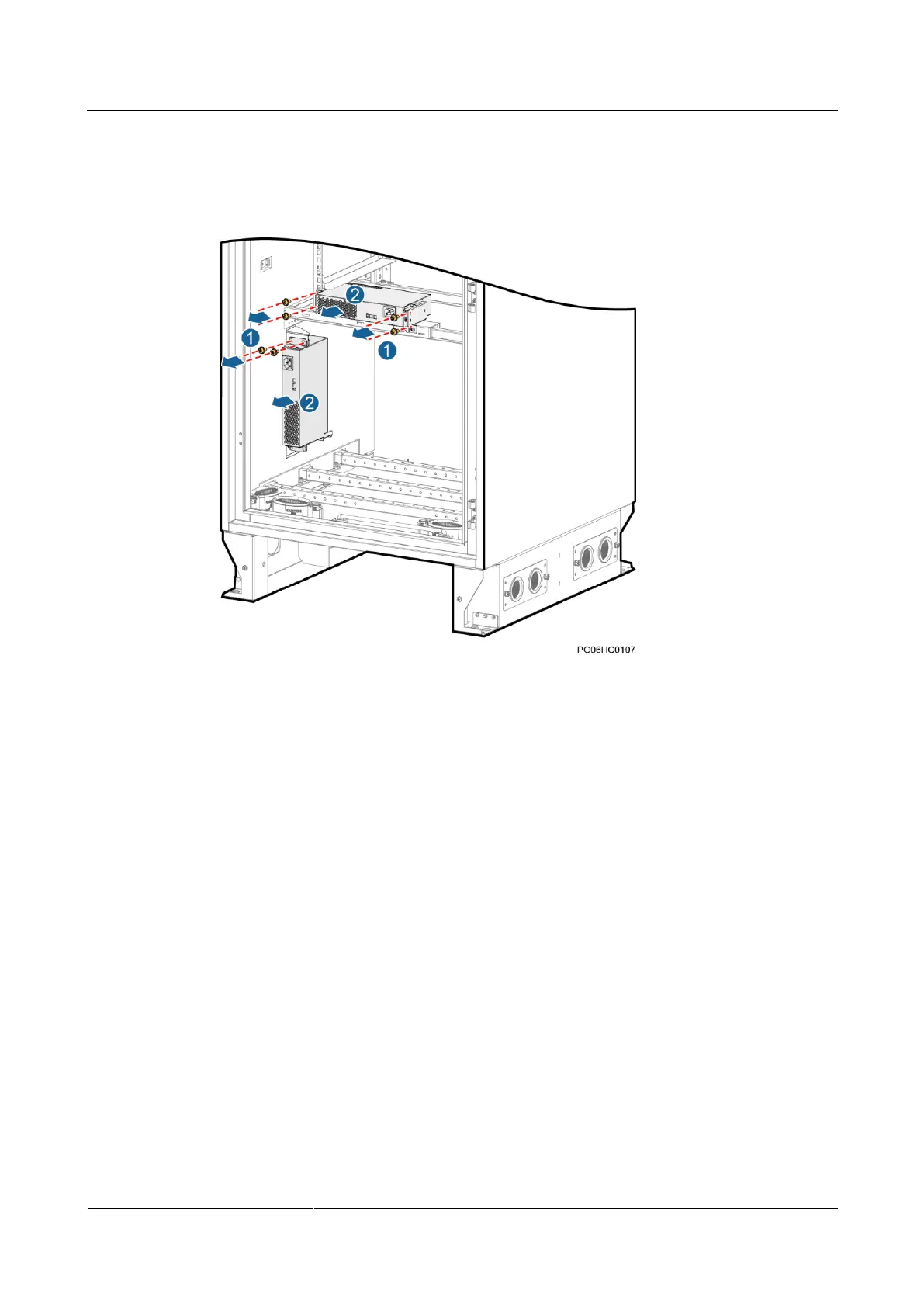
Step 3 Unscrew and remove the heater, as shown in the following figure.
Figure 4-14 Removing a heater
Step 4 Record the cable connection positions on the heater and disconnect the cables.
Step 5 Connect the cables to the new heater based on the recorded information.
Step 6 Place the new heater in position and tighten the screws.
Step 7 Switch on the heater circuit breaker on the AC PDU.
Step 8 Disconnect the ground cable from the ESD wrist strap, and take off the ESD wrist strap and
ESD gloves.
----End
4.4.10 Replacing a Battery Temperature Sensor
Prerequisites
You have obtained an ESD wrist strap, a pair of ESD gloves, an ESD box or bag, the
cabinet door key, and a maintenance tool kit.
The new battery temperature sensor is intact.
Procedure
Step 1 Connect the ground cable to the ESD wrist strap, and put on the ESD wrist strap and ESD
gloves.



 To Next Page
 Loading...