HS64
16
/ 15 www.huion.com
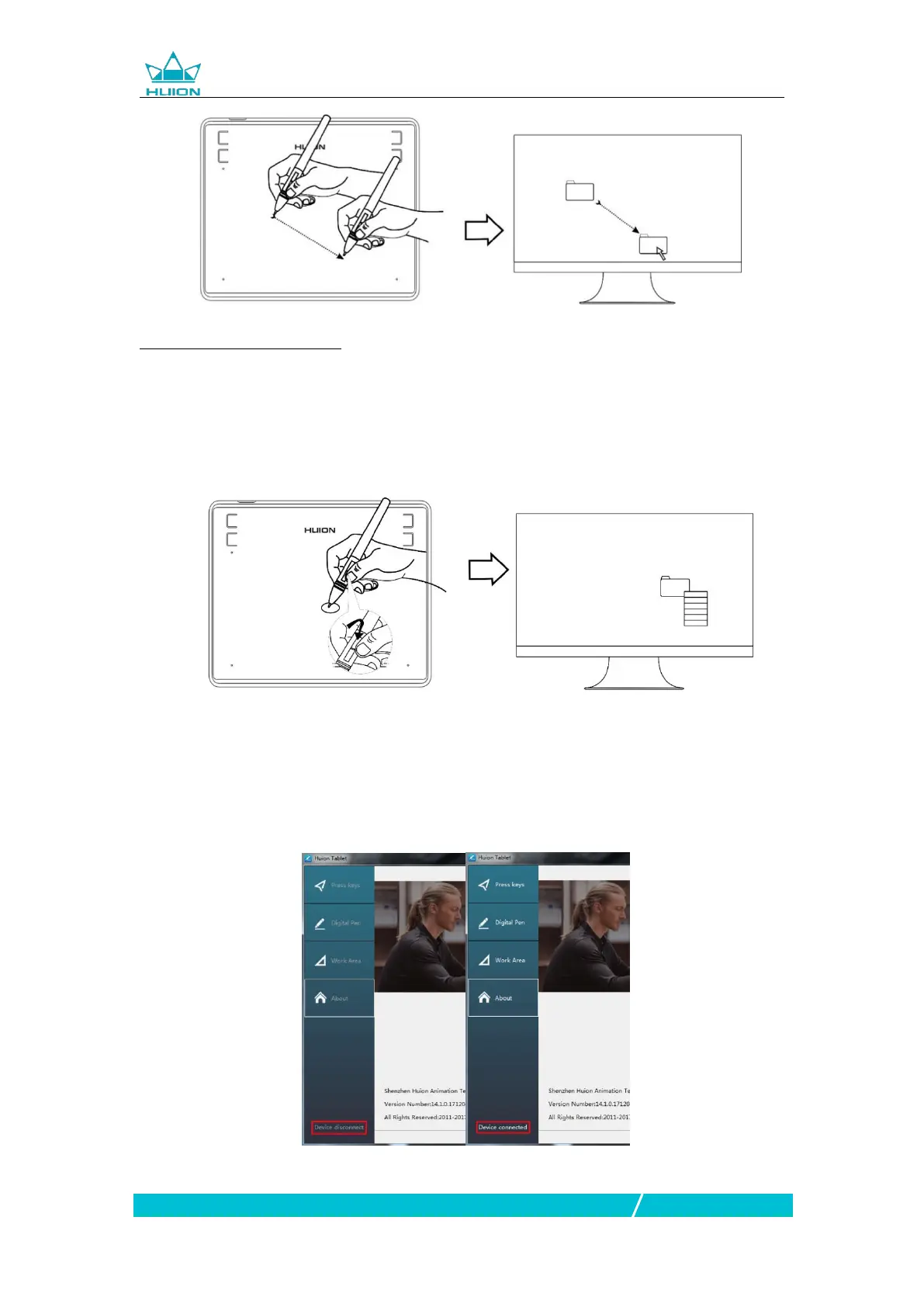
2.1.5 Use the side buttons
The buttonson the pen can be set to two different customizable functions.
You can use the buttons whenever the pen tip is within 10mm of the tablet active
area.
You do not have to touch the pen tip to the tablet in order to use the switch.
3. Function Setting
3.1 Device Connection Prompt
1. Device disconnected: The computer does not recognize the tablet.
2. Device connected: The computer has recognized the tablet.


 To Next Page