EasyManua.ls Logo

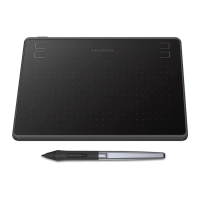
Huion HS64 - 5. Trouble Shooting; 5.1 Possible Breakdowns Related to TABLET; There is no pressure in the graphics software but; You may have installed other tablet drivers or ope

Huion HS64
24 pages
Print Icon
To Next Page IconTo Next Page
To Previous Page IconTo Previous Page
Loading...
HS64
22
/ 15 www.huion.com
Touch Technology
Battery-free Electromagnetic Resonance
Working Area
160 x 102mm(6.3 x 4in)
Dimension
200 x 166 x 8mm
Net Weight
258g
Touch Resolution
5080LPI
Report Rate
266PPS
Pen Sensing Height
10mm
Interface
Micro USB
Press Keys
4 Customized Press Keys
OS Support
Windows 7 or later,
macOS 10.12 or later
Digital Pen
Model
PW100
Dimension
163 x Φ14.5 mm
Weight
13 g
Pressure
8192 Levels
Accuracy
±0.3mm
5. Trouble Shooting
5.1 Possible Breakdowns Related to TABLET
Abnormal Phenomena
Possible Solutions
There is no pressure in the
graphics software but the
cursor moves
You may have installed other tablet drivers or opened the
drawing software when installing the driver. Please uninstall all
drivers and close the drawing software, then reinstall the Huion
driver. It’s better to restart your computer after finishing the

Table of Contents

Related product manuals