EasyManua.ls Logo

Human Humalyzer 2000 - Restore Calibration Data

Human Humalyzer 2000
60 pages
Print Icon
To Next Page IconTo Next Page
To Previous Page IconTo Previous Page
Loading...
32
Rev.
B
Restore
Calibration
Data
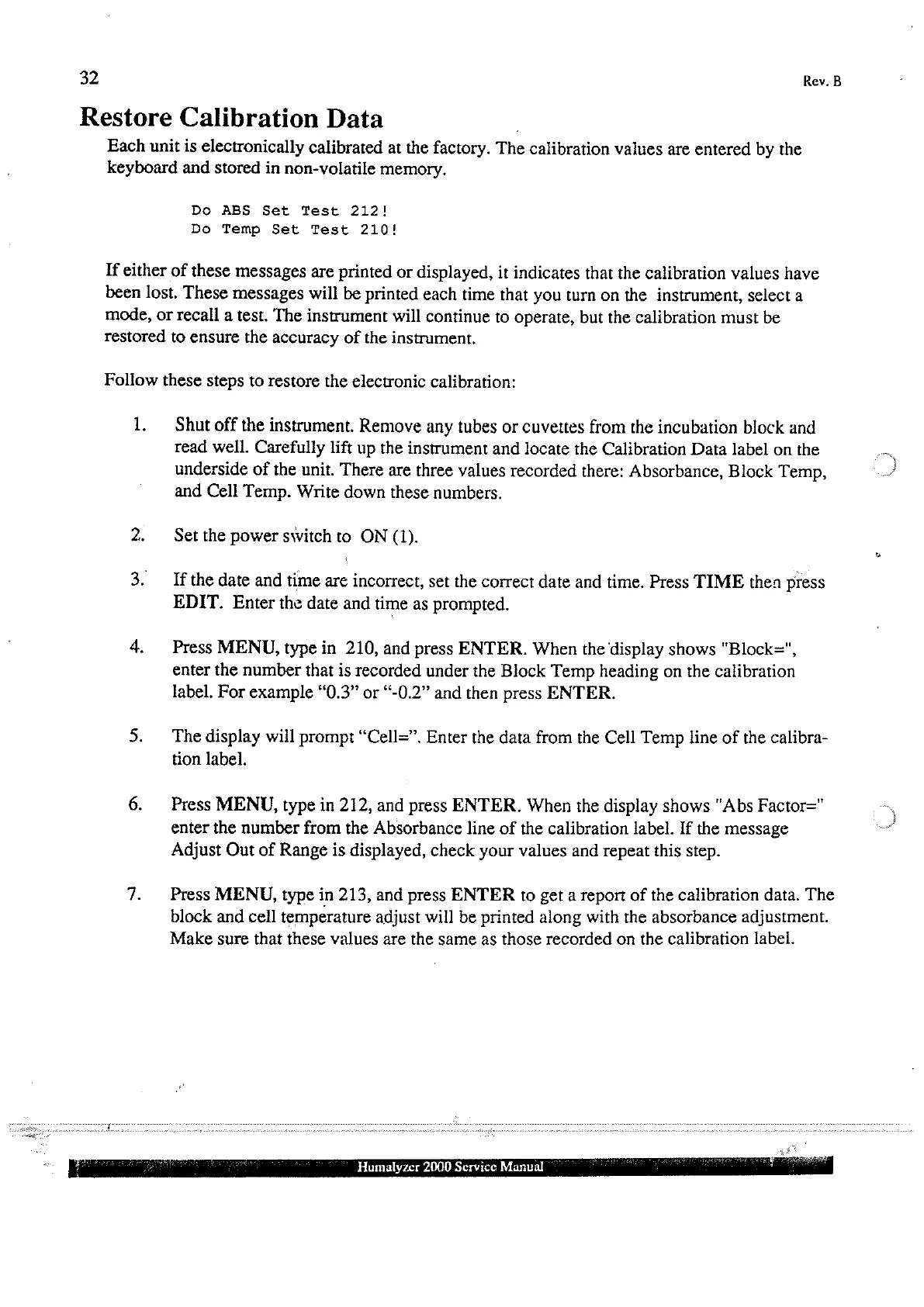
Each
unit
is
electronically
calibrated
at
the
factory.
The
calibration
values
are
entered
by
the
keyboard
and
stored
in
non-volatile
memory.
Do
ABS
Set
Test
212!
Do
Temp
Set
Test
210!
If
either
of
these
messages
are
printed
or
displayed,
it
indicates
that
the
calibration
values
have
been
lost.
These
messages
will
be
printed
each
time
that
you
turn
on
the
instrument,
select
a
mode,
or
recall
a
test.
The
instrument
will
continue
to
operate,
but
the
calibration
must
be
restored
to
ensure
the
accuracy
of
the
instrument.
Follow
these
steps
to
restore
the
electronic
calibration:
1.
Shut
off
the
instrument.
Remove
any
tubes
or
cuvettes
from
the
incubation
block
and
read
well.
Carefully
lift
up
the
instrument
and
locate
the
Calibration
Data
label
on
the
underside
of
the
unit.
There
are
three
values
recorded
there:
Absorbance,
Block
Temp,
and
Cell
Temp.
Write
down
these
numbers.
Set
the
power
switch
to
ON
(1).
If
the
date
and
time
are
incorrect,
set
the
correct
date
and
time.
Press
TIME
then
press
EDIT.
Enter
the
date
and
time
as
prompted.
Press
MENU,
type
in
210,
and
press
ENTER.
When
the
display
shows
“Block=",
enter
the
number
that
is
recorded
under
the
Block
Temp
heading
on
the
calibration
label.
For
example
“0.3”
or
“-0.2”
and
then
press
ENTER.
The
display
will
prompt
“Cell=”.
Enter
the
data
from
the
Cell
Temp
line of
the
calibra-
tion
label.
Press
MENU,
type
in
212,
and
press
ENTER.
When
the
display
shows
"Abs Factor="
enter
the
number
from
the
Absorbance
line
of
the
calibration
label.
If
the
message
Adjust
Out
of
Range
is
displayed,
check
your
values
and
repeat
this
step.
Press
MENU,
type
in
213,
and
press
ENTER
to
get
a
report
of
the
calibration
data.
The
block
and
cell
temperature
adjust
will be
printed
along
with
the
absorbance
adjustment.
Make
sure
that
these
values
are the
same
as
those
recorded
on
the
calibration
label.
-
Humalyzer
2000
Service
Manual