EasyManua.ls Logo

Human Humalyzer 2000 - Restore Filter Labels

Human Humalyzer 2000
60 pages
Print Icon
To Next Page IconTo Next Page
To Previous Page IconTo Previous Page
Loading...
Rev.
B
33
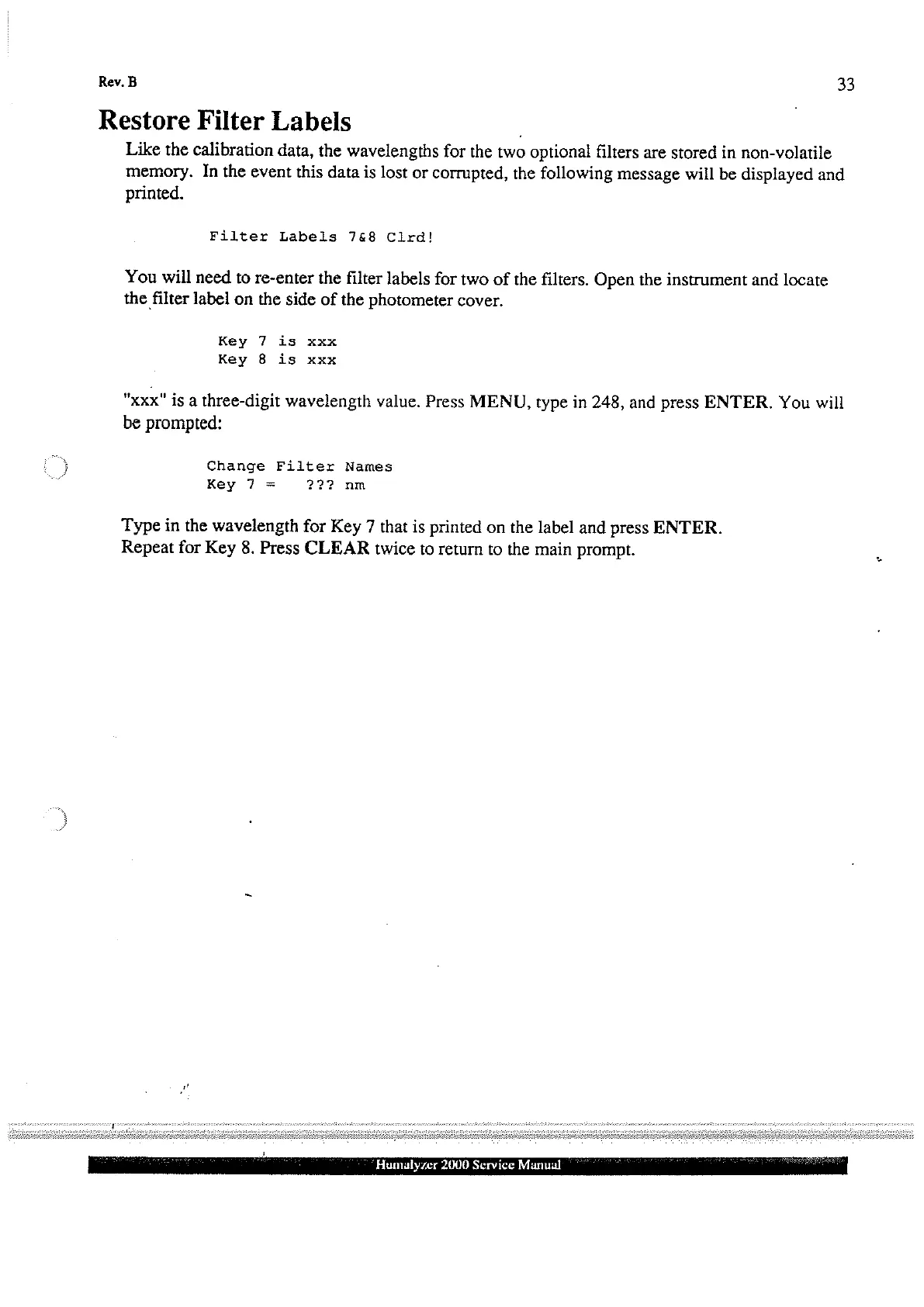
Restore
Filter
Labels
Like
the
calibration
data,
the
wavelengths
for
the
two
optional
filters
are
stored
in
non-volatile
memory.
In
the
event
this
data
is
lost
or
corrupted,
the
following
message
will
be
displayed
and
printed.
Filter
Labels
748
Clrd!
You
will
need
to
re-enter
the
filter
labels
for
two
of the
filters.
Open
the
instrument
and
locate
the
filter
label
on
the
side
of
the
photometer
cover.
Key
7
is
xxx
Key
8
is
xxx
"xxx"
is
a
three-digit
wavelength
value,
Press
MENU,
type
in
248,
and
press
ENTER.
You
will
be
prompted:
Change
Filter
Names
Key
7
=
22?
nm
Type
in
the
wavelength
for
Key
7
that
is
printed
on
the
label
and
press
ENTER.
Repeat
for
Key
8.
Press
CLEAR
twice
to
return
to
the
main
prompt.
NA
Humalyzer
2000
Service
Manual