11
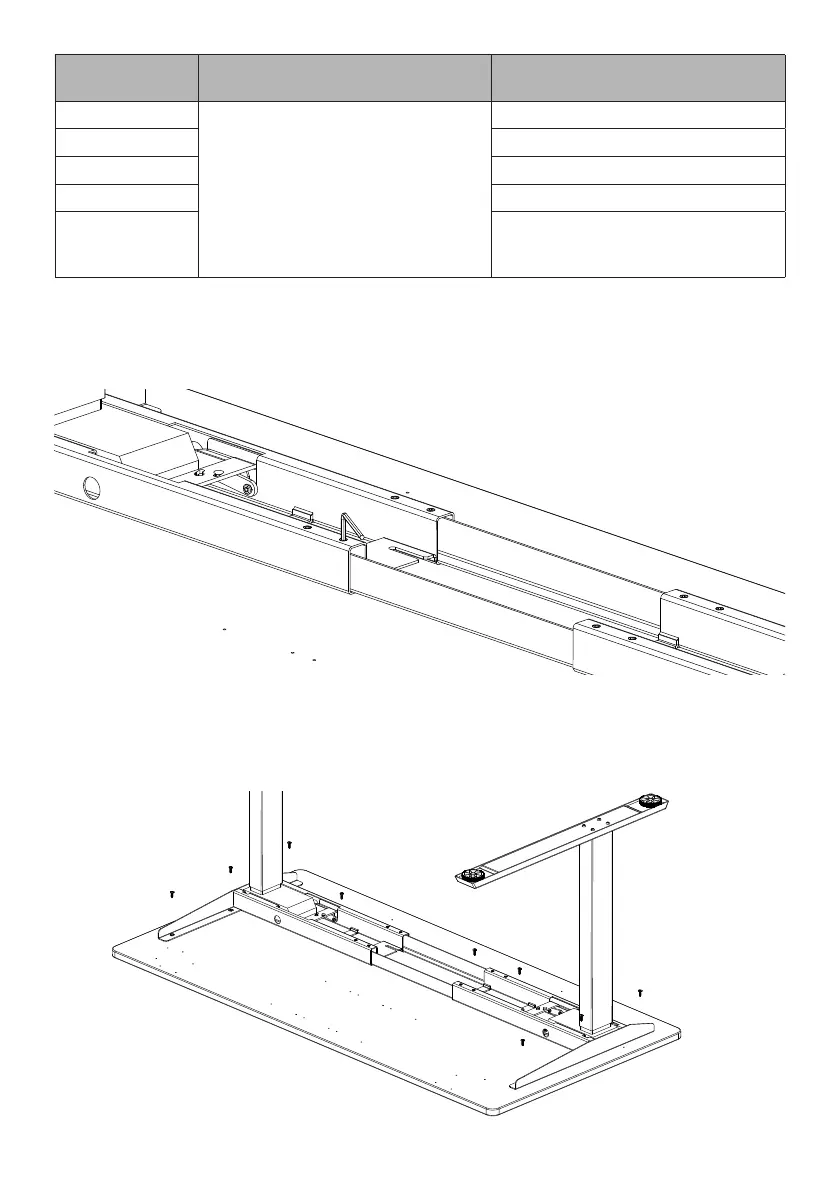
Once the frame is adjusted to the width of the worksurface, tighten the 8 set screws on the
frame with the 4mm Allen key�
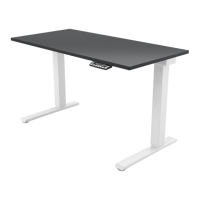
Using the (9) ST5 X 20 Wood screws secure the frame to the work surface� If using a power drill
ensure it is set to low torque� If using a Humanscale Universal Worksurface please note only the
four outer pilot holes are included to assist in aligning your worksurface to table base�
WORKSURFACE
DEPTH
A B
23”
2”
For worksurfaces wider than 76", set frame to max
width of 72"�
12�57" (320mm)
24” 13�07" (332mm)
29” 16�76" (426mm)
30” 17�26" (438mm)
OTHER DEPTHS
Position frame by ensuring the foot
is centered with the depth of the
worksurface�
6
7


 To Next Page