47
Depth Lines
(Advanced)
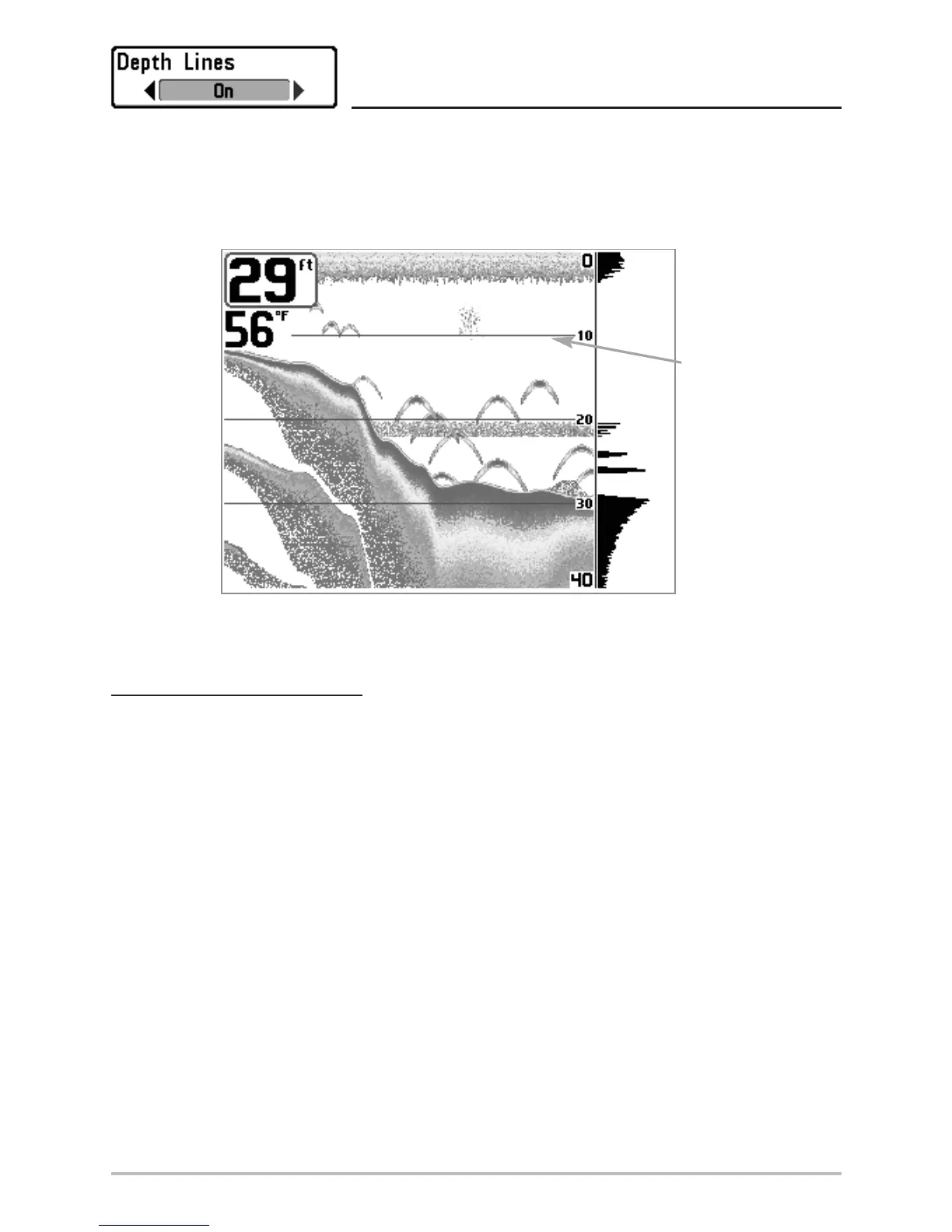
Depth Lines divide the display into four equal sections that are separated by three horizontal depth lines. The
depth of each line is displayed along the depth scale. You can either turn Depth Lines On or Off. The Depth Lines
menu choice is available when User Mode is set to Advanced (see Setup Menu Tab: User Mode).
To change the Depth Lines setting:
1. Make sure you are in Advanced User Mode, then highlight Depth Lines on the Sonar main menu.
2. Use the LEFT or RIGHT 4-WAY Cursor Control keys to turn the Depth Lines setting On or Off.
(Off, On, Default = On)
Depth
Lines
Depth Lines












 To Next Page