
 Need help?
Do you have a question about the Hunter X2-400 and is the answer not in the manual?
Instructions for setting the current date using the dial.
Instructions for setting the current time using the dial.
How to choose a program (A, B, or C) for setup using the PRG button.
Steps to set the watering start times for programs using the dial.
Instructions to set the run time for each station using the dial.
How to define the specific days for watering using the dial.
Procedure to manually run an entire programmed watering schedule.
Steps to manually activate and run a single watering station.
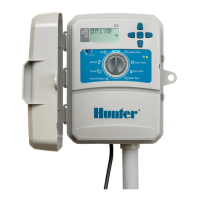
The Hunter X2 is a sophisticated irrigation controller designed to simplify and automate your watering schedule. This guide provides a comprehensive overview of its programming and manual operation, ensuring efficient water management for your landscape. The X2 controller offers a user-friendly interface with a clear display and intuitive controls, making it accessible for both novice and experienced users.
The Hunter X2 controller is primarily designed to manage multiple irrigation zones (stations) by setting specific watering schedules. It allows you to define start times, run times for each station, and watering days, ensuring that your landscape receives the appropriate amount of water at the right time. The controller supports up to 14 stations, providing flexibility for various landscape sizes and needs.
One of the key features of the X2 is its ability to support multiple programs (A, B, C), allowing you to create distinct watering schedules for different areas of your property or for varying seasonal requirements. For example, you might have one program for your lawn, another for your flower beds, and a third for your vegetable garden, each with its unique watering needs.
The X2 also offers an "ADD WI-FI" capability, which, when paired with the Hunter WAND, allows for remote management of your irrigation system. This feature enables you to control and monitor your watering schedules from a smartphone or other smart device, providing convenience and flexibility, especially when you are away from home. The Wi-Fi connectivity enhances the controller's functionality by offering real-time adjustments and access to advanced features through a dedicated application.
The controller's core function revolves around automated scheduling. Once programmed, the X2 will automatically activate each station according to the set schedule, eliminating the need for manual intervention. This automation helps conserve water by preventing overwatering and ensures consistent irrigation, promoting healthier plant growth.
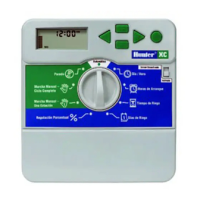
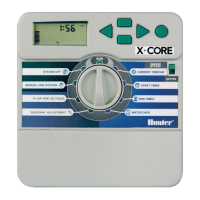
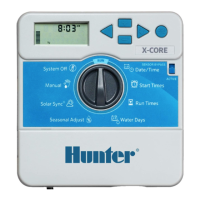
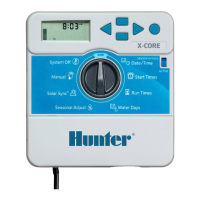
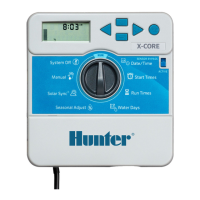
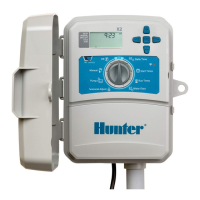
The Hunter X2 controller is designed for ease of use, with a straightforward programming process. The main dial allows you to navigate through different settings, including DATE/TIME, START TIMES, RUN TIMES, and WATER DAYS.
To begin, turn the dial to "DATE/TIME." You can adjust the month, day, year, hour, and minute using the arrow buttons. This ensures that all scheduled watering events occur at the correct time. The display shows the current date and time, along with indicators for AM/PM or 24 HR format, and options for ODD/EVEN watering days.
The programming process is divided into four main steps:
Select a Program: Press the "PRG" button to cycle through programs A, B, or C. Each program can have its own unique watering schedule. This allows for tailored irrigation based on specific landscape needs.
Set Watering Start Times: Turn the dial to "START TIMES." For each program, you can set up to four independent start times. This is particularly useful if you need to water different zones at various times throughout the day or night. For example, you might set one start time for early morning and another for late evening to minimize evaporation. The display shows the program (e.g., A2), the current start time, and options for AM/PM or 24 HR format. You can also set a start time to "OFF" if you don't need all four start times.
Set Station Run Times: Turn the dial to "RUN TIMES." Here, you specify how long each individual station will water within the selected program. The display shows the program (e.g., A1), the station number, and the duration in minutes and seconds. You can adjust the run time for each station using the arrow buttons. This granular control ensures that each zone receives the precise amount of water it needs, preventing both underwatering and overwatering.
Set Watering Days: Turn the dial to "WATER DAYS." This setting allows you to select which days of the week your chosen program will run. You can choose specific days (MO, TU, WE, TH, FR, SA, SU), or opt for ODD/EVEN day watering. The display shows the program (e.g., A) and highlights the selected watering days. This feature is crucial for adhering to local watering restrictions or optimizing water usage based on plant requirements.
The Hunter X2 also provides options for manual watering, offering flexibility for immediate irrigation needs.
Run a Program: To manually run an entire program, turn the dial to "RUN." Then, press and hold the right arrow button. This will initiate the selected program, watering all stations according to their programmed run times. This is useful for testing the system or providing extra water after a dry spell.
Run a Single Station: For more targeted manual watering, turn the dial to "MANUAL." You can then set a specific run time for a single station using the arrow buttons. After setting the run time, turn the dial to "RUN" to activate that station for the specified duration. This feature is ideal for spot watering new plants, addressing dry patches, or testing individual sprinklers.
The "ADD WI-FI" functionality is a significant enhancement for the X2 controller. By connecting the Hunter WAND (sold separately) to the controller, you can integrate it into your home Wi-Fi network. This allows you to manage your irrigation system remotely via a smartphone app. The app provides a user-friendly interface for adjusting schedules, monitoring system status, and receiving alerts. This connectivity offers unparalleled convenience, allowing you to make changes to your watering schedule from anywhere, at any time. For example, if unexpected rain occurs, you can easily pause or skip a watering cycle from your phone. The Wi-Fi feature also enables access to advanced water-saving features and weather-based adjustments through the app, further optimizing water usage.
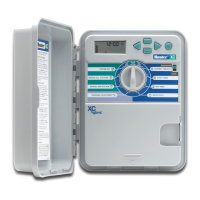
The Hunter X2 controller is designed for durability and minimal maintenance. The robust casing protects the internal components from environmental elements, ensuring long-term reliability.
The controller typically includes a battery backup system (often a coin-cell battery) to retain programming in the event of a power outage. This means you won't lose your carefully crafted watering schedules if the power goes out, saving you the hassle of re-programming the entire system.
With the "ADD WI-FI" feature, the controller can receive firmware updates over the air. These updates can introduce new features, improve performance, or fix any potential bugs, ensuring that your controller remains up-to-date with the latest technology and functionalities. This eliminates the need for manual updates and keeps your system running optimally.
The manual provides a link to "https://hunter.direct/X2help," which serves as a resource for troubleshooting common issues. This online support portal can offer solutions to problems, answer frequently asked questions, and provide additional guidance on operating and maintaining your X2 controller.
The controller features a clear, easy-to-read display and tactile buttons, which are designed for durability and ease of use. The intuitive layout of the controls minimizes the learning curve, making it simple for users to interact with the device. The "Circle = Velcro" notation suggests that the controller might be designed for easy mounting or has a component that uses Velcro for attachment, further simplifying installation and maintenance.
In summary, the Hunter X2 controller is a versatile and user-friendly irrigation management system that combines robust automated scheduling with the convenience of remote Wi-Fi control. Its intuitive interface, flexible programming options, and minimal maintenance requirements make it an excellent choice for efficient and effective landscape watering.
 General
| Number of Stations | 4 |
|---|---|
| Mounting | Indoor/Outdoor |
| Wi-Fi Enabled | Yes |
| Number of Start Times | 4 per program |
| Voltage | 120 VAC |
| Cycle and Soak | Yes |
| Rain Sensor Input | Yes |
| Backup Battery | No |
| Programming | 3 independent programs |
| Power Source | Transformer |
| Watering Programs | 3 |


 To Next Page