BASIC PROORAMMING
SECTION 4.1
INTRODUCTION
4,1 HUNTER Basic is a powerful and flexible Basic interpreter
installed within HUIITER's firmware, allowing user programs to be
easily written and used without the need for any additional
equipment, In addition to normal programming features, HUNTER
Basic can also handle communications with other devices,
4, 1. 1
VER_.vo,9F
Because it's designed for. use in the portable environment,
HUNTER Basic has some unique features not found in other
Basics, Principal among these is the ability of HUNTER Basic to
keep both programs and data after its power has been switched
off, Data can be used later by the same or another program
following an intervening period when HUNTER is powered down and
not in use at all. Similarly, user programs written in HUNTER
Basic are retained and are always available for further use
until deliberately . cleared,
Different programs· can be stored simultaneously in program space
or in files and executed independently.
INITIATING HUNTER BASIC
HUNTER Basic is accessed from the File Manager by typing BAS
followed by .the 'Enter' key or by pressing the appropriate
function key
fr the HUNTER System Functions are displayed. When
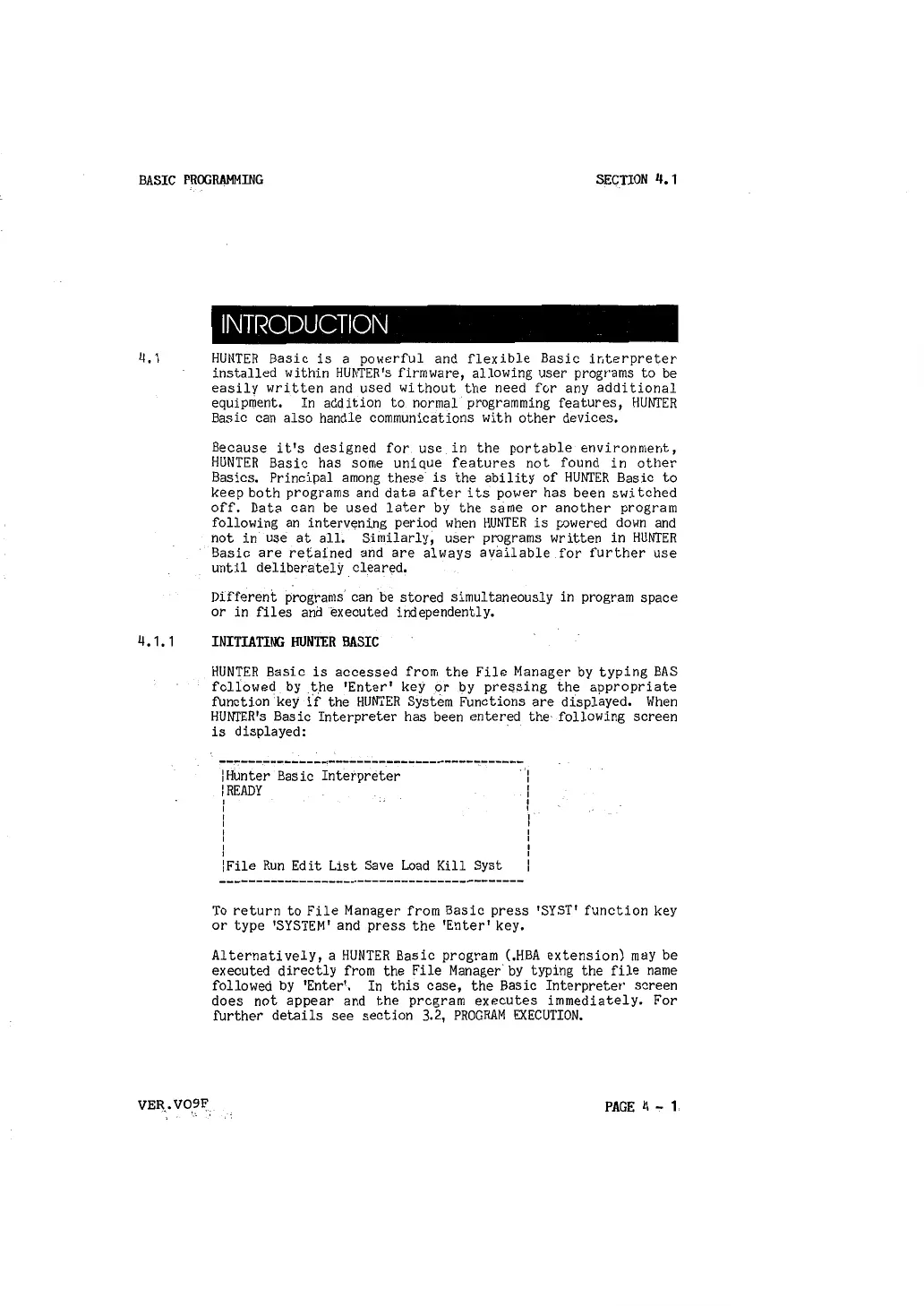
HUNTER's Basic Interpreter has been entered the· following screen
is displayed: ·
\Hunter Basic Interpreter
\READY
I
I
I
I
I
I
:
!File Run Edit List Save Load Kill Syst
·'1
I
I
I
I
I
:
I
I
I
I
I
To return to File Manager from Basic press 'SYST' function key
or type 'SYSTEM' and press the 'Enter' key,
Alternatively, a HUNTER Basic program (.HBA extension) may be
executed directly from the File Manager· by typing the file name
followed by 'Enter'. In this case, the Basic Interpreter screen
does not appear and the program executes immediately, For
further details see section 3,2, PROGRAM EXECUTION.
PAGE 4.,. 1



 To Next Page