EDIIDR SECTION 7.2
INITIATING THE EDITOR
The editor can be invoked from the operating system, DEMOS, or
directly from BASIC. In either case, procedures are similar but, on
exit, the user will be returned either to the operating system or
Basic as appropriate.
7, 2, 1 Entry from the operating system, DEMOS
From DEMOS, either type EDIT, followed by the desired filename, or
use function key 7 followed by the filename.
The entry line will look like:
>EDIT myfile.txt
This line will edit the file myfile.txt. Pressing Enter will invoke
the Editor and if the file already exists, will load it into the work
area.
If the file does not exist, it will be created on exit from
the editor provided text entry has been made.
It is essential to enter a filename. If the suffix is omitted, the
file will be assumed to be ASCII and have the standard default
extention TXT. If it is desired to edit a Basic file, the .HBA
suffix must be entered.
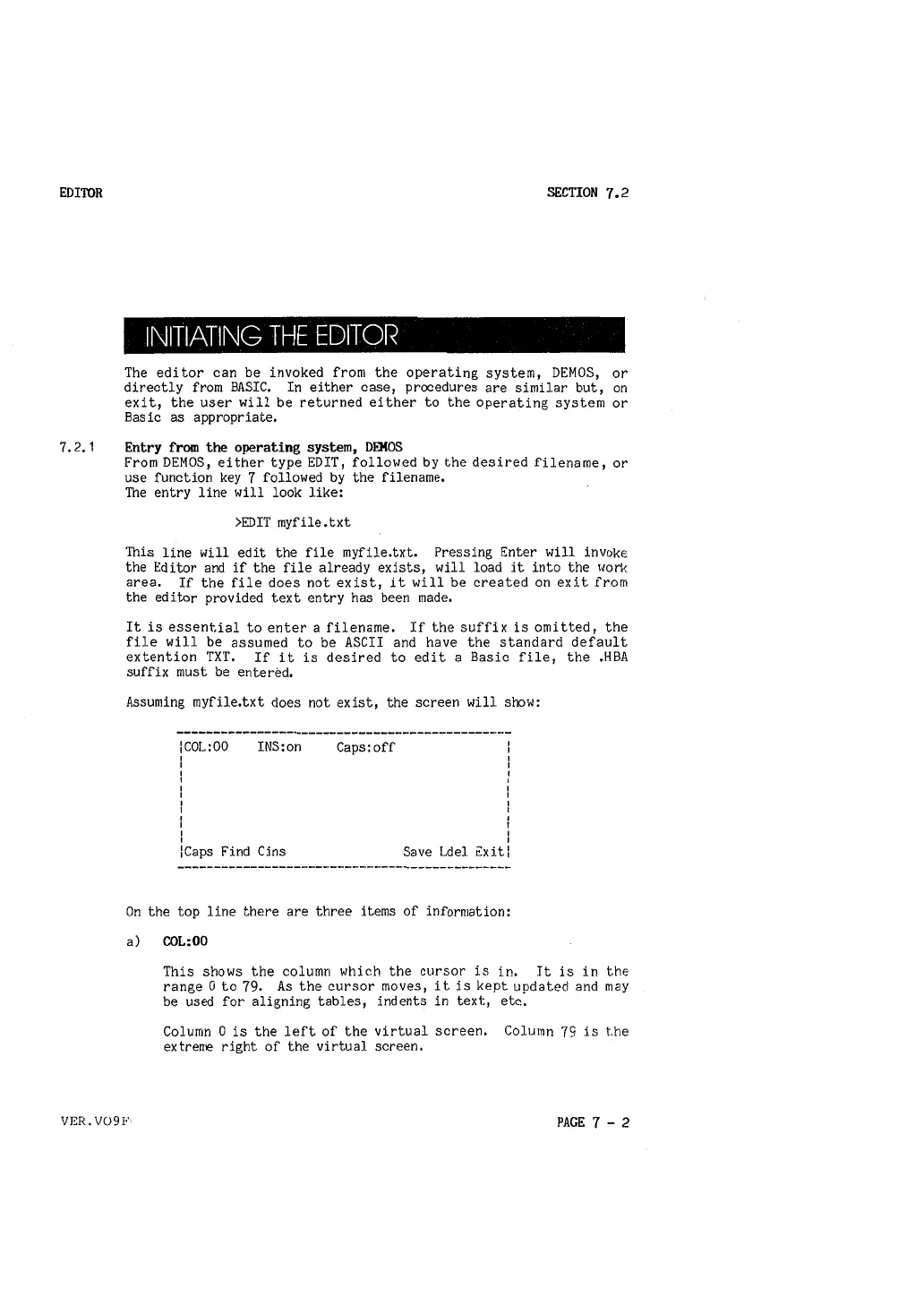
Assuming myfile.txt does not exist, the screen will show:
:coL:oo
I
I
I
I
I
I
I
I
I
I
INS:on
: Caps Find Cins
Caps:off
I
I
I
I
Save Ldel Exit:
On the top line there are three items of information:
a) COL:00
This shows the column which the cursor is in. It is in the
range O to
79, As the cursor moves, it is kept updated and may
be used for aligning tables, indents in text, etc.
Column O is the left of the virtual screen. Column
79 is t.he
extrerre right of the virtual screen.
VER. V091" PAGE 7 - 2



 To Next Page