tic
FILE MANAGER
3.5.3.7 F~NCTION
CALL NO.
ENTRY
EXIT
REMARKS
3.5.3.8 F~NCTION
CALL NO.
ENTRY
EXIT
REMARKS
3.5.3.9 F~NCTION
CALL NO.
ENTRY
EXIT
REMAIRKS
3.5.3. 10 FUNCTION
CALL NO.
ENTRY
EXIT
REMARKS
3.5.3.11 F~NCTION
CALL NO.
ENTRY
EXIT
REMARKS
VER.V09F
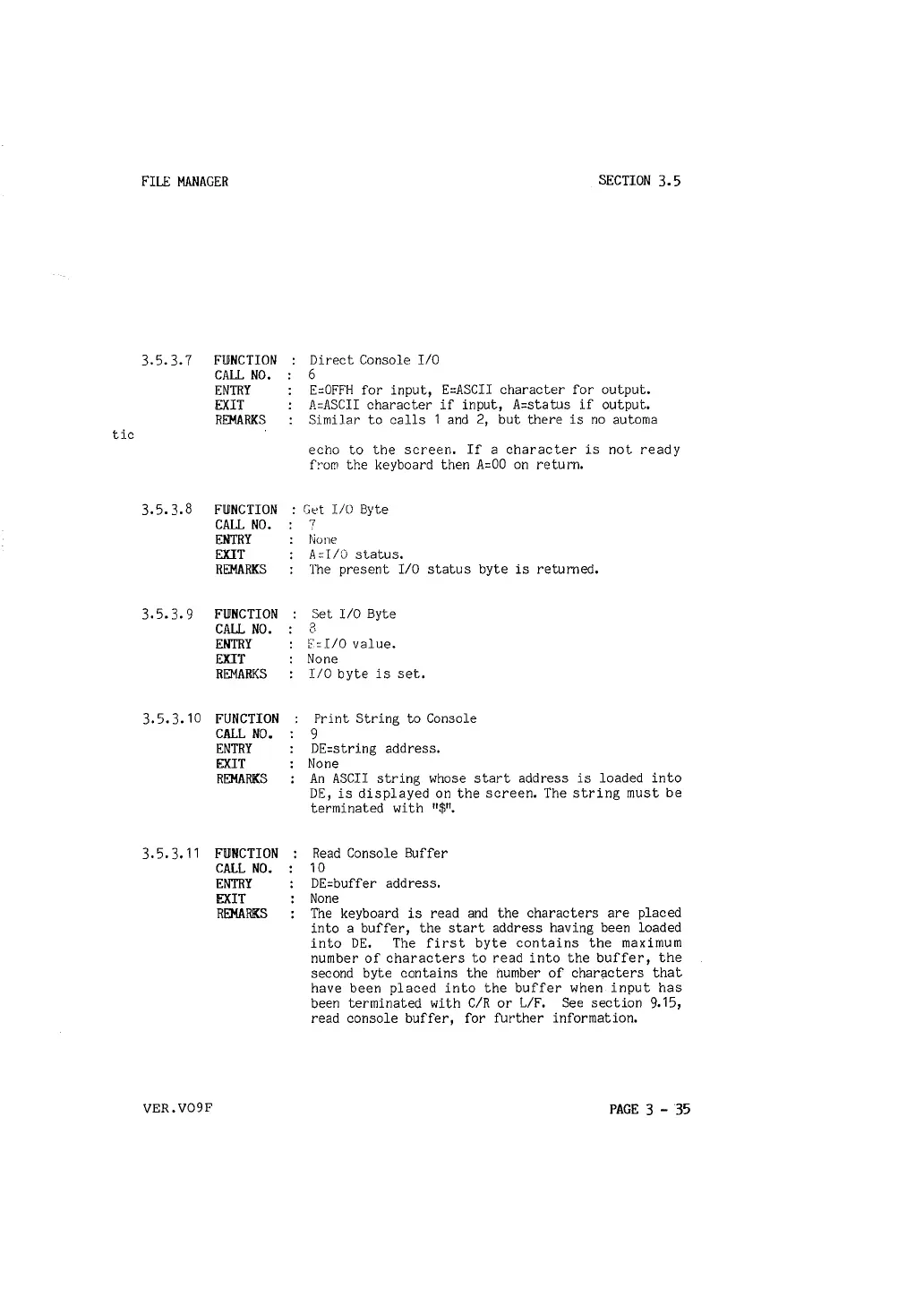
Direct Console I/O
6
SECTION 3.5
E=OFFH for input, E=ASCII character for output.
A=ASCII character if input, A=status if output.
Similar to calls 1 and 2, but there is no automa
echo to the screen. If a character is not ready
f~om the keyboard then A=OO on return.
Get I/O Byte
7
None
A =IIO status.
The present I/O status byte is returned.
Set
1/0 Byte
3
F=I/0 value.
None
I/O byte is set.
Print String to Console
9
DE=string address.
None
An ASCII string whose start address is loaded into
DE, is displayed on the screen. The string must be
terminated with
"$
11
•
Read Console Buffer
10
DE=buffer address.
None
The keyboard is read and the characters are placed
into a buffer, the start address having been loaded
into DE. The first byte contains the maximum
number of characters to read into the buffer, the
second byte contains the number of characters that
have been placed into the buffer when input has
been terminated with C/R or L/F. See section 9.15,
read console buffer, for further information.
PAGE 3 - 35



 To Next Page